
Home / Guides / Gate trading bot on your own account
Gate trading bot on your own account
Gate is one of the ten exchanges M Alpha Core works with. Scan a market, read the report with every trade and then let your own bot trade Gate perpetual contracts with a key that cannot withdraw.
Last updated:
Gate perpetual futures counted in contracts
Gate lists perpetual futures on a long list of crypto markets. Orders on Gate futures are counted in contracts, and the contract size differs from market to market. The bot converts and rounds for you.
Gate supports sub accounts. According to its help center, a main account can create several sub accounts, the limit rises with VIP level, and you can open API management from a sub account to create a key for it.
Gate's guide to API keys covers IP binding, permissions and security checks when you create a key. Bind the key to your bot server's address and give it trading rights for futures only.
Gold, stocks and commodities on Gate
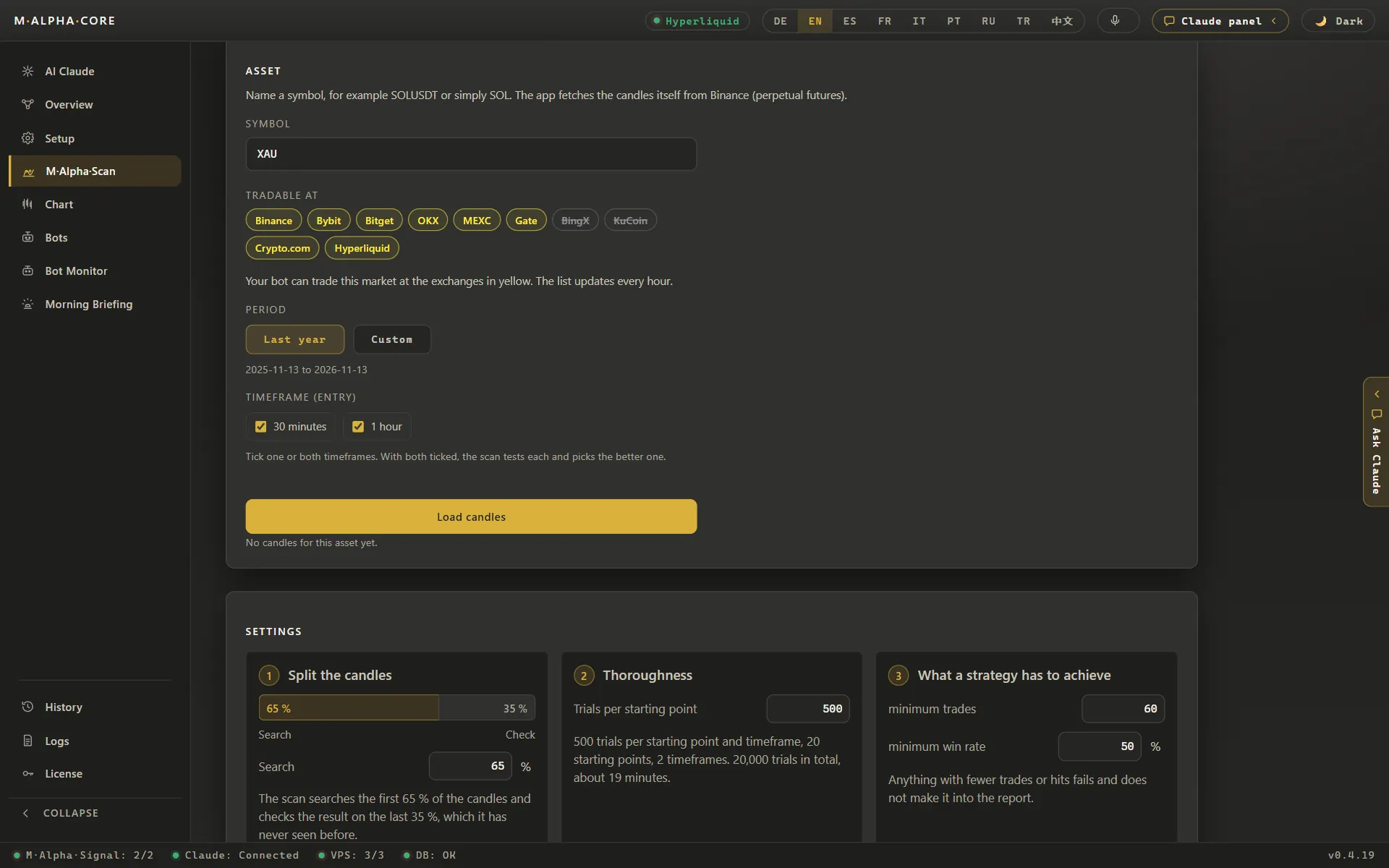
Gate had 1,071 perpetual markets in the app's list on November 13, 2026. All non crypto markets the app scans were there: gold, silver, platinum, palladium, copper (as XCU), WTI and Brent oil, natural gas (as NG), the S&P 500 and the Nasdaq 100, as well as single stocks such as Nvidia, Apple, Tesla and Microsoft. Everything on that list settled in USDT.
With that many markets, Gate also lists many young coins. A scan needs a year of data, so for a coin that has traded only a few months, the report has fewer trades to judge the settings by. Look at the trade count in the report before you trust a result on a young market.
Source: market list of the app, November 13, 2026.
How M Alpha Core works with Gate
The app does the research before any money moves. M Alpha Core has one built-in strategy, and the scan looks for the settings of that strategy that suit your market best. It tunes them on roughly the first eight months of a year of price data and then tries them on the remaining months, which it has never seen (out of sample). You get a report with each trade, the profit factor of both periods and the deepest drawdown, and our methodology page describes every step.
Your bot on Gate
The bot logs in to the Gate sub account with the key you created and looks for the perpetual of your market; it settles in USDT or USDC, depending on what Gate offers your account. You see every trade in Telegram as it happens and can take over at any time from the control panel in your browser.
Every trade your bot makes on Gate also lands in the app's trade history, which you can export as a CSV file for your tax advisor.
Gate in M Alpha Core at a glance
| Contract type | Linear perpetual contracts |
| Settlement currency on Gate | USDT or USDC, depending on what Gate offers your account |
| Order size counted in | Contracts, converted by the bot |
| Passphrase for the Gate key | No |
Smallest order on Gate
On Gate, orders count in contracts. Gate's public data on November 13, 2026 showed one BTC_USDT contract as 0.0001 BTC and one XAU_USDT contract as 0.0001 XAU, each with a minimum of one contract. That allows very small positions. It also means large numbers: a gold position of one full XAU on Gate is 10,000 contracts, and the bot does that count for you. The bot rounds every order down to whole contracts, so a trade is never larger than the amount you set.
Setting up your Gate bot step by step
The setup takes four steps. First the scan: only a result that survives the unseen 35 % is worth trading. Second, a separate Gate sub account for the bot, funded with what the bot may use. Third, an API key inside that sub account with futures trading rights, without withdrawal rights and bound to your server's IP address. Create the key from the sub account's API management. Fourth, the key goes into the app, which passes it on to your own server, and you start the bot.
For the exact menus, use the official Gate help pages:
- How to create and manage API keys on Gate (official Gate page)
- How to create sub accounts on Gate (official Gate page)
Leverage, margin and liquidation on Gate
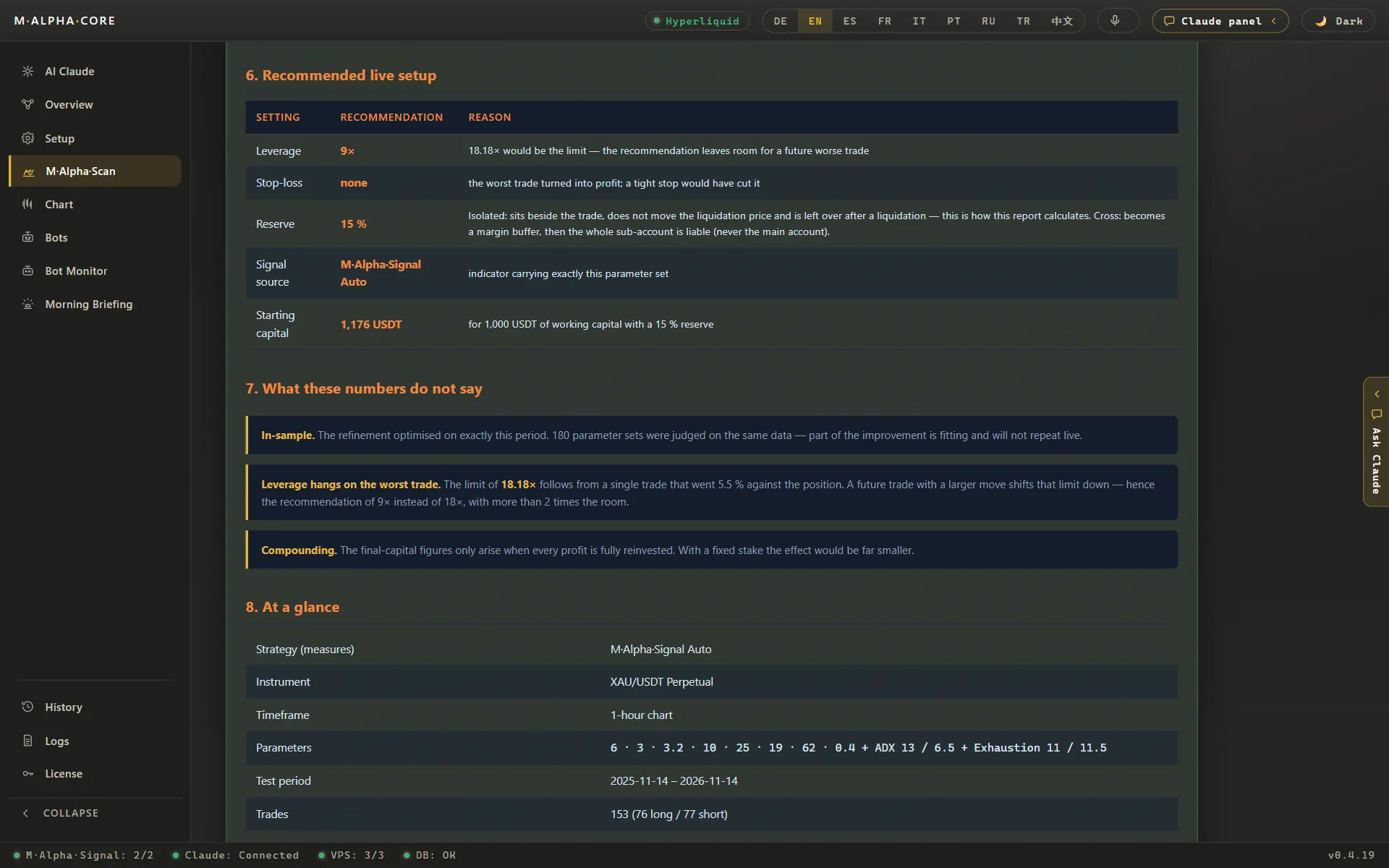
Gate has no separate switch for cross margin: cross is chosen through the leverage setting. The bot does this translation for you. You pick isolated or cross and your leverage in the app, and the bot sends what Gate expects for your market. Gate's public data listed up to 200x for BTC_USDT and ETH_USDT and 100x for XAU_USDT on November 13, 2026. Those are Gate's ceilings. The limit that matters for your bot is the one your report calculates from the worst trade of the test.
Leverage makes gains and losses larger. In one ETH scan (ETHUSDT, 30 minute chart, November 6, 2025 to November 6, 2026) with 116 trades, the worst move against a single trade was 15.64 %, so anything above 6.39x leverage would have meant liquidation of that trade. The report shows this limit for your market, and the leverage calculator lets you try your own numbers.
Gate trading fees and M Alpha Core costs
What you pay Gate per trade, and the funding rate between long and short positions, is decided by Gate and listed on its fee page. What you pay us is a license from $49 a month (plans and prices), and the server for your bot costs around $12 a month.
Gate regional companies and your country
Whether an exchange serves your country is set by the exchange. Check its terms. Gate serves some regions through separate companies with different products. Should Gate not be available where you live, look at the other exchanges listed below.
Other exchanges besides Gate
Binance · Bybit · Bitget · OKX · MEXC · BingX · KuCoin · Crypto.com · Hyperliquid
Gate trading bot: questions and answers
Which markets can I trade on Gate?
Crypto plus gold, silver, platinum, palladium, copper, oil, natural gas, the S&P 500, the Nasdaq 100 and single stocks, all in USDT, according to the app's market list of November 13, 2026.
Does Gate count in coins or contracts?
Gate futures count in contracts. The bot converts your trade size and rounds it down to what Gate accepts.
How many sub accounts can I have on Gate?
Gate says the limit depends on your VIP level. For one bot you need one sub account.
Can I choose isolated or cross margin on Gate?
Yes. You choose it in the app and the bot sets it for your market.
Compare M Alpha Core
Side by side with other bot tools, with sources for every statement about them.
Exchanges in M Alpha Core: Binance · Bybit · Bitget · OKX · MEXC · BingX · KuCoin · Crypto.com · Hyperliquid
All figures come from backtests on past market data. No result is a promise of future profit. Trading, especially with leverage, involves high risk. M Alpha Core is a software tool, not investment advice.