
Home / Guides / Bitcoin trading bot
Bitcoin trading bot, tested on data it never saw
Bitcoin trades every hour of every day, and its biggest moves rarely wait for you to be awake. M Alpha Core scans BTC, shows you a report with every number and lets your own bot trade it on your own account, long and short.
Last updated:
What a Bitcoin bot does in M Alpha Core
M Alpha Core has one built in strategy, M Alpha Signal. It trades long and short and decides at the close of every candle. For Bitcoin, the scan finds the best settings of that built in strategy on BTC data, on the 30 minute or the 1 hour chart. It does not invent a new strategy for Bitcoin, and it does not copy the settings from another coin. Each market gets its own search, its own report and, if you want, its own bot.
We do not show Bitcoin figures on this page, because we have not published a Bitcoin scan with documented dates yet. Instead of a made up example, this page explains what the scan does with BTC, what the report will show you and where the risks lie. Published scan results for other markets are on the pages for gold, Ethereum and the S&P 500.
Why a bot for Bitcoin?
Bitcoin is the most traded coin, and its price reacts to a long list of things: interest rate decisions in the United States, flows into and out of Bitcoin funds, news about regulation, large liquidations on the derivatives markets and simple shifts of mood. Many of the large moves happen in the night of European or American traders, or at the weekend, when traditional markets are closed and Bitcoin is not.
A person cannot watch that market all day. A bot follows the same rules at every candle, does not get tired at three in the morning and does not chase a move because of a headline. But a bot with weak rules loses money faster than a person, which is why M Alpha Core starts with a test and not with the bot.
How the Bitcoin scan works
- You type BTC in the scan screen, choose the 30 minute chart, the 1 hour chart or both, and a date range of about one year.
- The app loads Bitcoin perpetual candles. The scan runs on our scan server and keeps running when you close the app or put your phone away.
- The scan tries many settings of the built in strategy on the first 65 % of the year and keeps the best ones.
- The best settings then run on the last 35 % of the year, without any change. The search never saw this part.
- If the result passes the quality checks, the app writes the full report on its own.
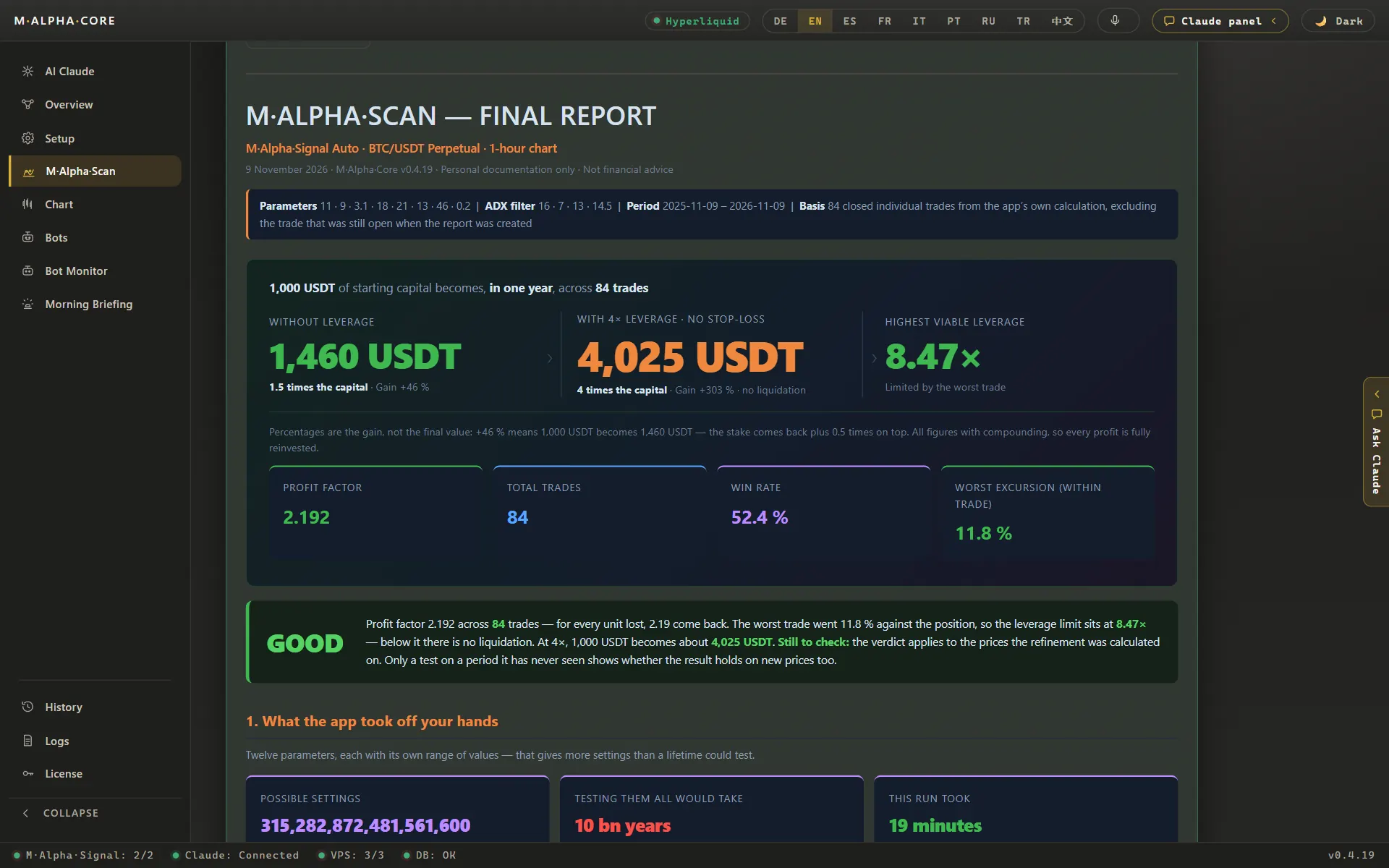
The split in time order is what makes the test honest. If the profit factor on the unseen part is about as good as on the searched part, the settings were not just fitted to the noise of the searched months. If it falls far, you do not trade them. The pages on backtest on unseen data and out of sample testing explain this in detail, and the methodology page lists every step of the calculation.
One honest remark about this check: when the scan picks the winner among its best candidates, the unseen part also plays a role in that choice. The unseen figure is therefore a little friendlier than a completely fresh test would be. Expect live results to be somewhat weaker than the backtest.
What the report shows you
| Number of trades | how many trades the settings made in the year |
| Profit factor, searched part | dollars won per dollar lost on the first 65 % |
| Profit factor, unseen part | the same on the last 35 % |
| Result without and with leverage | $1,000 compounded over the test period |
| Worst move against a trade | the furthest BTC went against an open position |
| Leverage limit and recommended leverage | what the worst trade allowed, and a value well below it |
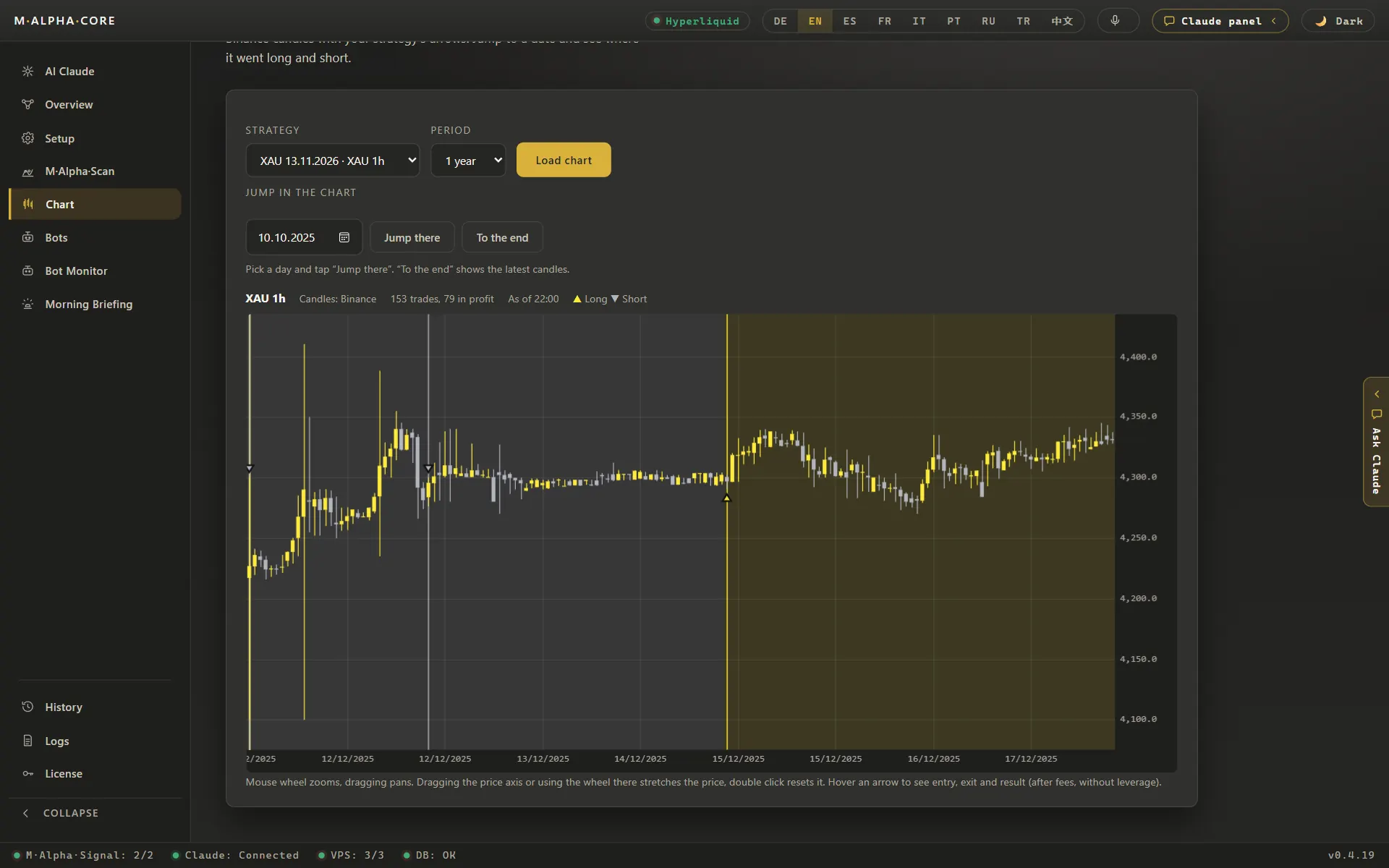
Every trade is also marked on the chart, the winners and the losers. Look at them before you start a bot: did the profit come from many trades or from one wild week?
Leverage on Bitcoin
Bitcoin moves less in percent than most smaller coins, but it still moves several percent in a day on a regular basis, and much more in a crash. With leverage, the question is not only whether a trade is right but how far the price may run against you before the position is liquidated. The report answers that with the worst move against a single trade during the test period and the highest leverage that move would have survived.
How this looks in practice can be seen in our ETH example: the worst move against one trade was 15.64 %, so any leverage above 6.39x would have liquidated that trade. The report puts such a limit next to every result. It is a boundary, not a target, because the next bad move can be larger than anything in the test period. Try the numbers for yourself in the leverage and liquidation calculator.
Where your Bitcoin bot trades
All ten exchanges that M Alpha Core supports list a Bitcoin perpetual contract: Binance, Bybit, Bitget, OKX, MEXC, Gate, BingX, KuCoin, Crypto.com and Hyperliquid. Pick an exchange you already trust and that is allowed where you live. Which products and which leverage you may use in your country is set by the exchange, so read its terms before you start.
Your bot runs on your own small server, not on ours. It trades with your own API key on your own account, and every bot gets its own sub account. Our signal server calculates the strategy with exactly the settings from your report and hands the signal to your bot. Our servers never hold your key.
Set up a Bitcoin trading bot step by step
- Install the app. M Alpha Core runs on Windows 10 and 11, on macOS 11 or newer (Apple Silicon and Intel) and on Android 10 or newer. Get it on the download page. One Standard license covers one computer and one phone, Pro covers three devices in any mix.
- Scan Bitcoin. Type BTC in the scan screen. Pick a time frame and a date range, then start the scan. It runs on our scan server, so you can close the app or put your phone away while it works.
- Read the report. Look at the number of trades, the profit factor on the searched part and on the unseen part, the result with and without leverage, the worst move against a single trade and the leverage that move would have allowed. Open the chart and look at every trade, the losers included. The methodology page explains how each figure is calculated.
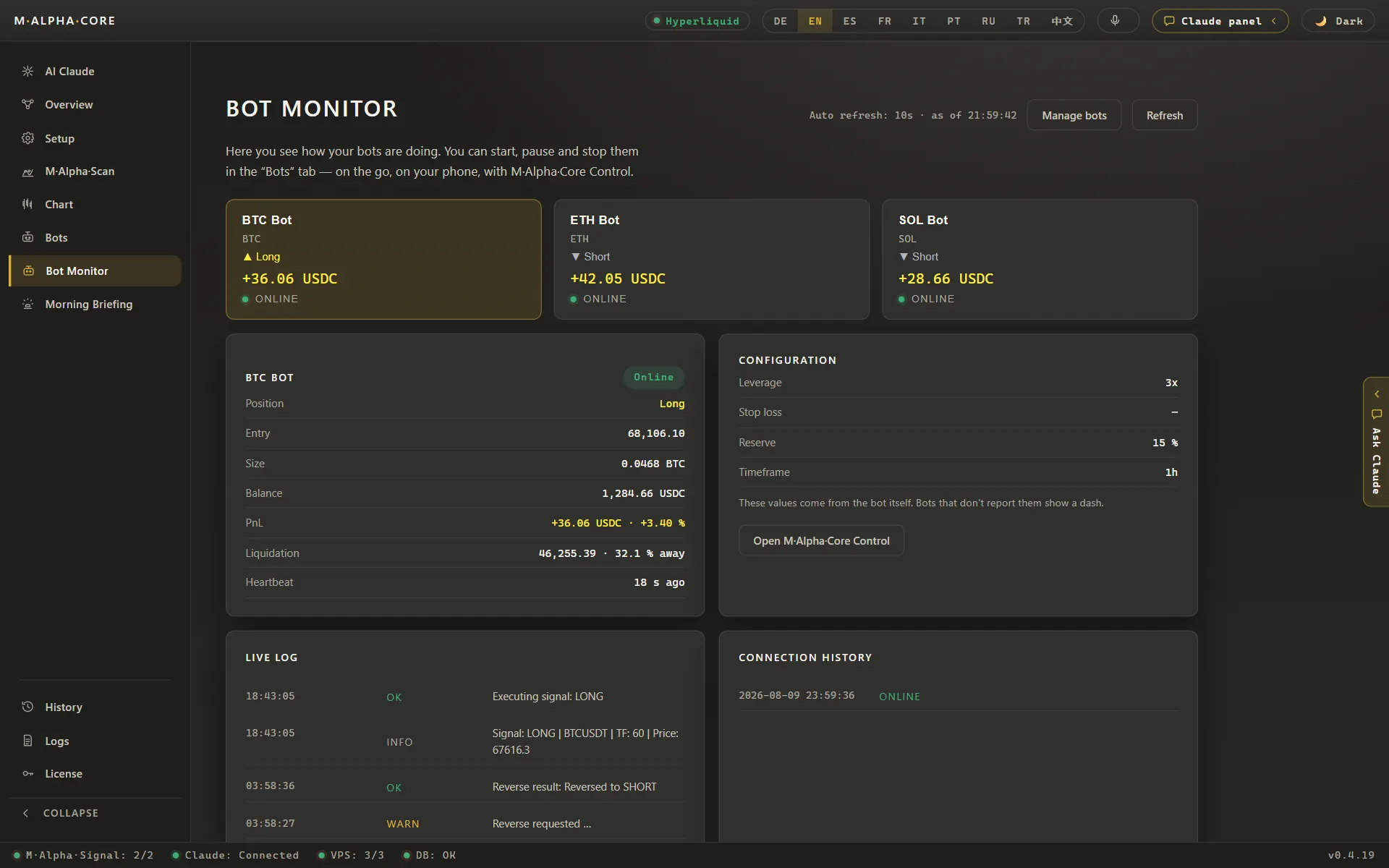
- Rent a small server and start your bot. The app walks you through renting a small server for about $12 a month and sets it up for you. Your bot first runs as a dry run: it only writes down what it would do and sends every step to your Telegram.
- Connect your exchange with a trading only key. Open the API settings of the exchange you want to use. All ten supported exchanges list Bitcoin. Create an API key that may trade but may not withdraw. The key is stored in the protected vault of your device and on your own server. Our scan server never sees it. The security page explains how keys, servers and the control panel are protected.
- Go live when you are ready. A practice bot stays a practice bot, so for real money you set the bot up once more without the dry run tick. From then on it trades on your own account, and you can set it to long, short, reverse or stop with one tap in the app or in the control panel in your browser.
By hand, own script or M Alpha Core
There are three common ways to trade Bitcoin with fixed rules. This table shows the practical differences.
| What matters | By hand | Own script | M Alpha Core |
|---|---|---|---|
| Testing many settings | Slow, a few settings per evening | Possible, if you write and maintain the code | Thousands of settings per scan on our scan server |
| Test on unseen data | Rarely done | Only if you build the split yourself | In every report: search on 65 %, test on the last 35 % |
| Leverage risk in numbers | Guesswork | Only if you calculate it | Worst move inside a trade and the leverage that would have survived it |
| Trading around the clock | Only while you watch the screen | Needs your own server and monitoring | Your bot on your own server, checked every minute by a watchdog |
| Programming needed | No | Yes | No, you tap through the app |
| Who holds the exchange key | You | You | You, in the vault of your device and on your own server |
| Cost | Your time | Your time plus a server | From $49 a month plus a small server for about $12 a month |
If you are weighing M Alpha Core against other bot tools, our side by side pages cover M Alpha Core vs 3Commas, M Alpha Core vs Pionex, M Alpha Core vs Cryptohopper and M Alpha Core vs Gainium.
Risks and limits
- A backtest is history. One year of Bitcoin can be very different from the next. A strategy that did well in a trending year can struggle in a long sideways phase.
- Crashes and squeezes. Bitcoin has fallen by more than ten percent within hours several times. A move larger than anything in the test period can liquidate a leveraged position.
- Funding. Perpetual contracts charge or pay funding at regular intervals. In a strong trend the side most traders are on pays the other, and that can add up over a long trade.
- Fees. Every trade costs fees. The scan includes the fees of the exchange you choose, but a thin edge can still disappear.
The app watches what it can. A watchdog checks every bot every minute and restarts one that stops. If a position runs toward liquidation, you get a warning at half the way and a critical one at three quarters. Every Sunday the app compares what the bot would have made on its own with what really happened on your account.
What a Bitcoin bot costs
The app costs $49 a month in the Standard edition with up to ten bots. You also need a small server for about $12 a month, a free Telegram account and about $5 of credit for the built in assistant, which lasts around a year. There is no contract. Your trading money stays on your own exchange account. All plans are on the pricing page.
Frequently asked questions
Can I run a Bitcoin trading bot with M Alpha Core?
Yes. You scan BTC, read the report and start a bot that trades the Bitcoin perpetual contract on your own exchange account.
Which exchanges can my Bitcoin bot use?
All ten supported exchanges list Bitcoin: Binance, Bybit, Bitget, OKX, MEXC, Gate, BingX, KuCoin, Crypto.com and Hyperliquid.
Does the bot buy real Bitcoin?
No. It trades a perpetual contract that follows the Bitcoin price, long or short. You gain or lose the price difference.
Why are there no Bitcoin figures on this page?
We only publish figures from scans with documented dates. Until a Bitcoin scan is published, this page shows how the scan works instead of an example we cannot document.
Which time frames can I scan?
The 30 minute chart, the 1 hour chart or both in one run. With both, the scan keeps the better one.
Can the bot go short on Bitcoin?
Yes. The built in strategy trades long and short, and you can also set a bot to long, short, reverse or stop by hand.
Which leverage should I use?
Well below the leverage the worst trade of the test would have survived. The report shows that limit and a recommended value. You decide.
Can the bot withdraw my Bitcoin?
No. The bot uses an API key that may trade but may not withdraw.
Do I need to keep my computer running?
No. The bot runs on your own small server around the clock.
Is a good backtest a promise of profit?
No. All figures come from backtests on past data. Markets change.
Related pages
All figures come from backtests on past market data. No result is a promise of future profit. Trading, especially with leverage, involves high risk. M Alpha Core is a software tool, not investment advice.