
Home / Guides / Crypto trading bot
Crypto trading bot: how to test one before it trades
A crypto trading bot does exactly what its rules say, around the clock. That is its strength and its danger. This guide shows how to check a bot before it touches your money, written from the view of a company that builds such a tool.
Last updated:
What a crypto trading bot is
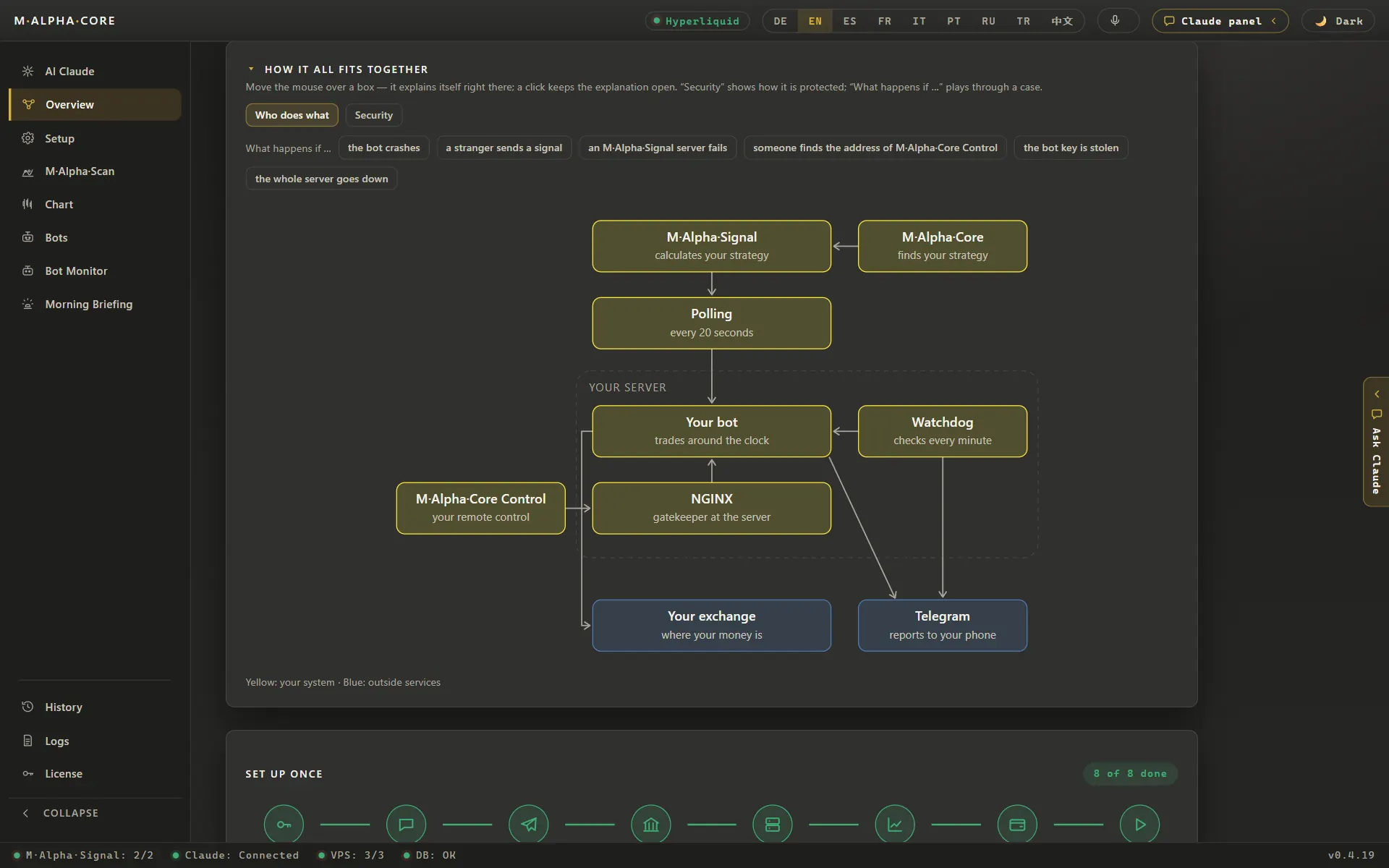
A crypto trading bot is a program that places orders on an exchange for you. It reads prices, applies a set of rules and sends buy or sell orders through an API key. It does not get tired, it does not hesitate, and it does not trade out of boredom. It also does not think. If the rules are bad, the bot loses money faster and more steadily than a person would.
So the useful question is not whether a bot can trade. It always can. The useful question is whether its rules have shown, on data they were not tuned on, that they deserve your money. Everything in this guide serves that question.
Common types of bots
Most bots fall into a few groups. Knowing the group helps you know what to test.
- Grid bots place buy and sell orders at fixed steps inside a price range. They do well while the price swings sideways and suffer when it leaves the range for good.
- DCA bots buy in several steps as the price falls and sell once it recovers. They look calm for a long time and can carry a large position in a long decline.
- Signal bots follow alerts from a chart tool or a signal group. The bot is only as good as the signals, and those signals are often untested.
- Strategy bots run a fixed strategy with defined entries and exits, long and short. M Alpha Core belongs to this group: one built in strategy, M Alpha Signal, with settings found and tested for each market.
Each type has a weak spot. A good test looks for that weak spot on purpose instead of hoping it will not show up.
Why testing comes first
The crypto market runs every day of the year, and moves of ten percent in a day are not rare. A bot with leverage can lose its whole margin in one such move. Without a test you learn about the weak spot of your rules on your own account, with real money. With a test you learn about it on past data, where it costs nothing.
A test also protects you from your own hopes. A strategy that you like will look better to you than it is. Numbers that were produced before you saw them, on data you could not tune, are much harder to fool yourself with.
Step 1: Run a full backtest
A backtest runs the exact rules of the bot over past prices and records every trade. Use at least a year of data, so the test contains rising, falling and sideways phases. Use the same time frame the bot will trade on. Include fees, because a strategy that trades often can lose its whole edge to fees alone.
Look at more than the final profit. Count the trades: a result from 15 trades says little, a result from more than a hundred says much more. A real ETH scan in M Alpha Core made 116 trades in one year on the 30 minute chart, with a win rate of 58.6 %. Look at the profit factor, the dollars won for every dollar lost. And look at the worst phase, because that is the phase you will have to sit through.
Our guide on how to backtest a trading strategy explains each of these numbers in detail, and the methodology page shows how M Alpha Core calculates them.
Step 2: Test on data the search never saw
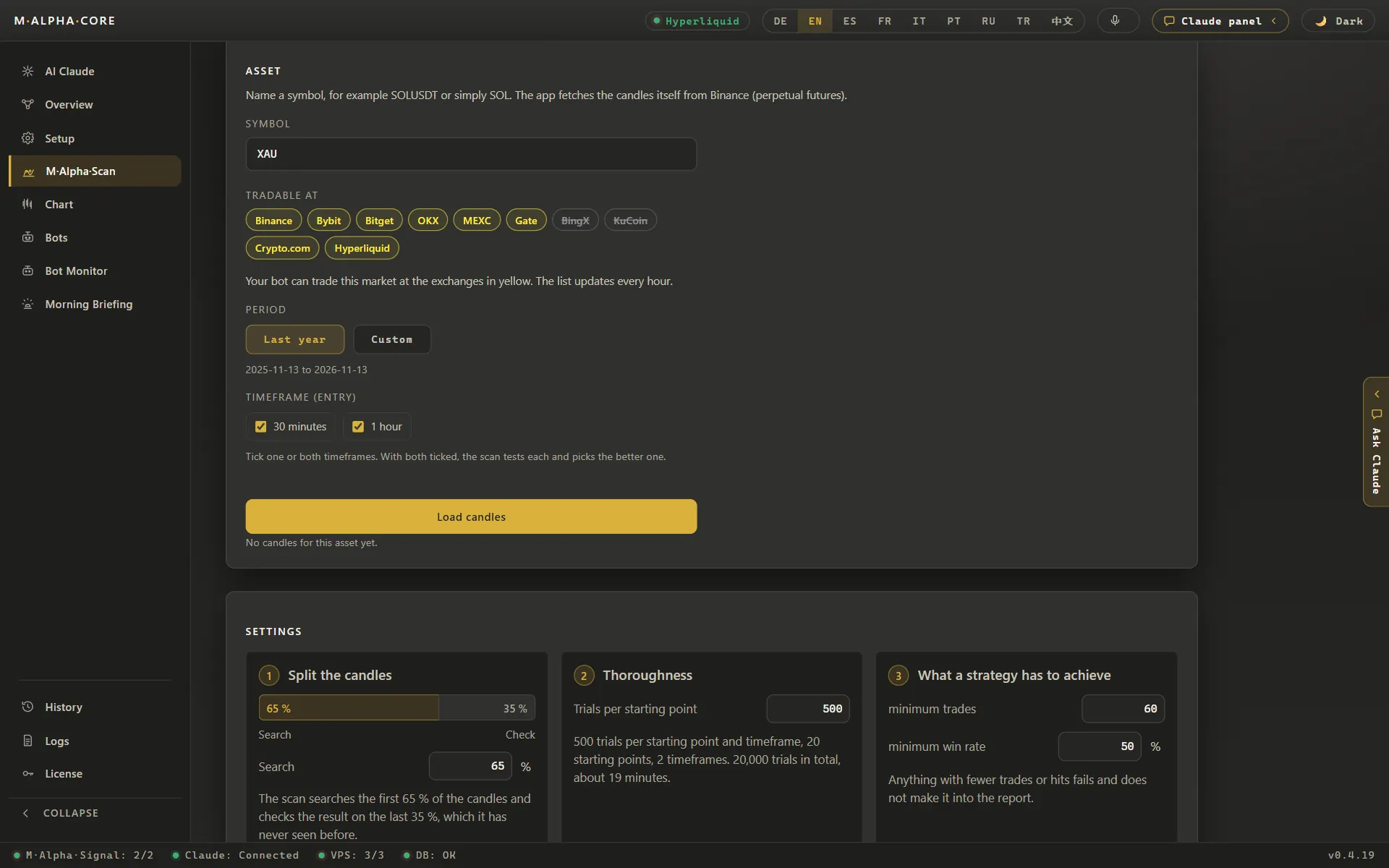
If you tried many settings to find the best one, the best backtest is partly luck. The only honest check is a part of the data that the search never touched. M Alpha Core uses the first 65 % of a year for the search and the last 35 % for this check. The settings are fixed before the check, and nothing is changed afterwards.
Compare the profit factor of both parts. In a real gold scan it went from 2.53 on the searched part to 2.81 on the unseen part. That is a pass. If a strategy drops from 2.5 to barely above 1 on the unseen part, it learned the noise of the past and should not trade. You find more about this on backtest on unseen data and in the guide to out of sample testing.
Step 3: Find the leverage limit
Most crypto bots trade perpetual contracts with leverage. Leverage does not change whether a trade is right or wrong. It changes how far the price may move against you before the position is liquidated. So the most important risk number is the worst move against a single trade during the test.
In the ETH example above, the worst move against one trade was 15.64 %. Any leverage above 6.39x would have liquidated that trade, and the whole backtest would have looked very different. The report of M Alpha Core shows this limit for every result. Choose a leverage well below it, because the next bad move can be larger than anything in the test. The leverage and liquidation calculator lets you check this relation for your own numbers.
Step 4: Look at every trade
Numbers summarize, and summaries hide things. Open the chart and look at the trades one by one. Did the profit come from many trades or from one lucky week? Are there long phases without a winner? Do losing trades stay small, or do some of them run far? A strategy that made its whole year in three days is a different animal from one that earns a little every week, even if both show the same profit factor.
Step 5: Dry run with live prices
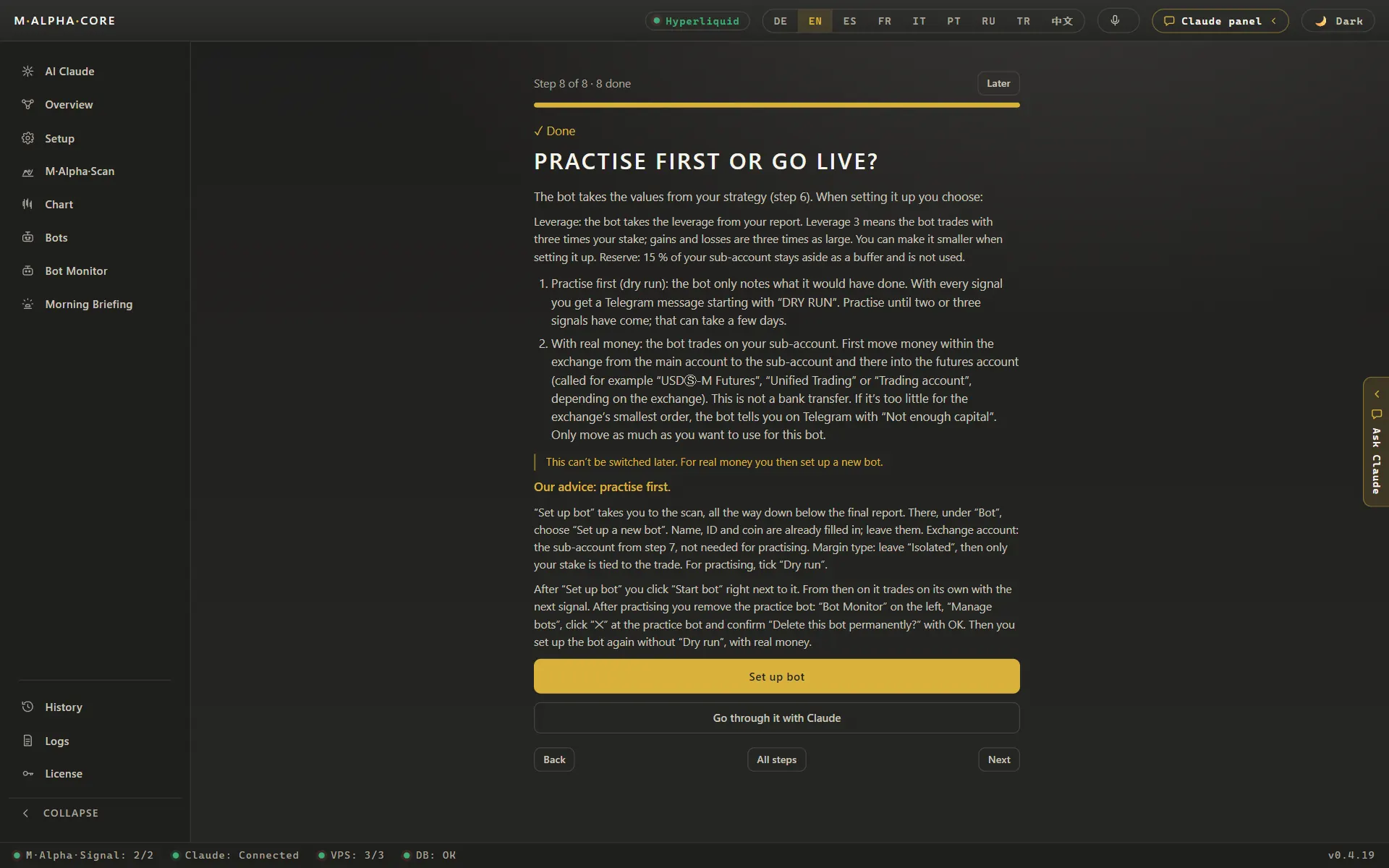
A backtest uses the past. A dry run uses the present without risking money. The bot runs on live prices and writes down every order it would place, but sends none. In M Alpha Core every new bot starts this way and reports every step to your Telegram.
The dry run catches problems a backtest cannot see: a wrong symbol, a time frame mix up, a key without the right permission, a server that falls asleep. It also shows you how the bot behaves in the current market, which may be calmer or wilder than the test period.
Step 6: Go live small
When the dry run looks right, go live with a stake you can afford to lose completely. Watch the first trades closely. Do the fills match the signals? Are fees and funding in line with what you expected? Only after the bot has behaved as expected for a while does it make sense to raise the stake.
Keep comparing. M Alpha Core does this every Sunday: it compares what the bot would have made on its own with what really happened on your account. A growing gap between the two is an early warning, for example of high slippage or missed orders.
Security: keys, servers and withdrawals
A bot needs an API key, and an API key is access to your money. Three rules keep that access small:
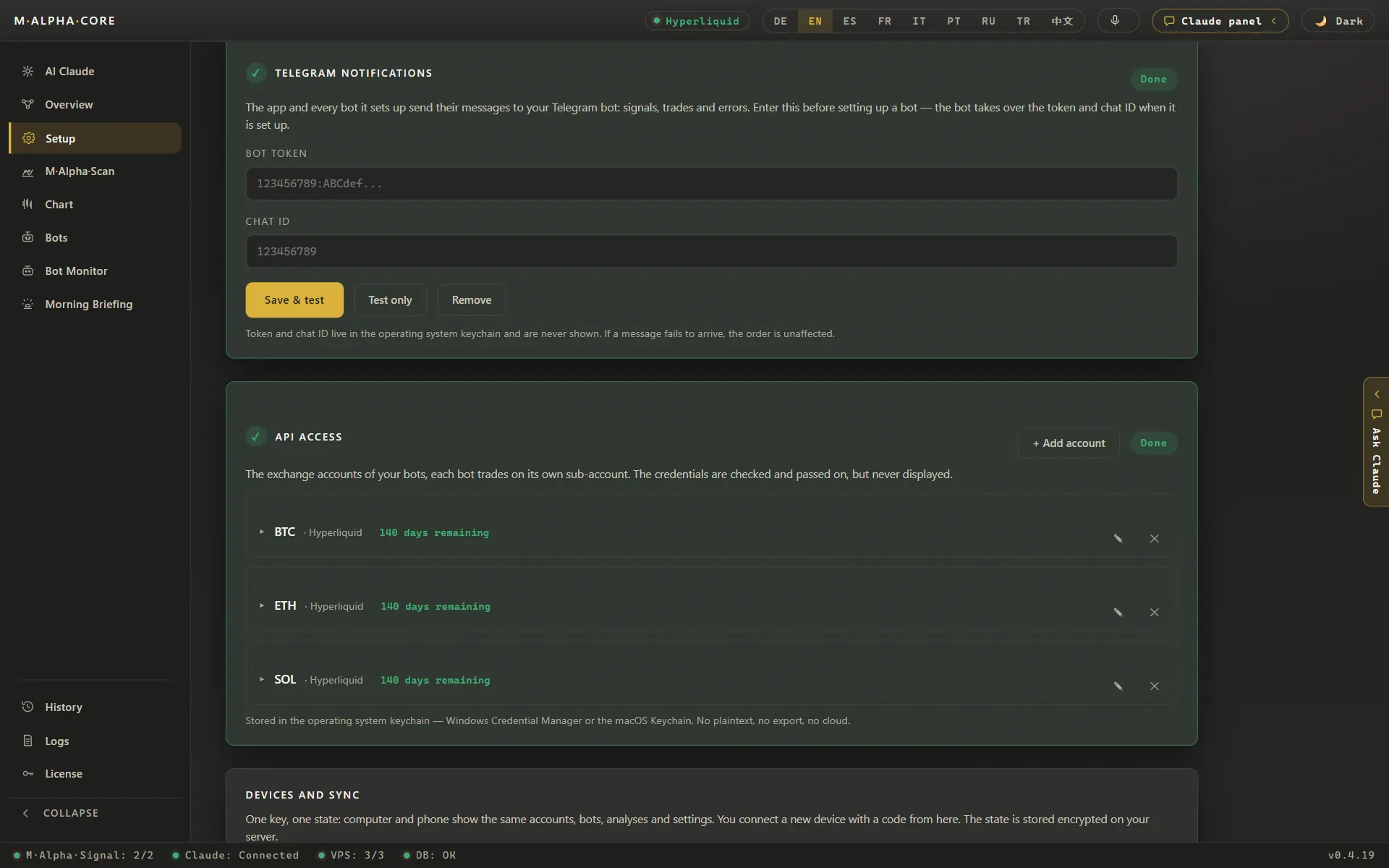
- Trading only. Create the key with the right to trade and with withdrawals switched off. A bot never needs to withdraw.
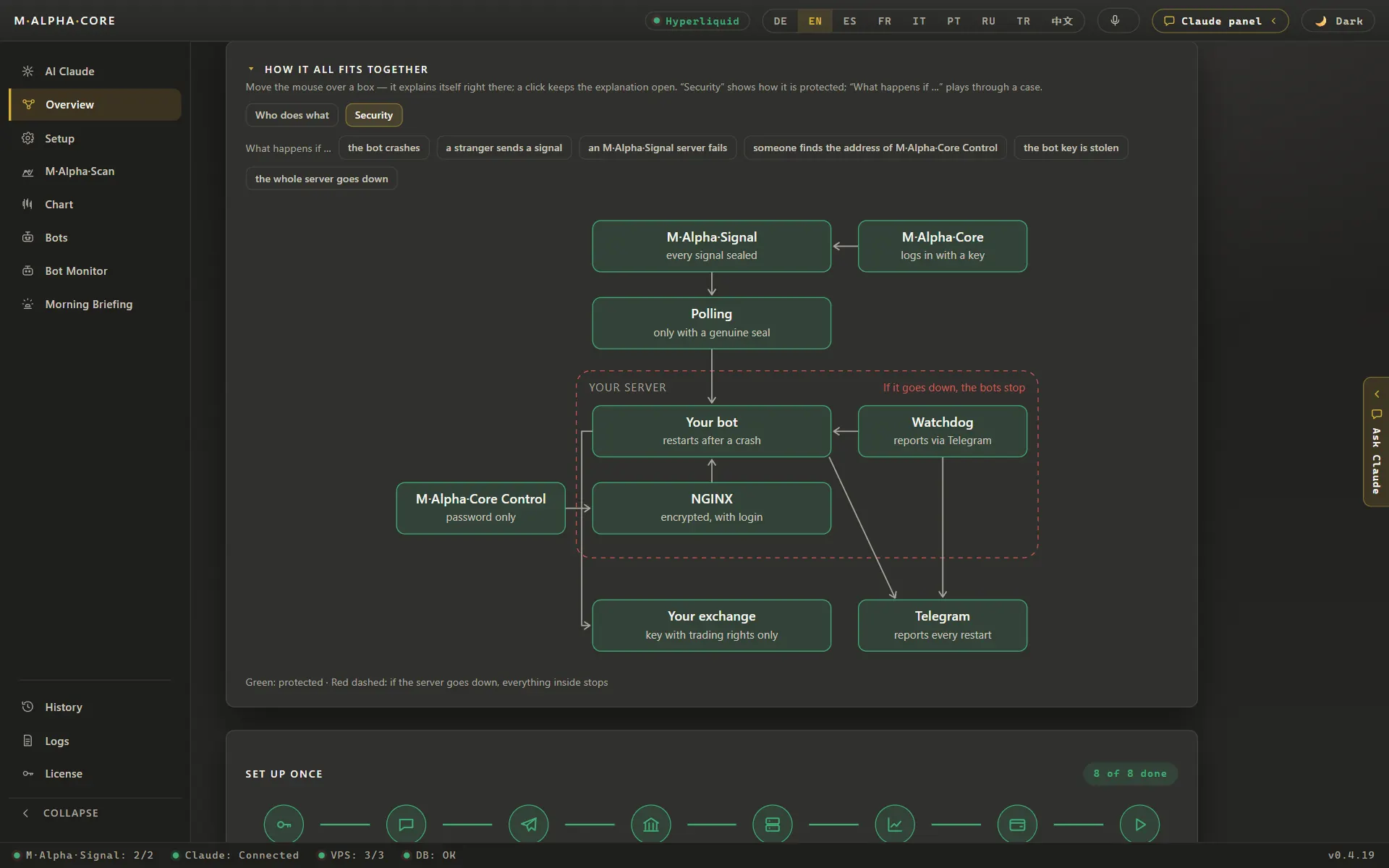
- Your own server. Let the bot run on a server that you rent yourself. Then the key stays with you. In M Alpha Core the key lives in the protected vault of your device and on your own server. Our scan server never gets it.
- One sub account per bot. If one strategy has a bad run, it cannot pull margin from the others. This applies on all ten exchanges. On Hyperliquid there is one more benefit: it also limits what a single API wallet can touch.
Also protect the control of the bot. In M Alpha Core the control panel of every bot is protected by a password and locks out anyone who guesses wrong five times. The security page describes the whole setup.
Keep records from the first trade. M Alpha Core lists every trade of your bots with fees and funding in its trade history and exports the year as a CSV file for your tax advisor. How the tax export works
A short checklist before going live
- At least one year of data and enough trades to mean something.
- Fees included in the test.
- A result on unseen data that holds up against the searched part.
- A leverage well below the limit from the worst trade.
- Every trade looked at on the chart.
- A dry run without surprises.
- An API key without withdrawal rights, on your own server and your own sub account.
- A first stake you can afford to lose.
Which exchange to use
Use an exchange that you already trust and that is allowed where you live. M Alpha Core supports ten: Binance, Bybit, Bitget, OKX, MEXC, Gate, BingX, KuCoin, Crypto.com and Hyperliquid. Which products an exchange offers in your country is set by the exchange, so please read its terms. Our exchange guides cover the setup for each of them, for example the Binance trading bot, the Bybit trading bot and the Hyperliquid trading bot.
Beyond crypto
Many crypto exchanges now list contracts on gold, oil, stock indices and single stocks. The same testing steps apply there. See the gold trading bot and the stock trading bot pages for real scan results on gold, Nvidia and the Nasdaq 100.
How M Alpha Core fits in
M Alpha Core puts these steps into one app for Windows, Mac and Android. You pick a market, the scan searches and checks the settings on unseen data, the report shows profit, worst move and leverage limit, the chart shows every trade, and the bot starts as a dry run on your own server. The license costs from $49 a month, the server about $12 a month, and there is no contract. You do not need to program anything. If you are comparing tools, see M Alpha Core vs 3Commas, M Alpha Core vs Pionex or the 3Commas alternative page, and the pricing page for every cost in one place.
Frequently asked questions
Do crypto trading bots make money?
Some rule sets made money in the past, many did not. A bot only executes rules. Whether the rules work is what the test has to show, and even a good test is no promise.
How long should a backtest be?
At least one year on the time frame the bot trades, so the test contains rising, falling and sideways phases.
How many trades does a test need?
As many as possible. A result from a few dozen trades is weak. Our examples have between 89 and 153 trades in one test period.
What is a dry run?
The bot runs on live prices and records the orders it would place, but sends none. It catches setup errors before real money is at risk.
Which leverage should a crypto bot use?
Well below the leverage the worst trade of the test would have survived. In our ETH example that limit was 6.39x.
Can a trading bot steal my money?
A bot with a trading only key cannot withdraw. Keep withdrawals switched off and run the bot on your own server.
Do I need to know how to code?
Not with M Alpha Core. You tap through the app, and it sets up your server and bot for you.
Is a signal group the same as a bot?
No. A signal group sends the same trades to everyone. With M Alpha Core you scan your own market, get your own settings and decide leverage and stake yourself.
Which exchanges can I use?
M Alpha Core supports Binance, Bybit, Bitget, OKX, MEXC, Gate, BingX, KuCoin, Crypto.com and Hyperliquid.
What does it cost to run a bot?
With M Alpha Core: from $49 a month for the app, about $12 a month for a small server, Telegram is free.
Compare M Alpha Core
Side by side with other bot tools, with sources for every statement about them.
Exchanges in M Alpha Core: Binance · Bybit · Bitget · OKX · MEXC · Gate · BingX · KuCoin · Crypto.com · Hyperliquid
Related pages
All figures come from backtests on past market data. No result is a promise of future profit. Trading, especially with leverage, involves high risk. M Alpha Core is a software tool, not investment advice.