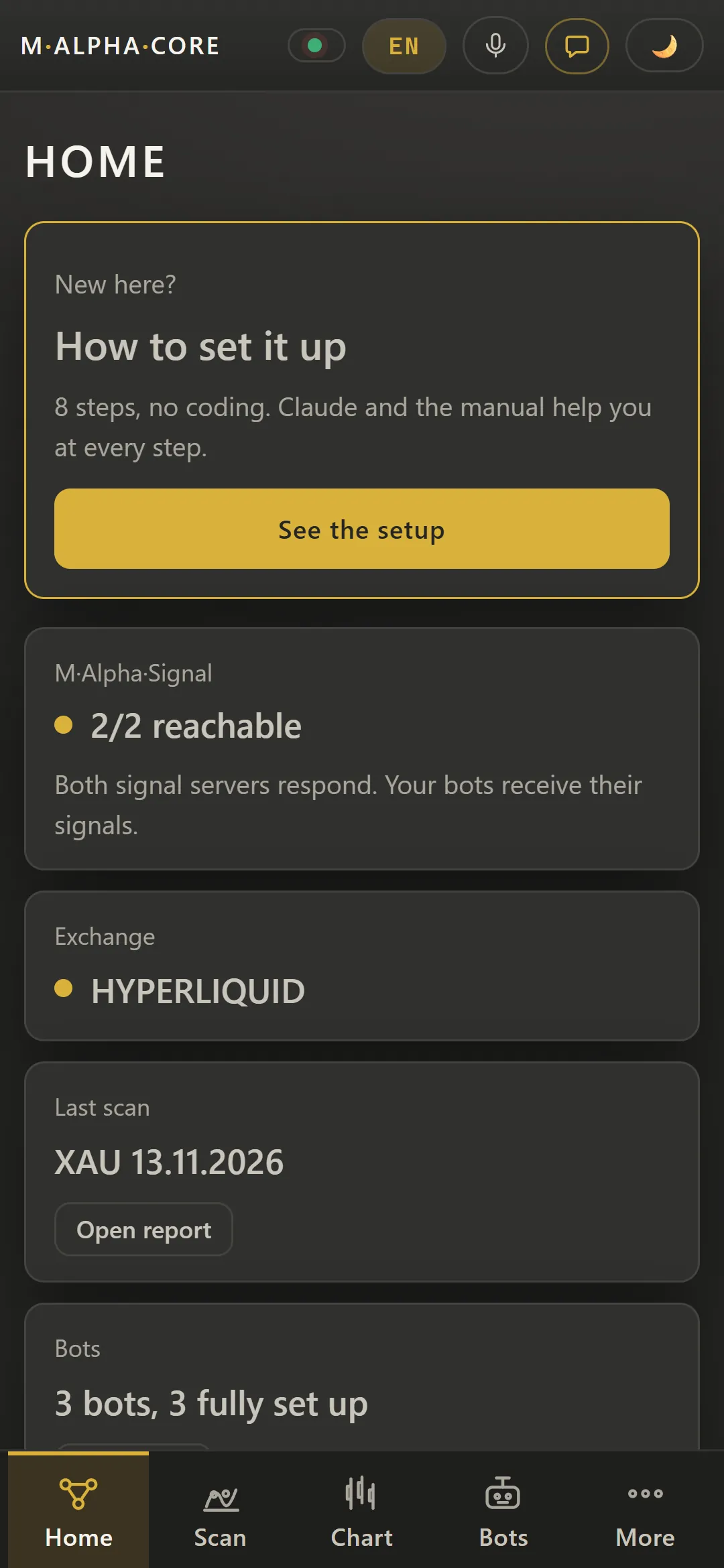
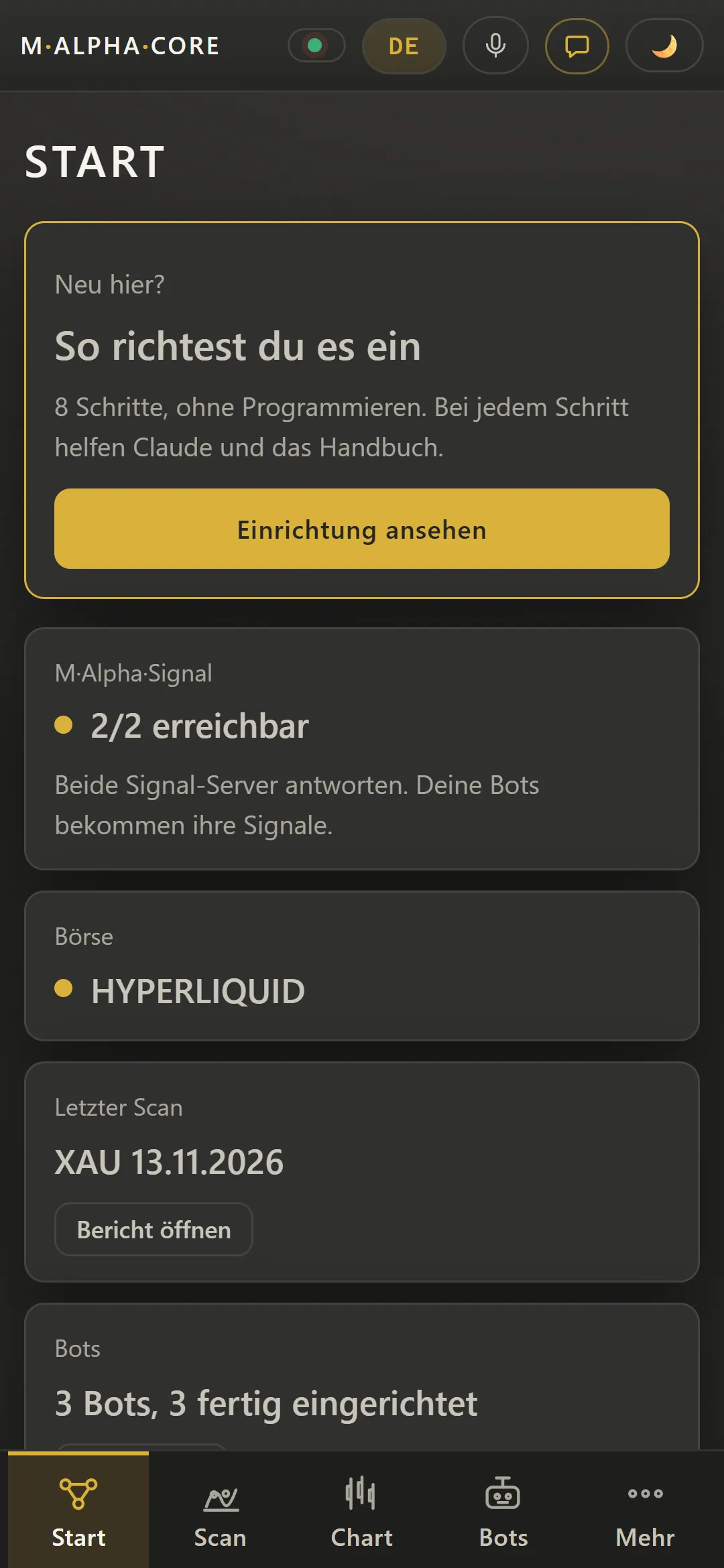
Real screens from the app with sample data, on the computer and on Android. From the first scan to your own trading bot. The home page explains how it works, the videos show it in motion.
Guided setup from license to first trading bot
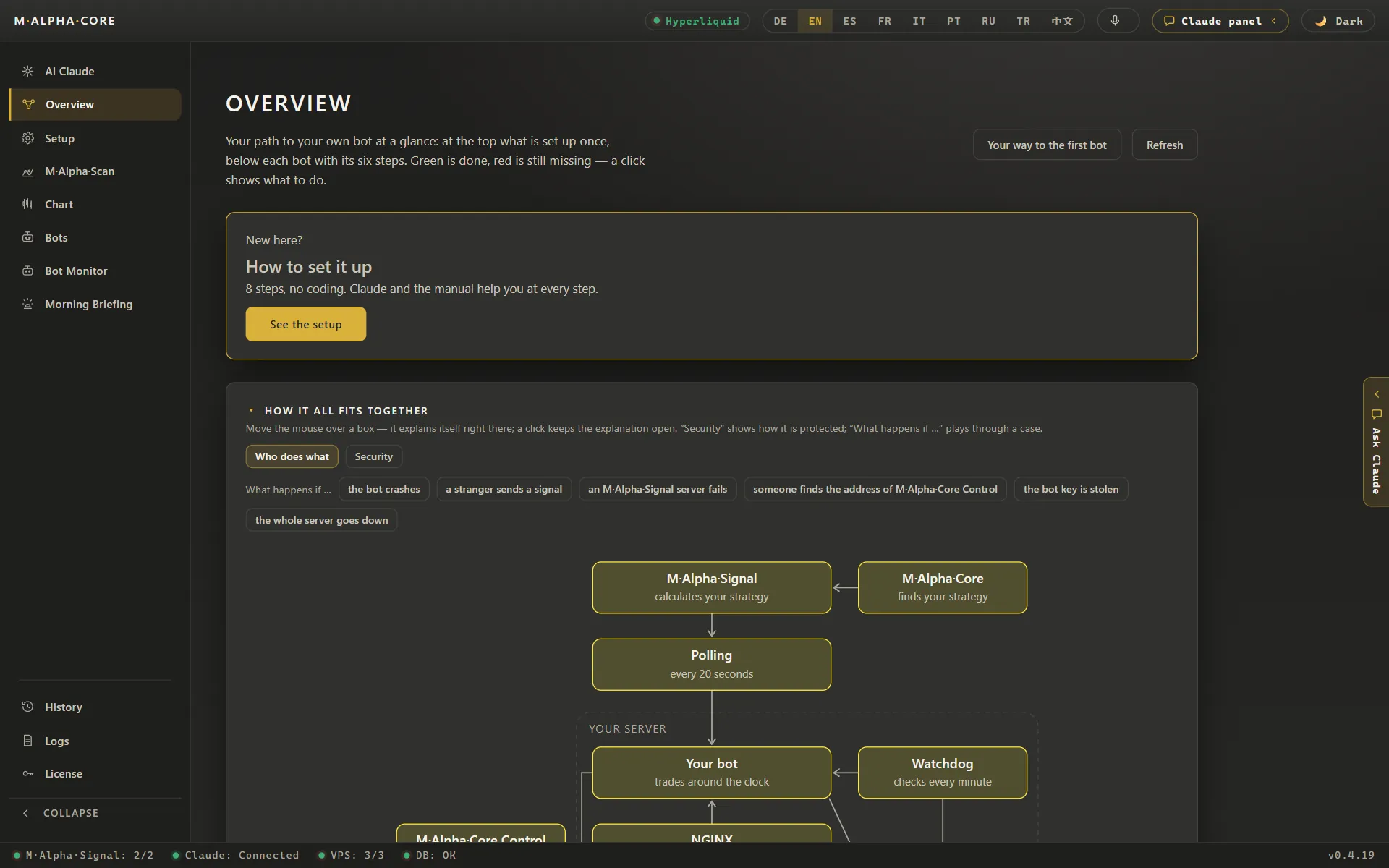
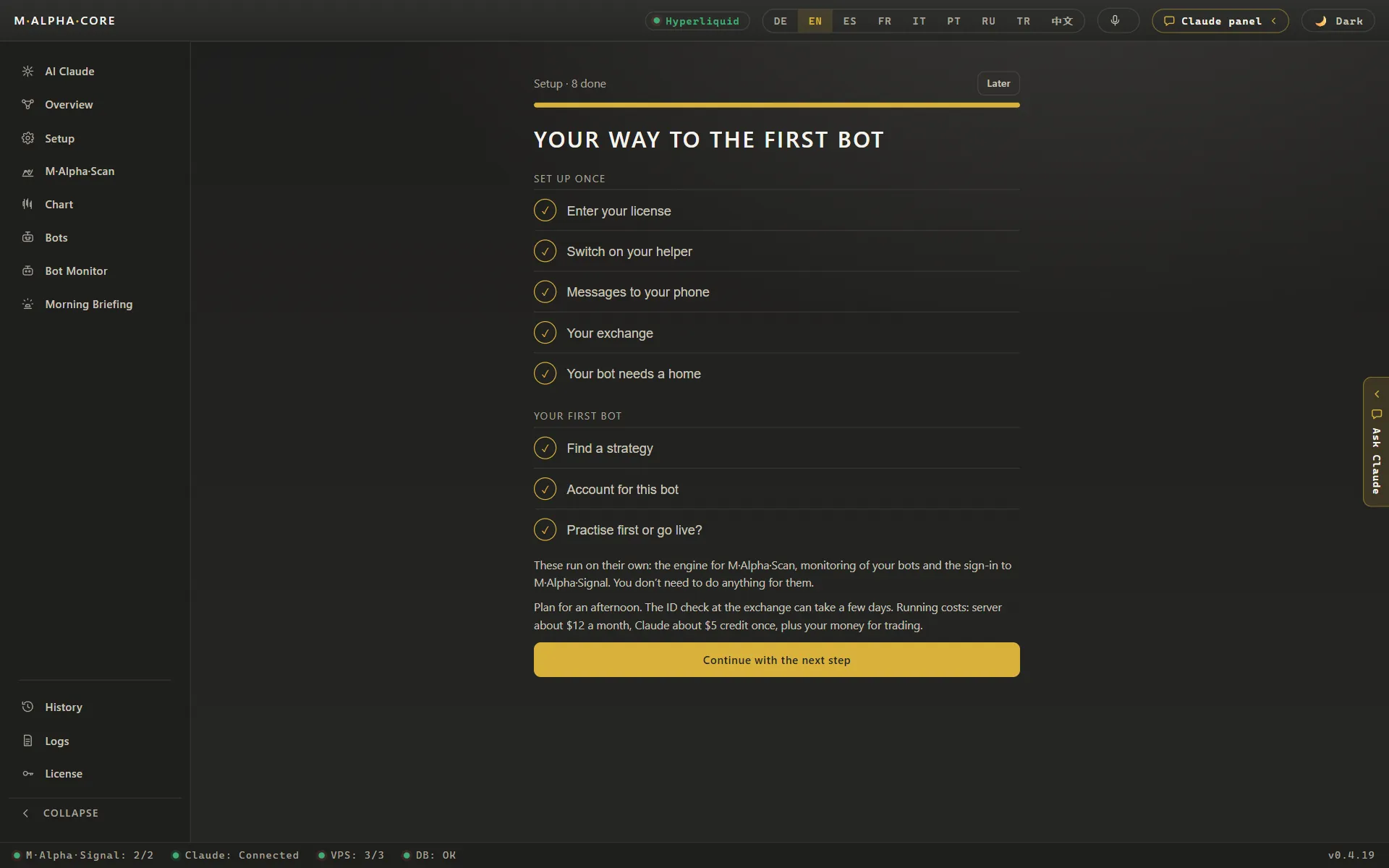
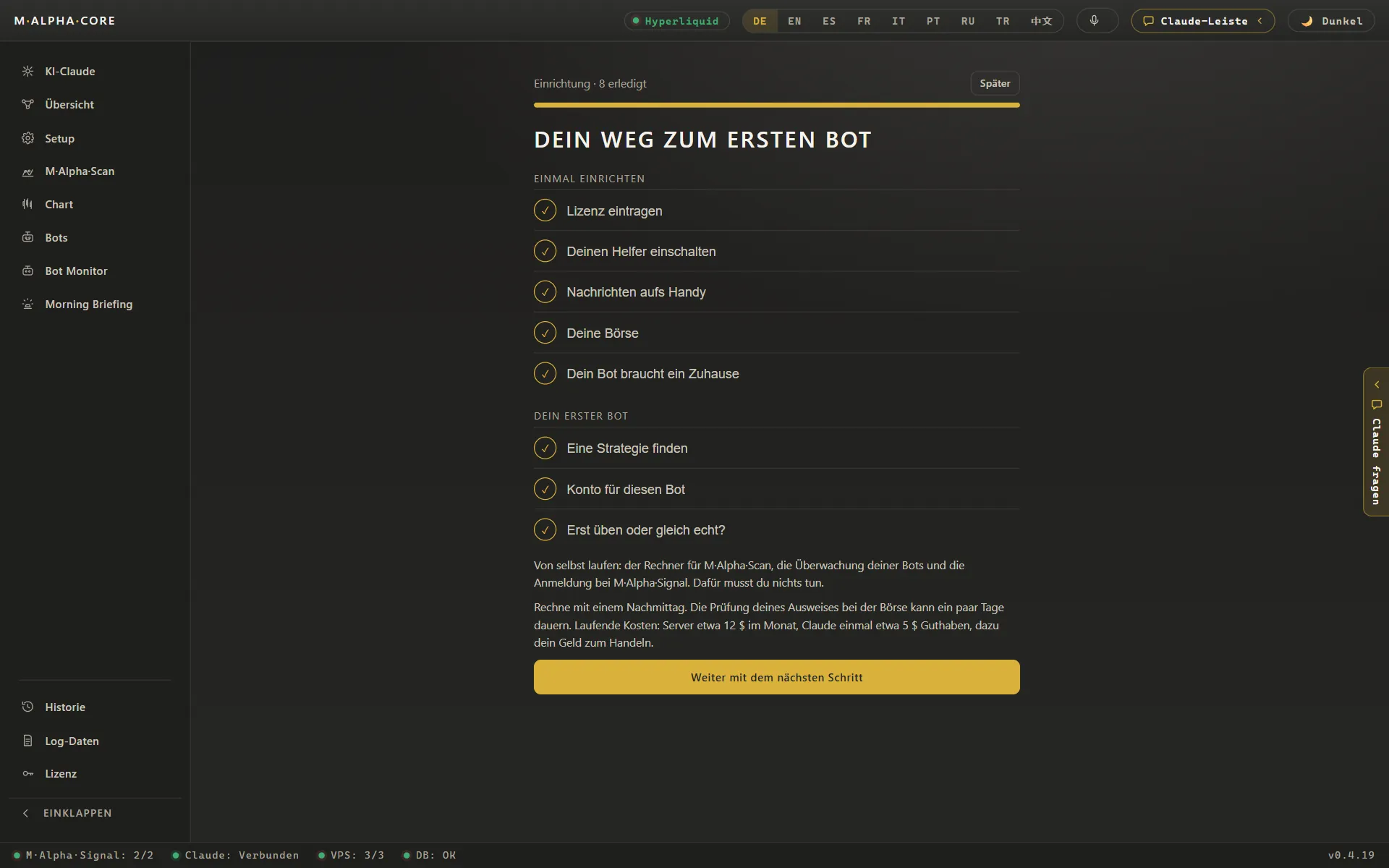
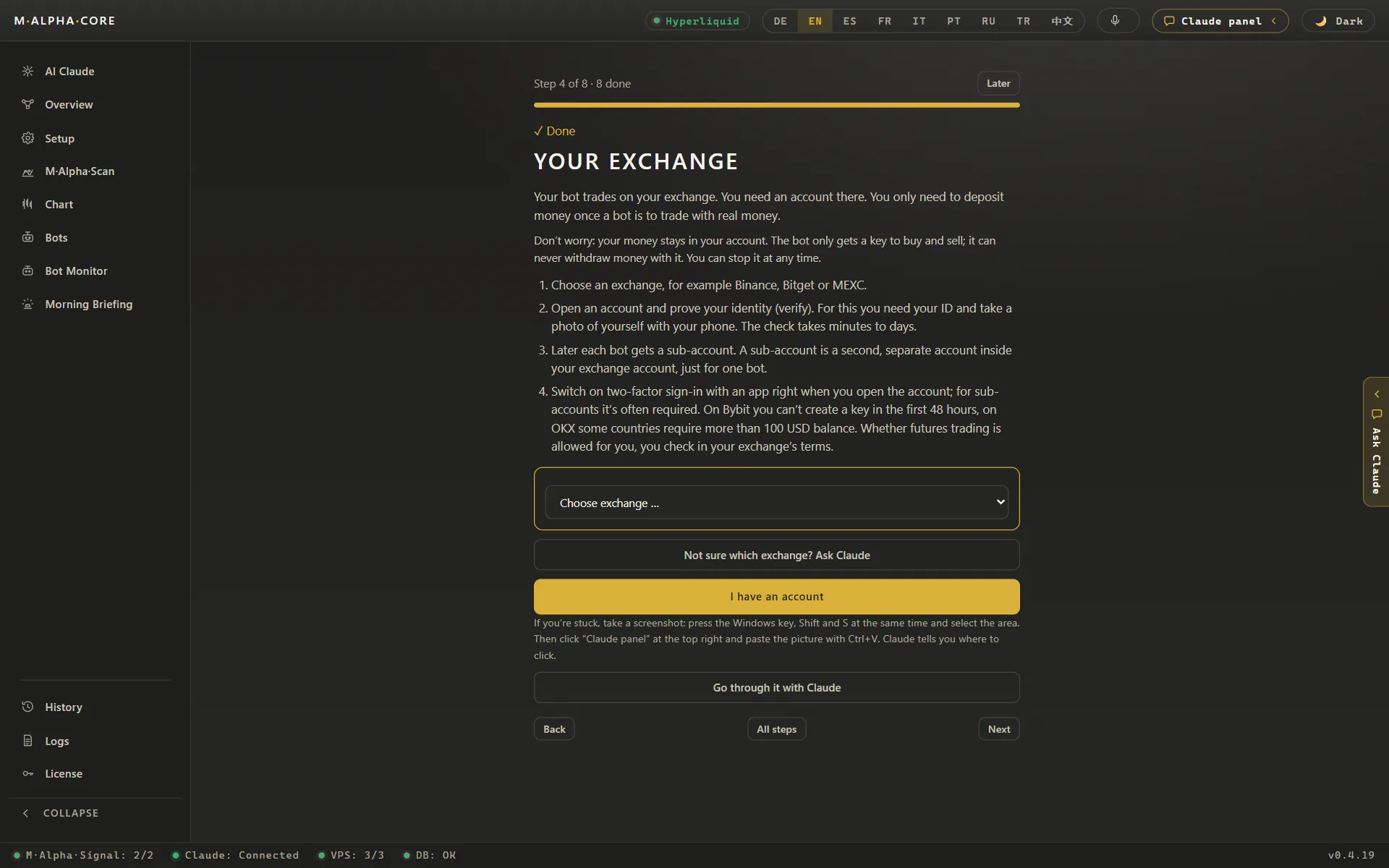
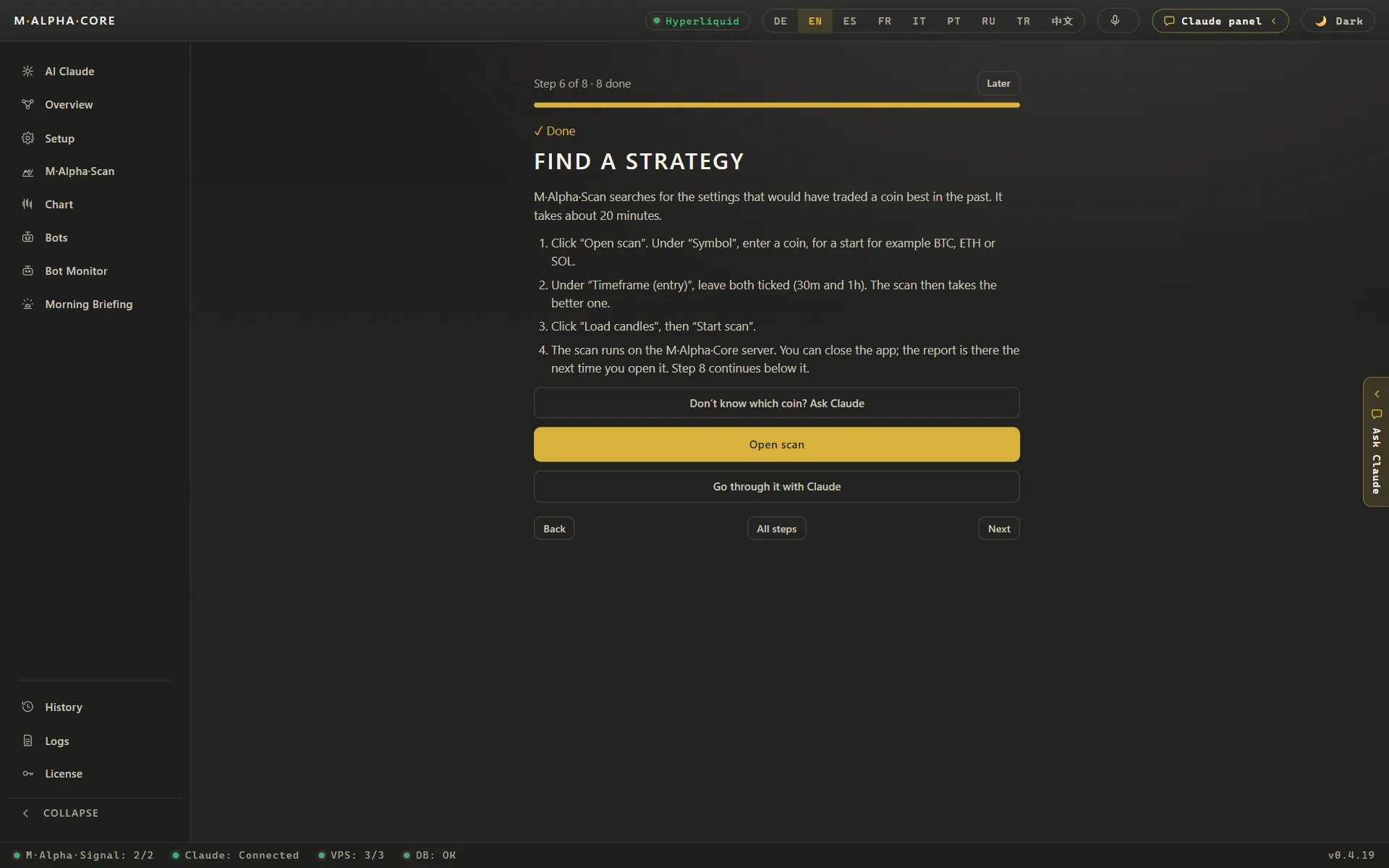
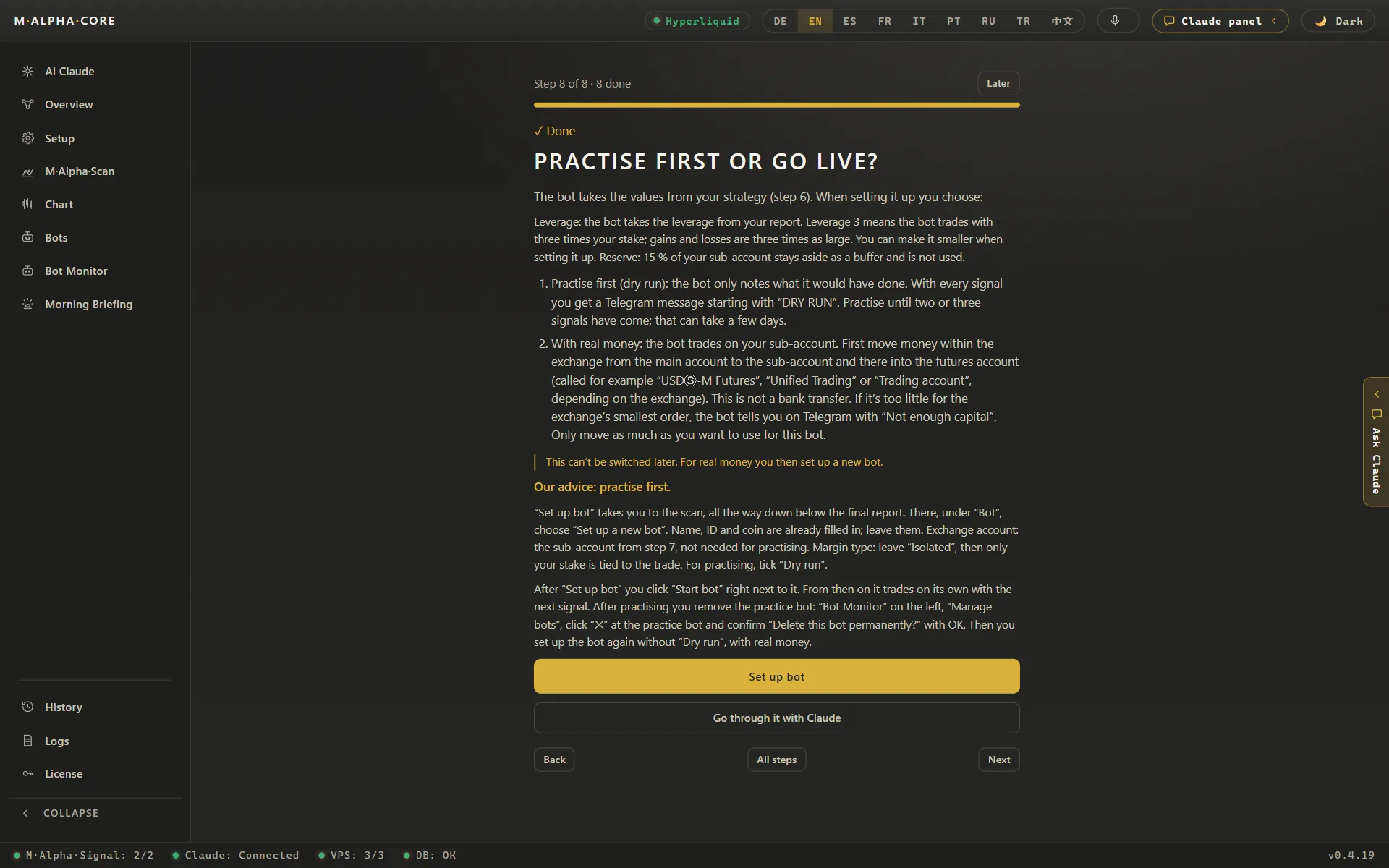
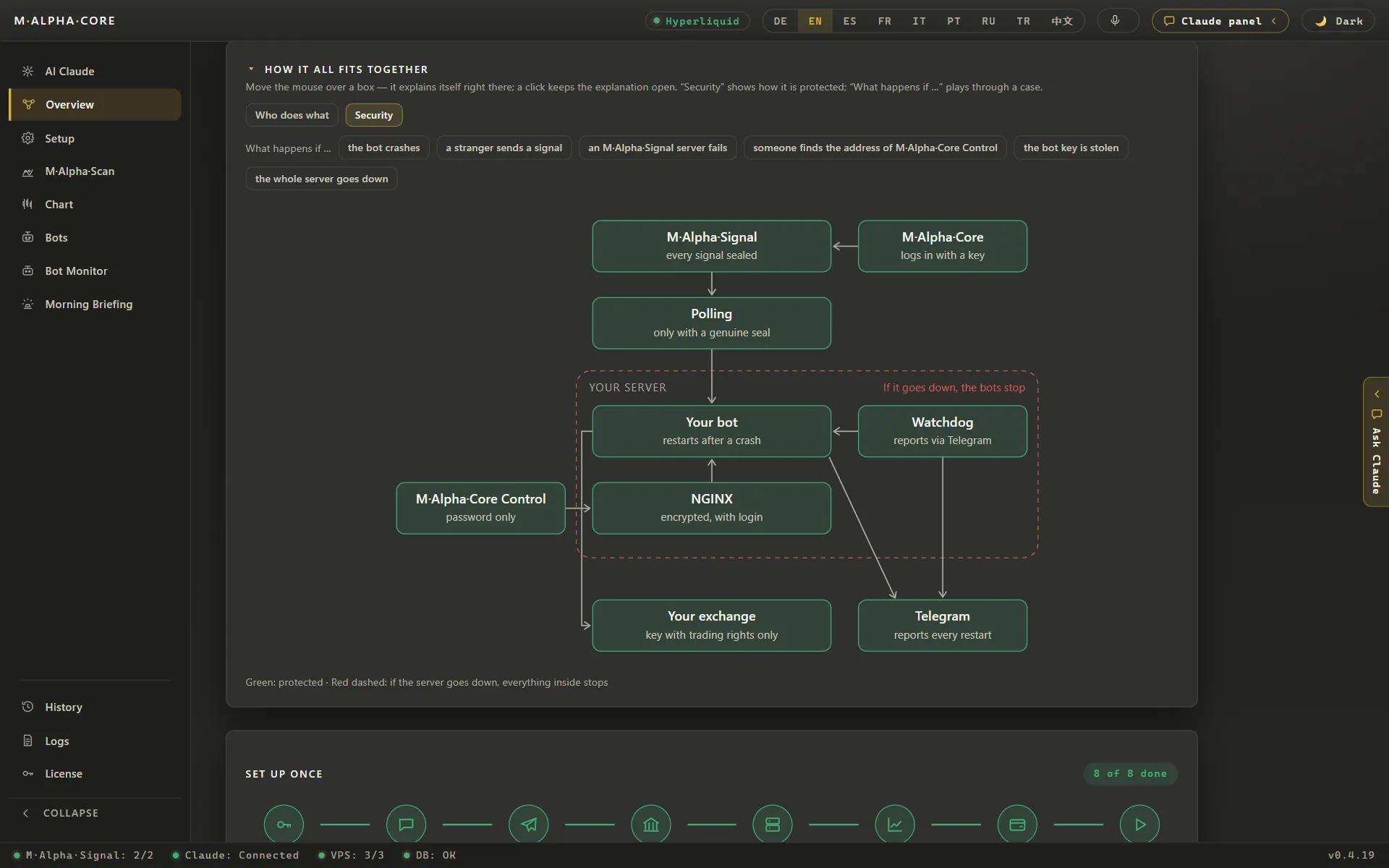
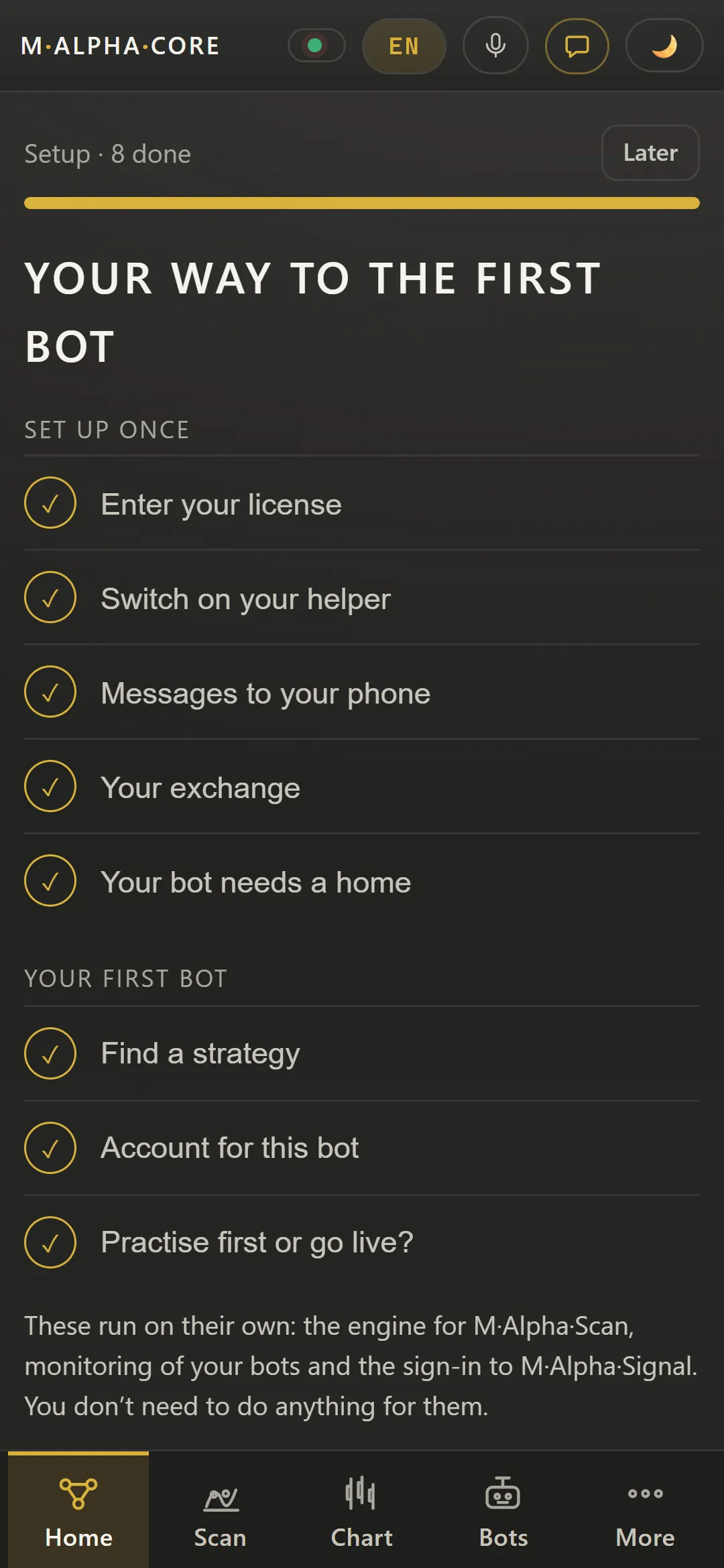
The app walks you through eight steps, from the license to your first bot. Each step has its own screen, and Claude can go through it with you. The overview shows how the scan, the signal server and your own bot work together.
Diagram “How it all fits together” in the M Alpha Core desktop app, showing how scan, signal server and your own bot work togetherGuided setup in M Alpha Core listing all eight steps from license and exchange to the first trading botGuided setup in M Alpha Core listing all eight steps from license and exchange to the first trading bot (App in German)Setup step “Your exchange” in M Alpha Core explaining the exchange account, the identity check and one sub account per botSetup step “Find a strategy” in M Alpha Core: enter a coin, keep both timeframes and start the scan, which takes about 20 minutesSetup step “Practise first or go live” in M Alpha Core explaining the dry run, the leverage from the report and the 15 percent reserve
Strategy scan with a backtest on unseen data
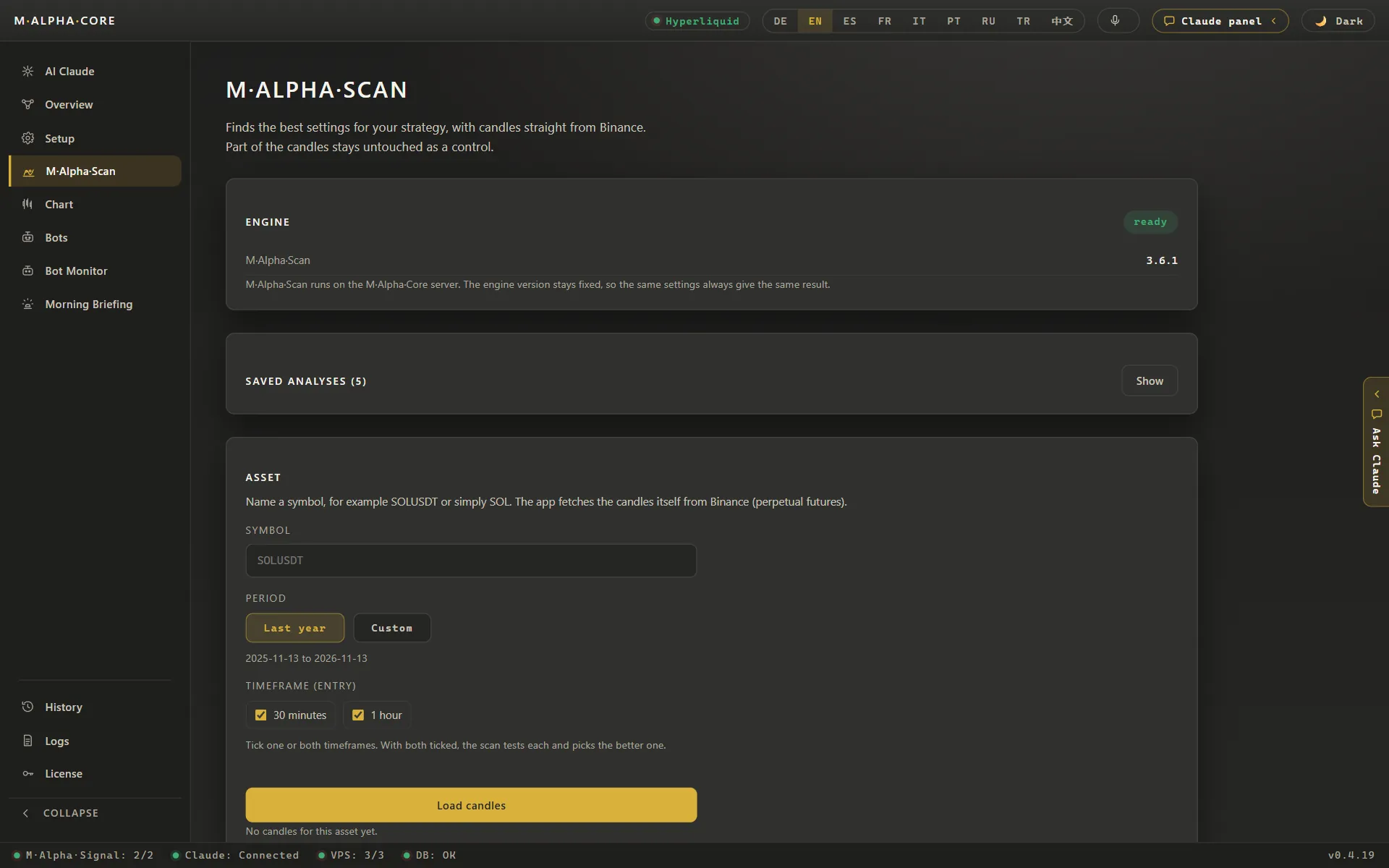
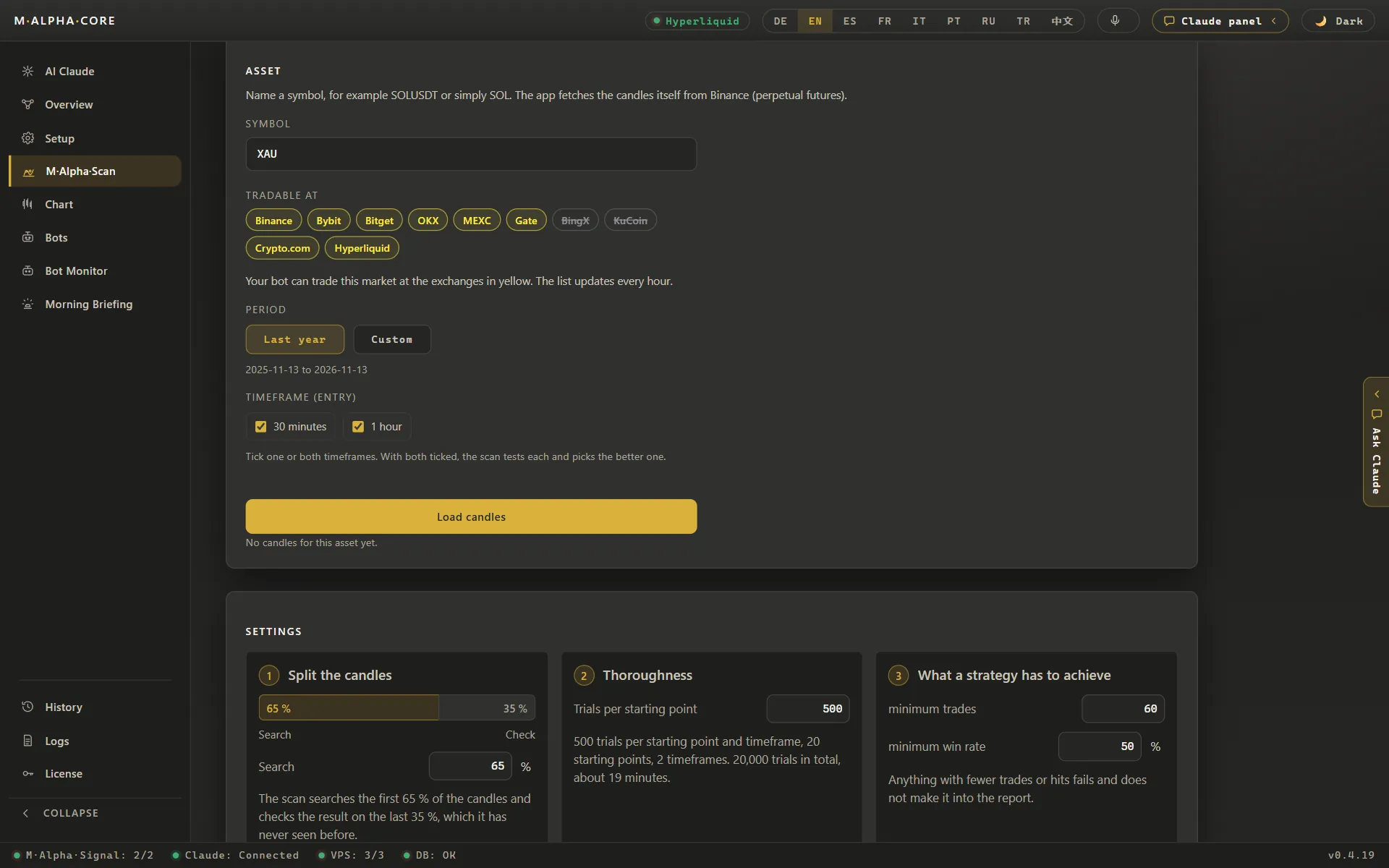
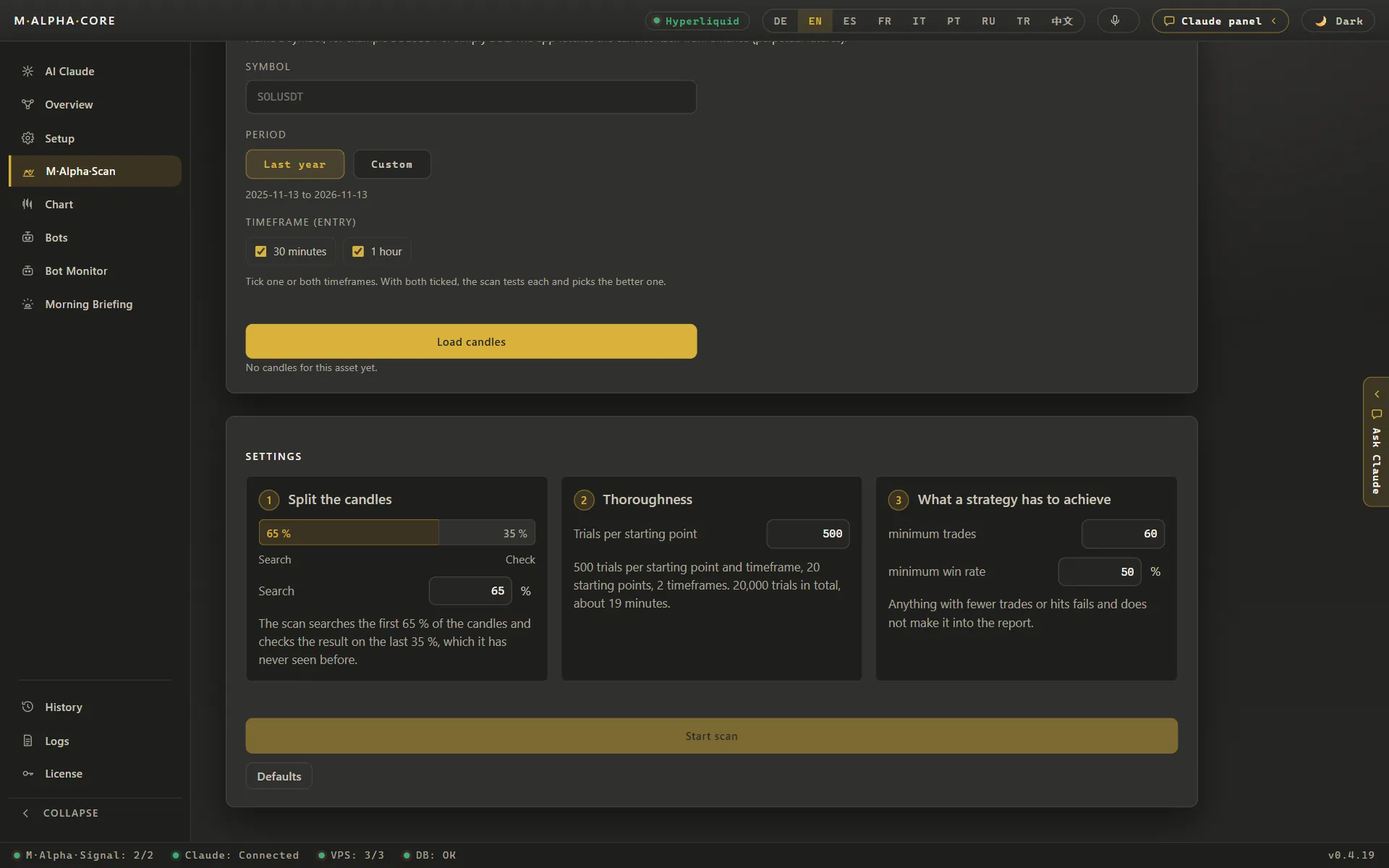
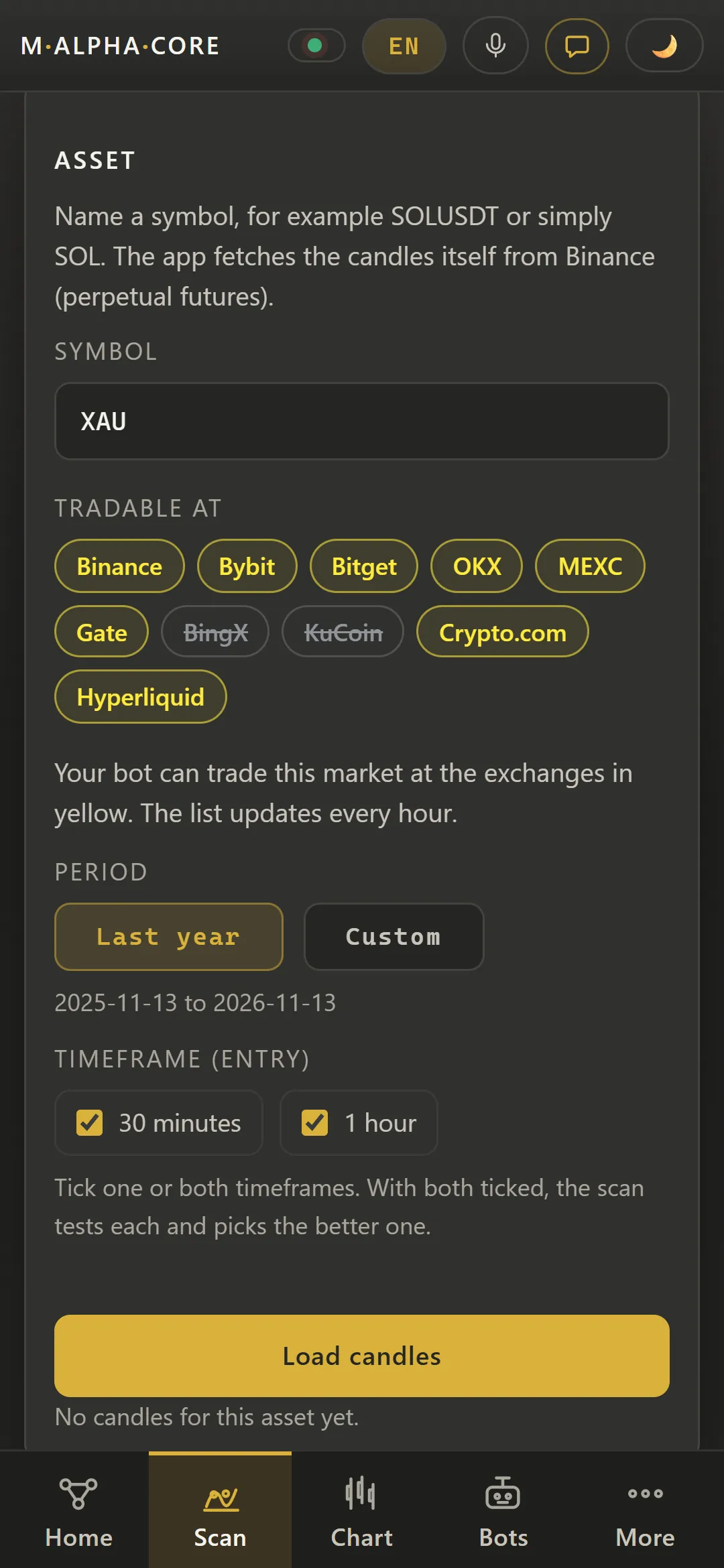
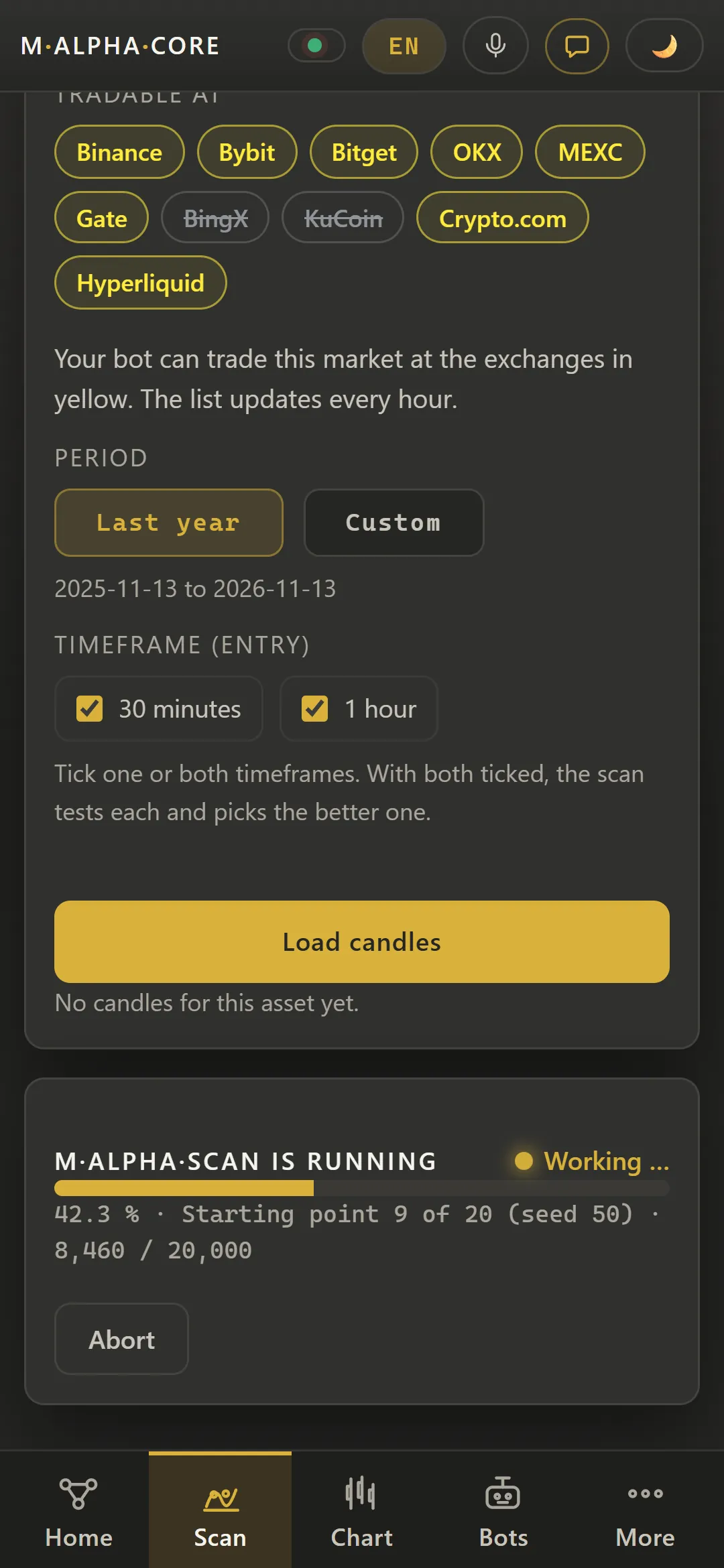
M Alpha Core has one built-in strategy. M Alpha Scan finds the best settings of that strategy for your market on one year of candles. It searches on the first 65 % and checks the result on the last 35 %, which it has never seen.
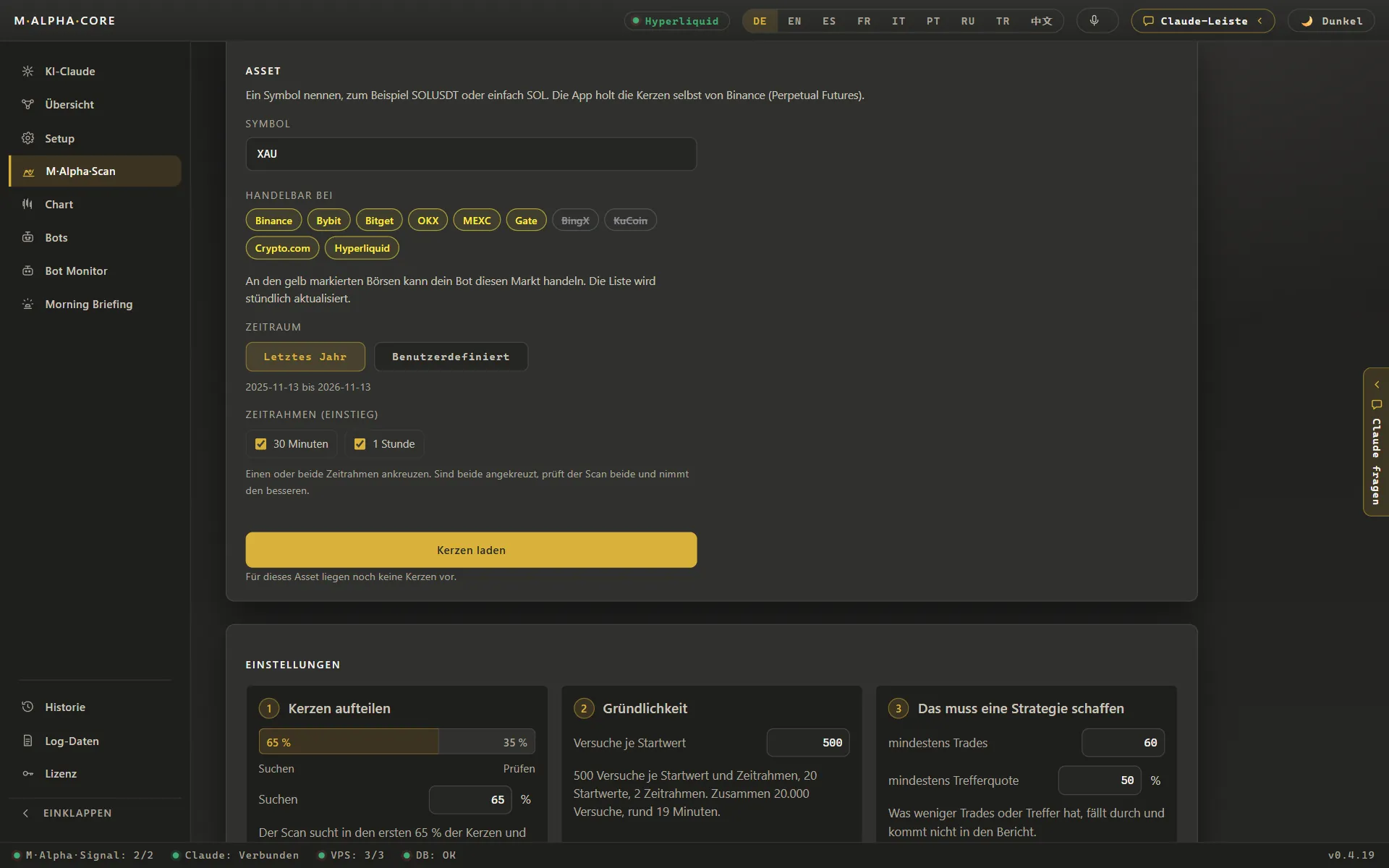
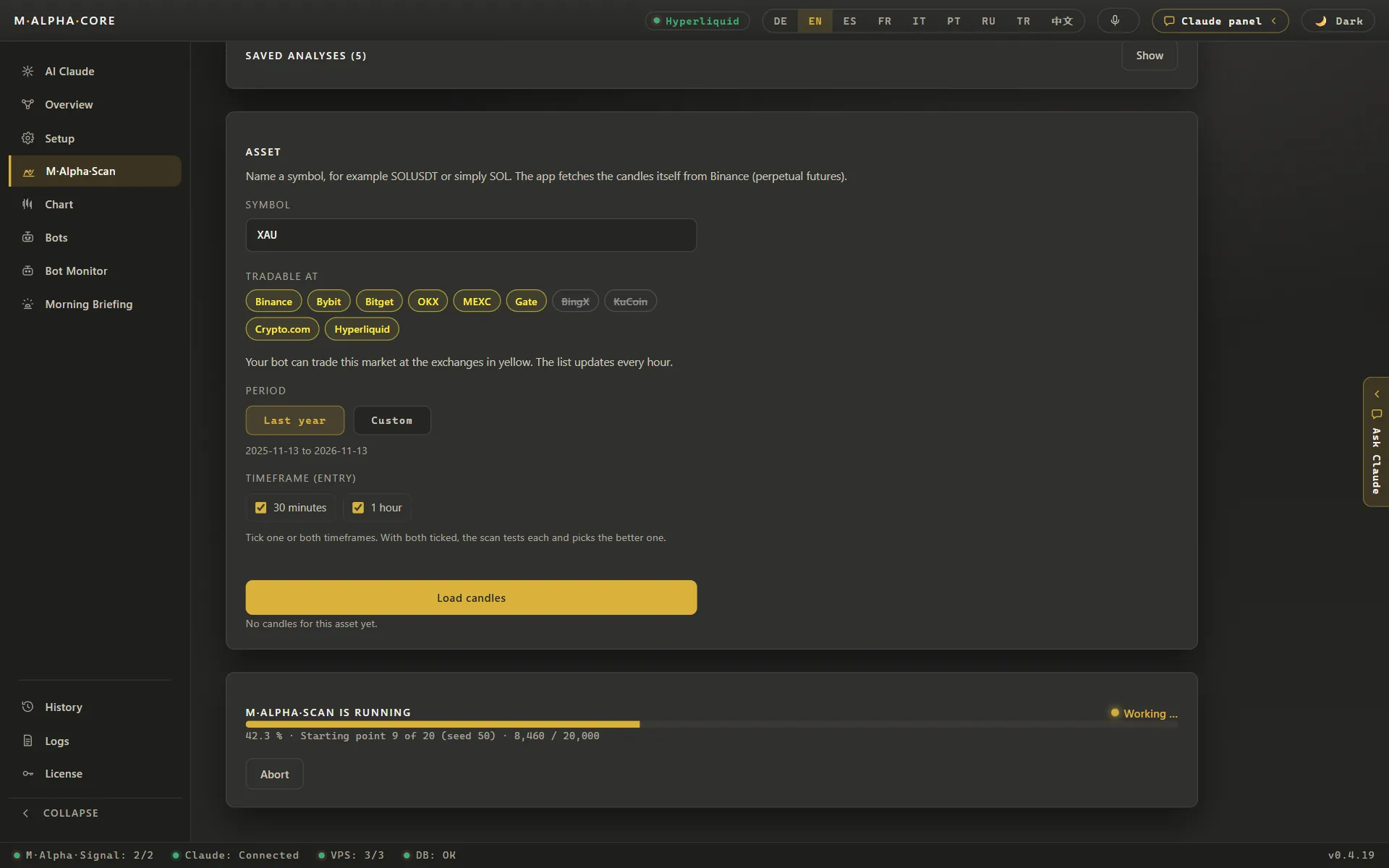
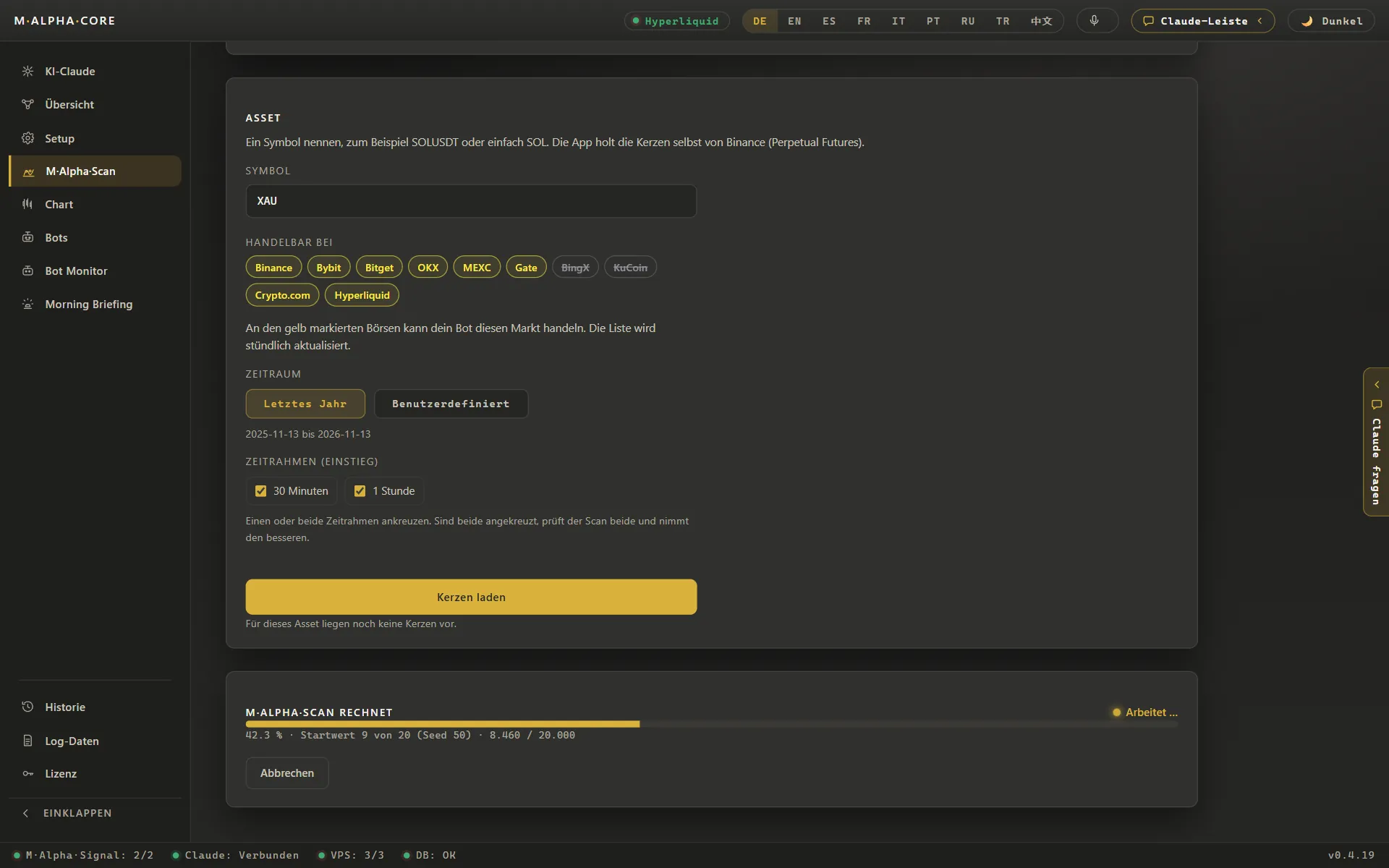
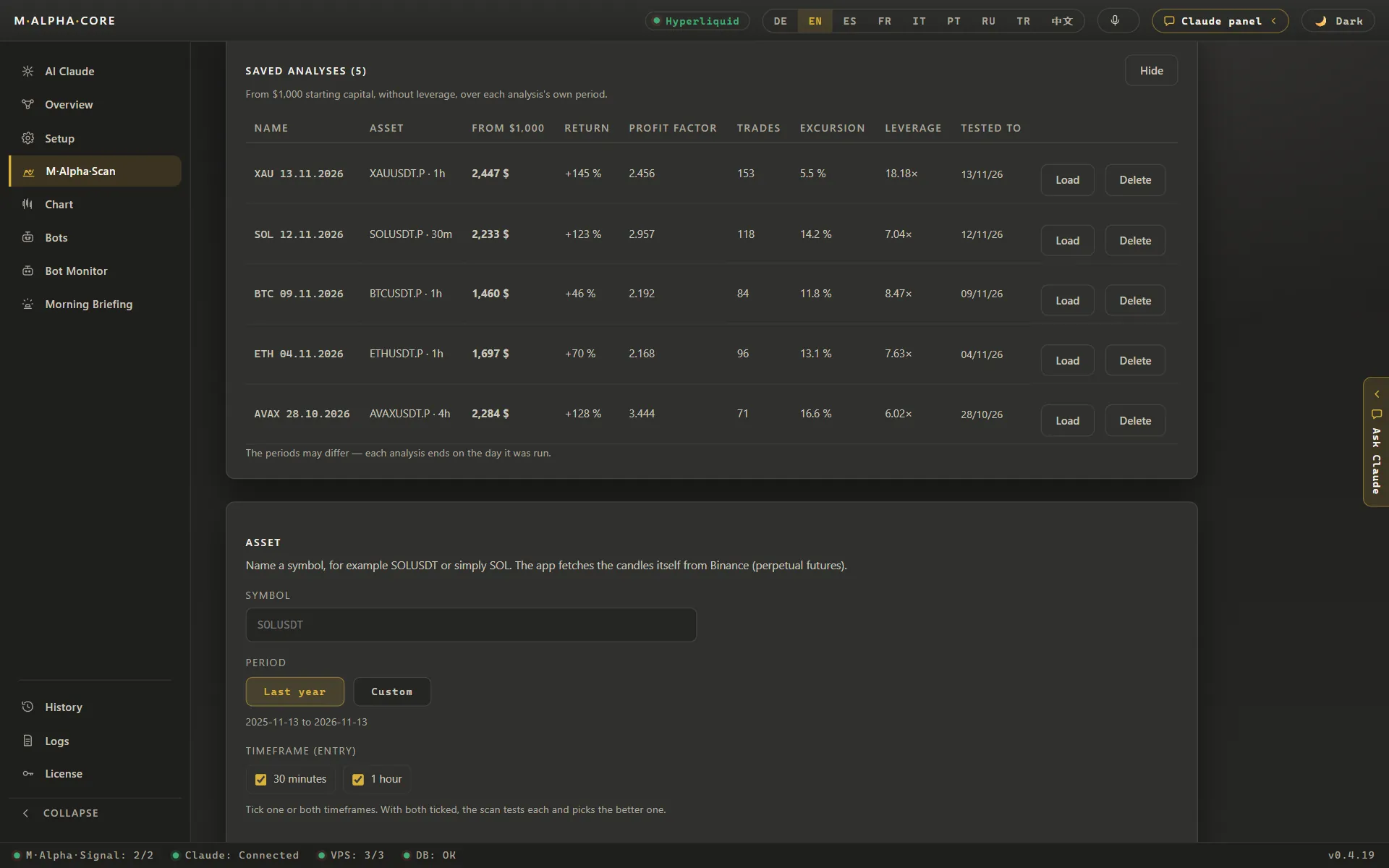
M Alpha Scan start screen with the fixed engine version, the symbol field, one year of data and the 30 minute and 1 hour timeframesM Alpha Scan with gold XAU entered, showing the exchanges where a bot can trade gold perpetuals, such as Binance, Bybit, OKX and HyperliquidM Alpha Scan with gold XAU entered, showing the exchanges where a bot can trade gold perpetuals, such as Binance, Bybit, OKX and Hyperliquid (App in German)M Alpha Scan settings: 65 percent of the candles for the search, 35 percent kept unseen for the check, 500 trials per starting point and at least 60 tradesM Alpha Scan running on gold XAU with a progress bar at 42.3 percent, starting point 9 of 20 and 8,460 of 20,000 trials doneM Alpha Scan running on gold XAU with a progress bar at 42.3 percent, starting point 9 of 20 and 8,460 of 20,000 trials done (App in German)Saved scan analyses in M Alpha Core comparing gold, SOL, BTC, ETH and AVAX by result from 1,000 dollars, profit factor, trades and leverage limit (Demo with sample data)
Backtest report with profit factor and leverage
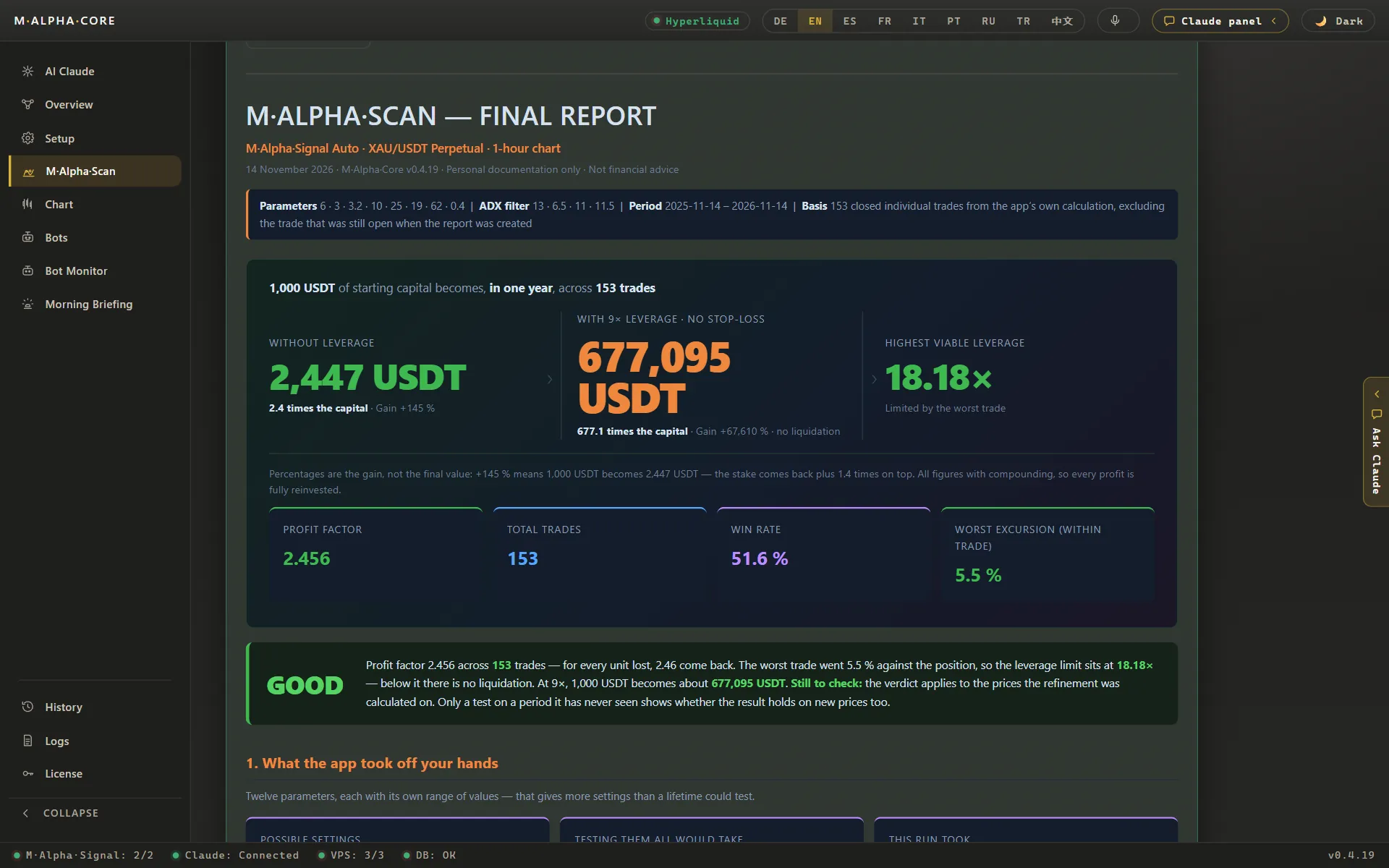
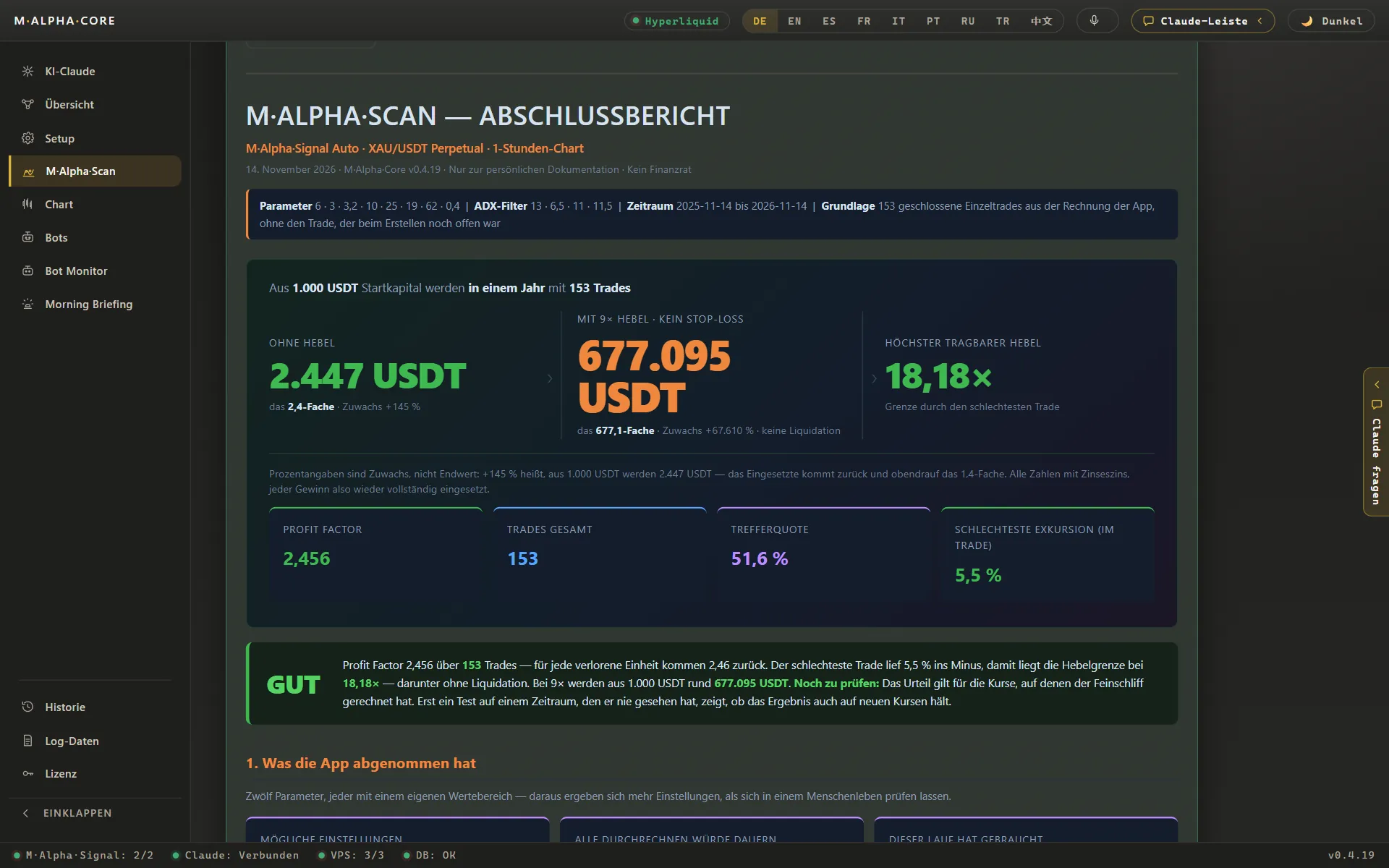
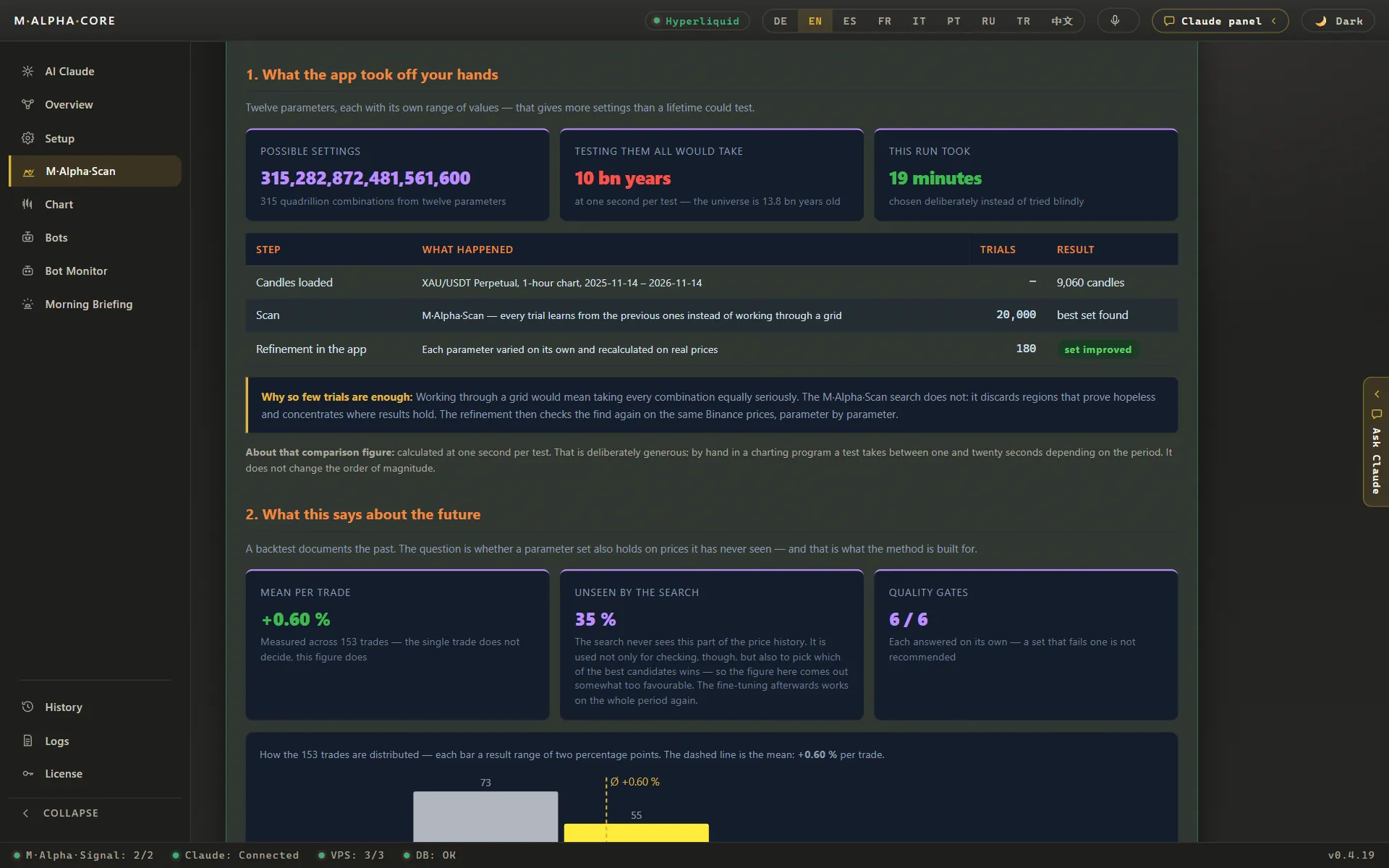
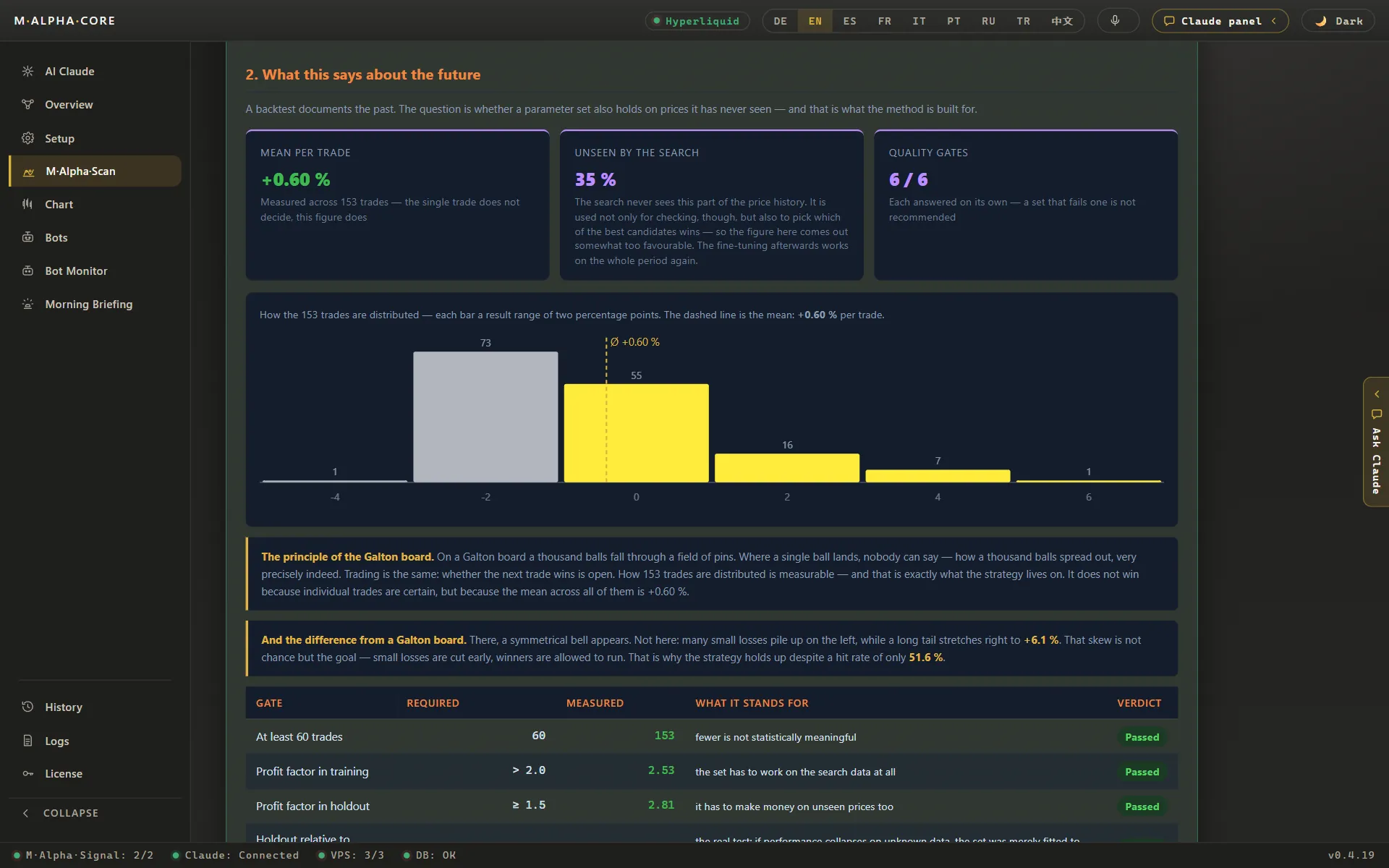
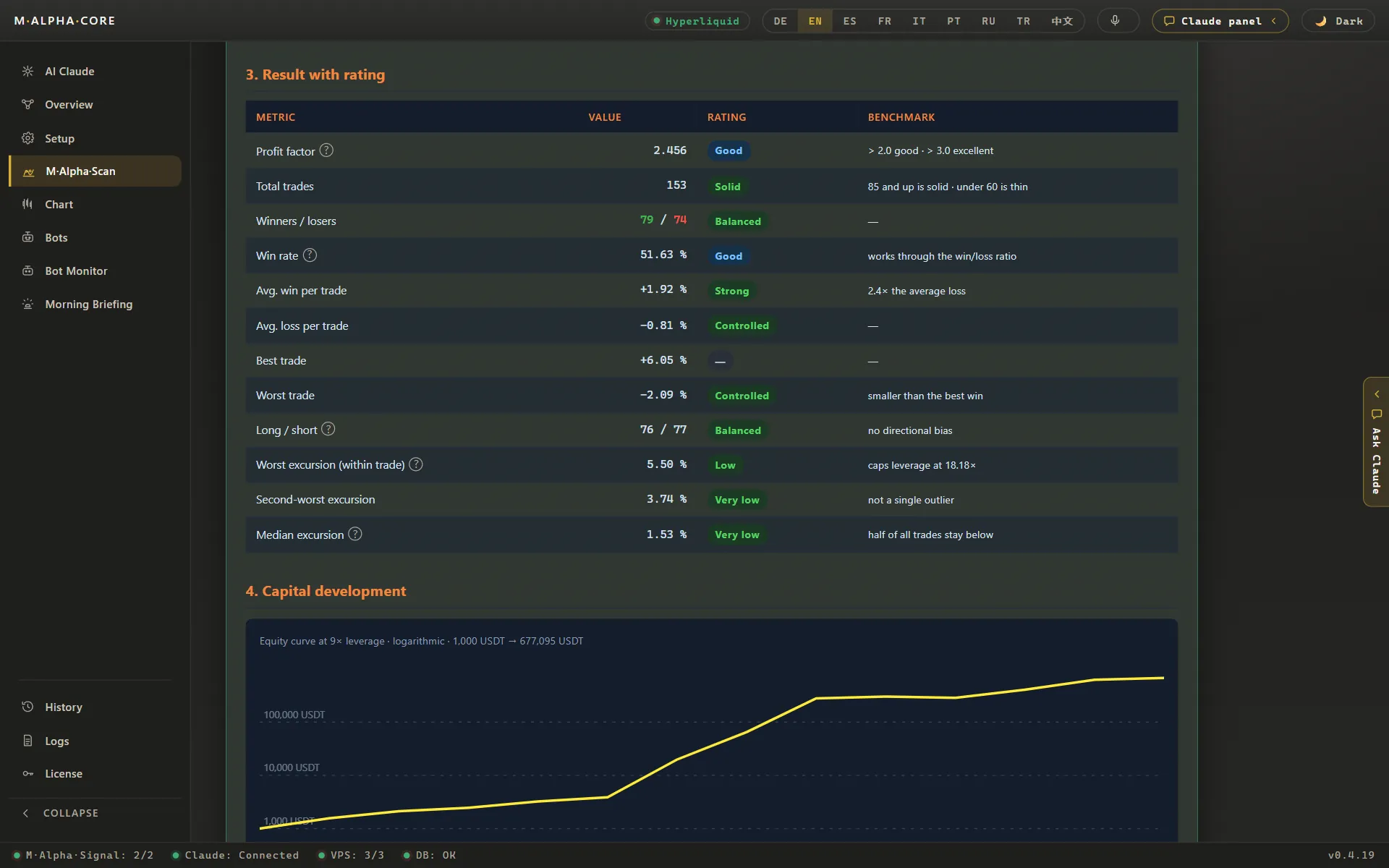
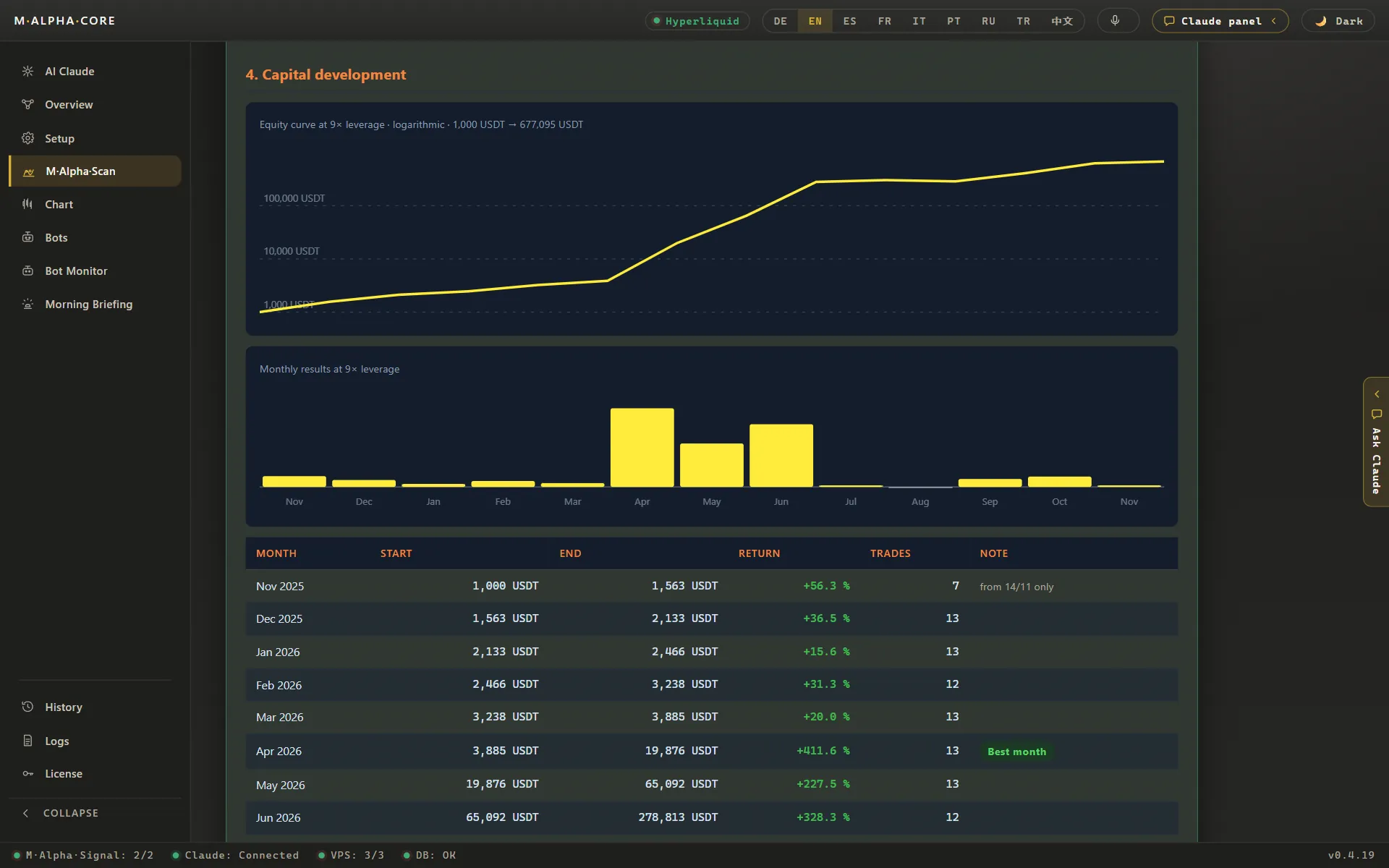
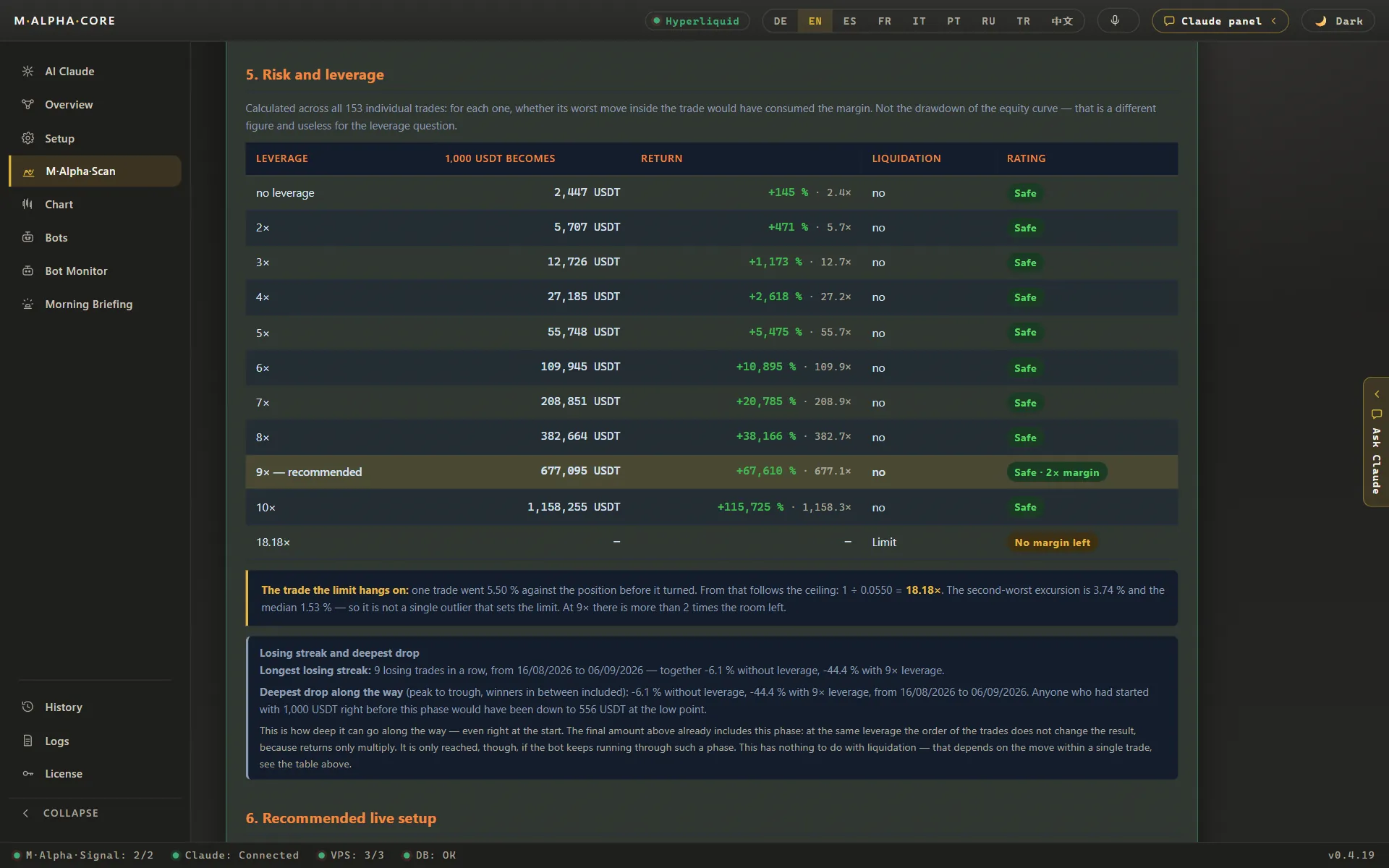
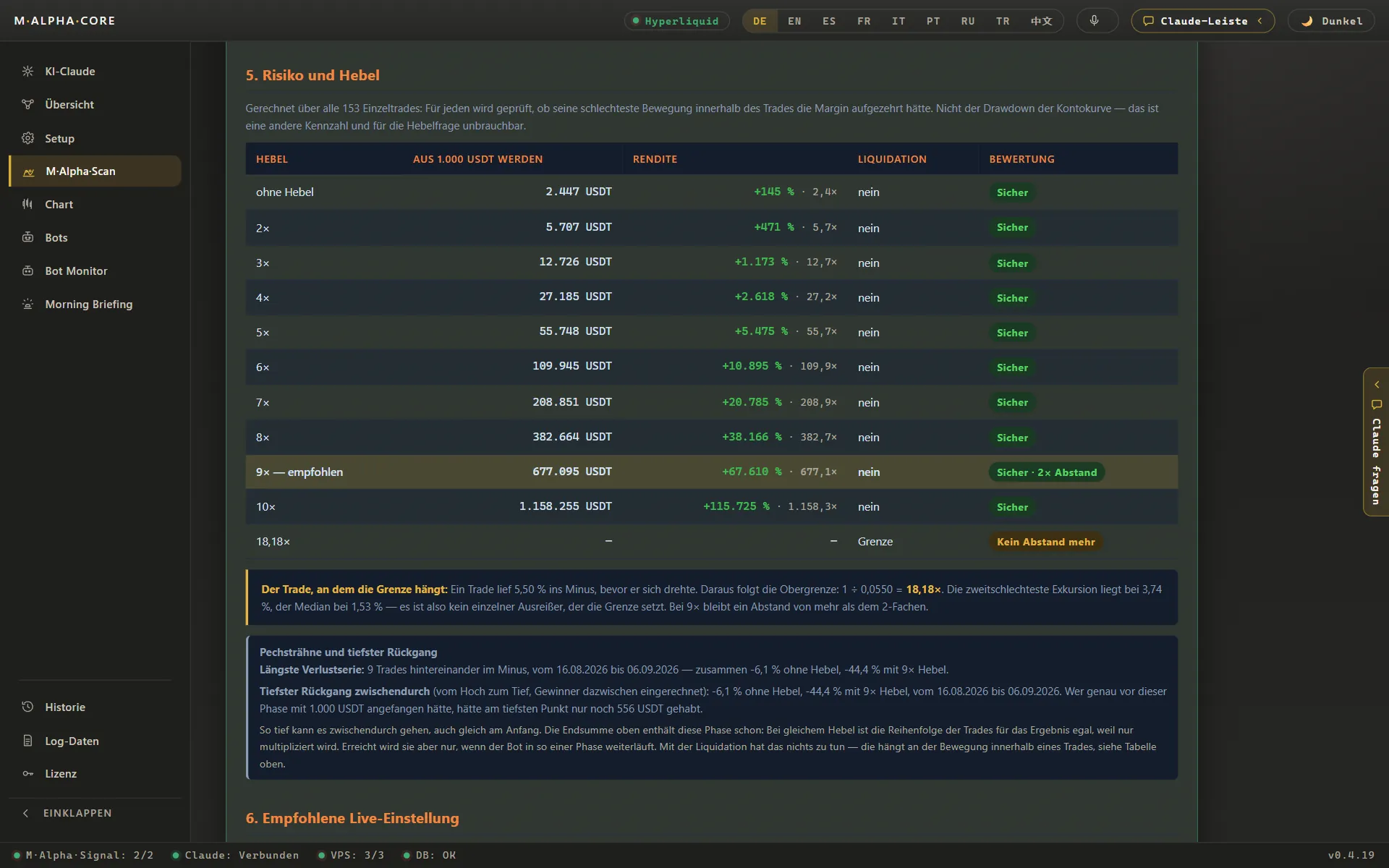
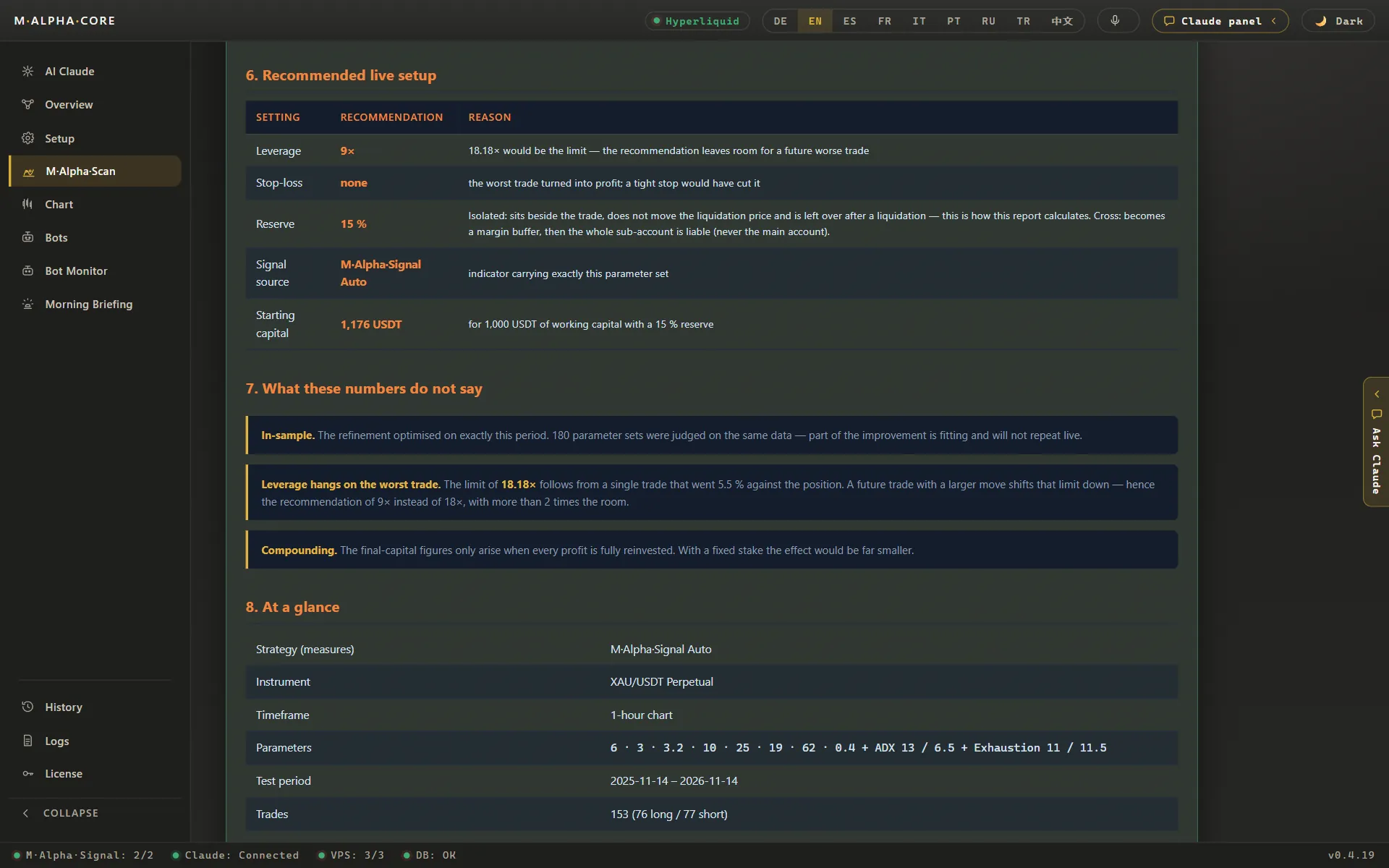
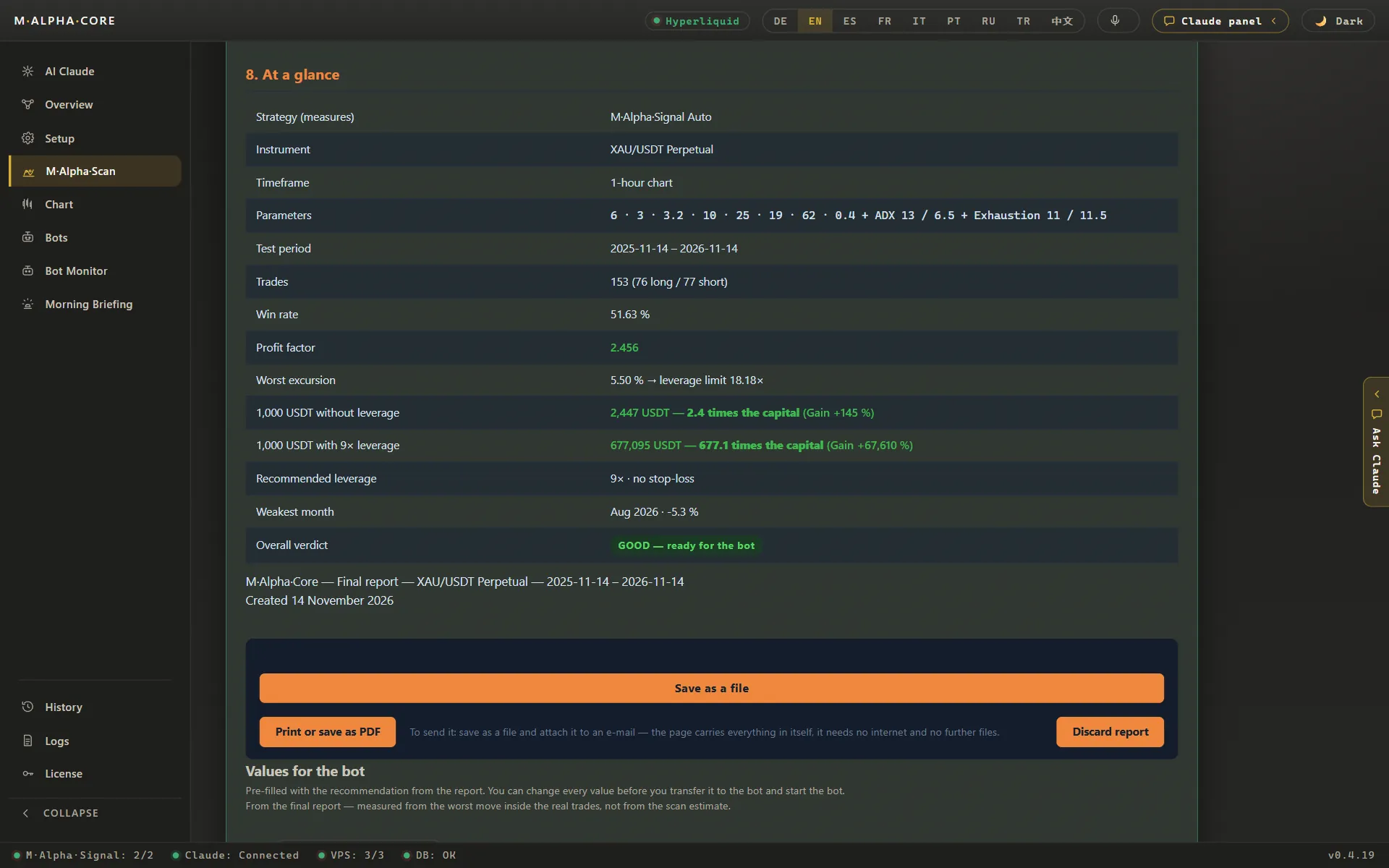
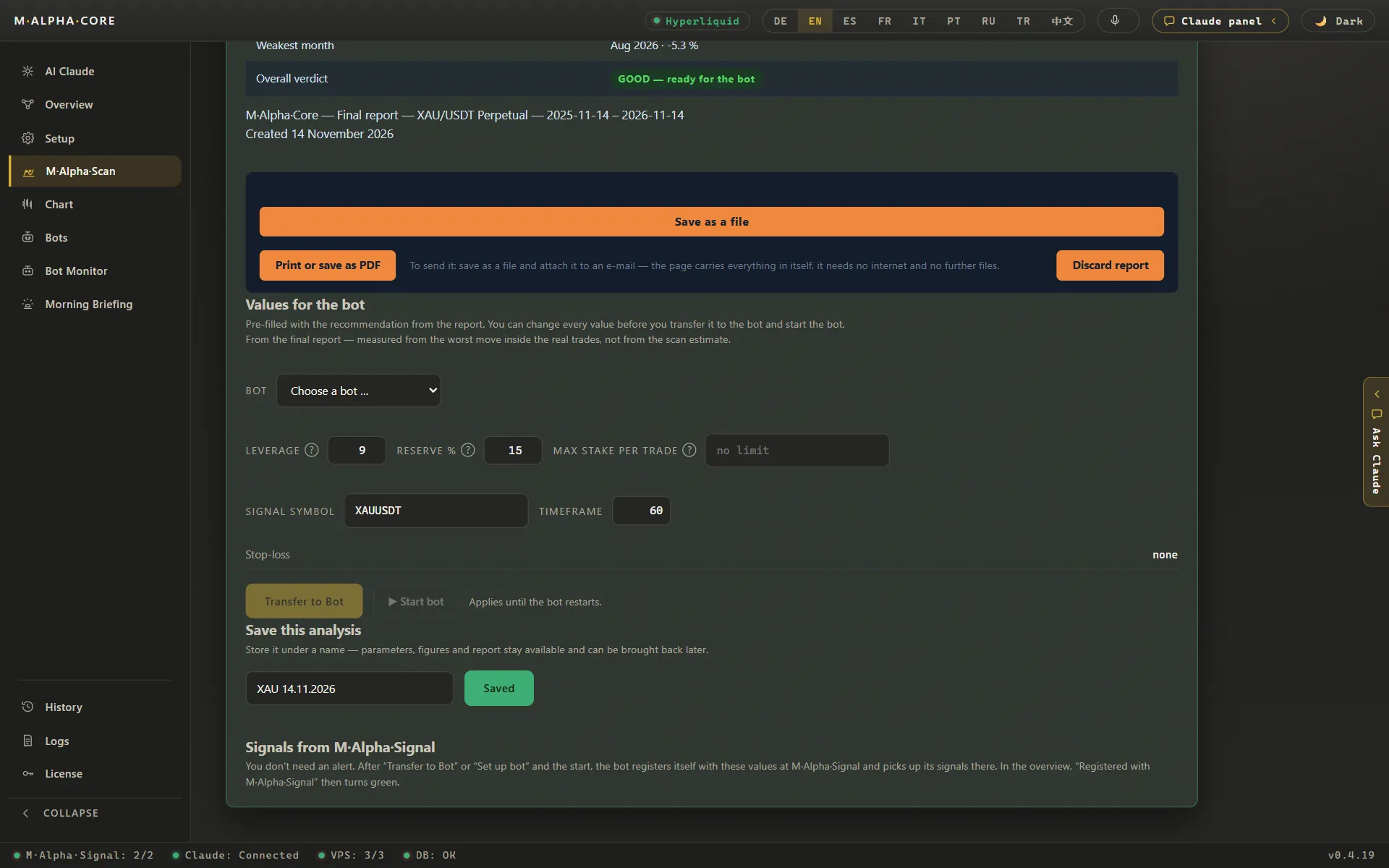
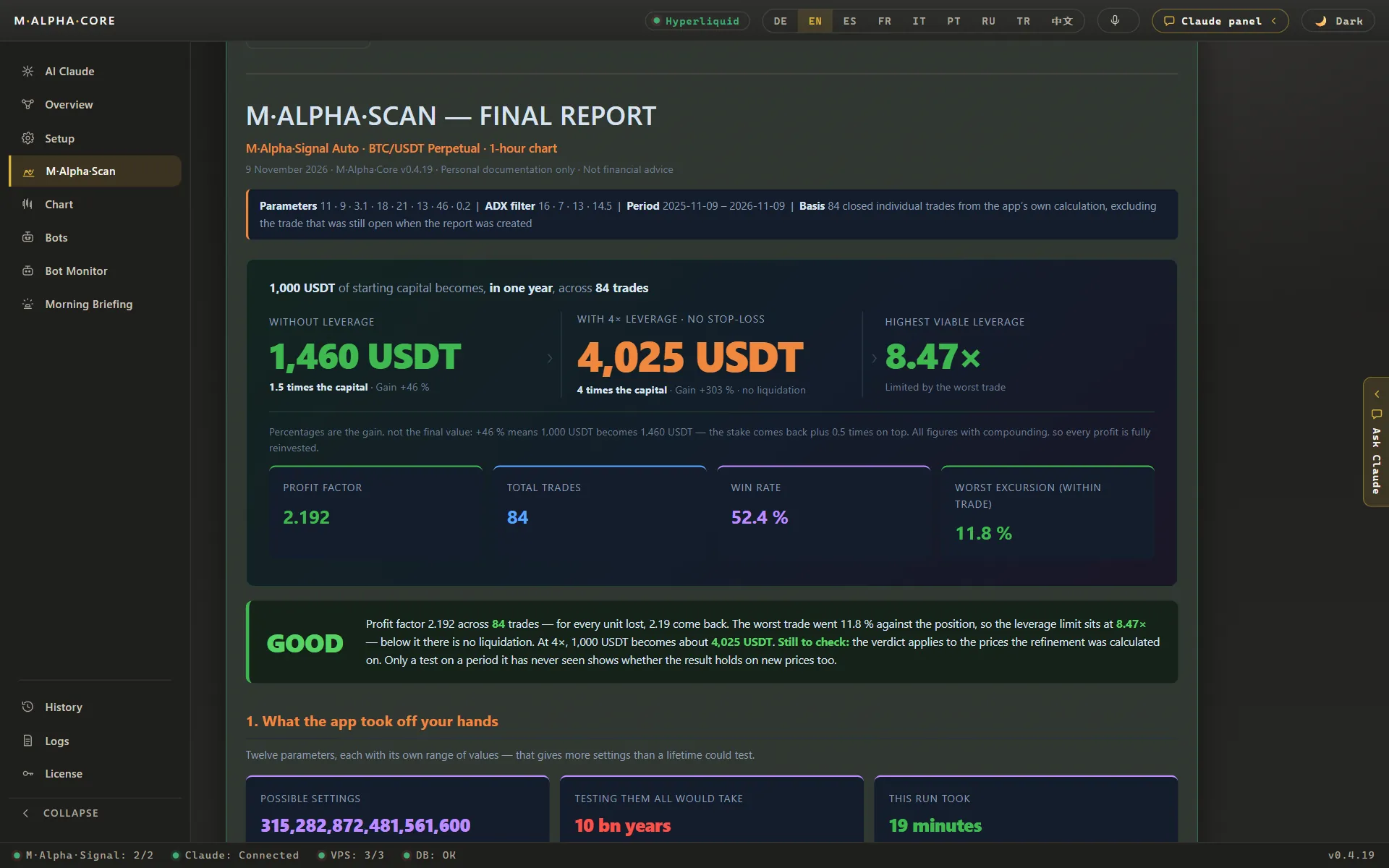
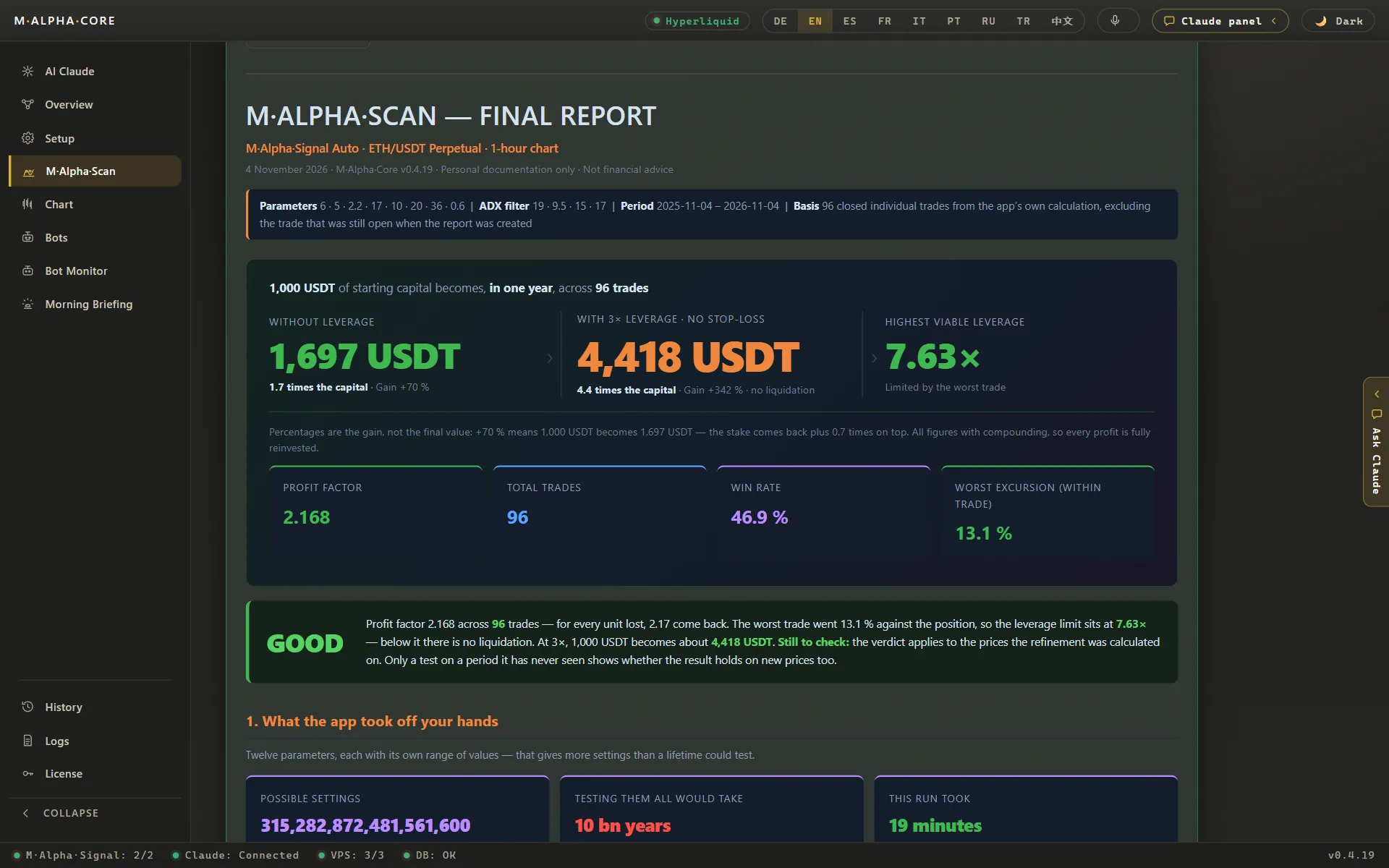
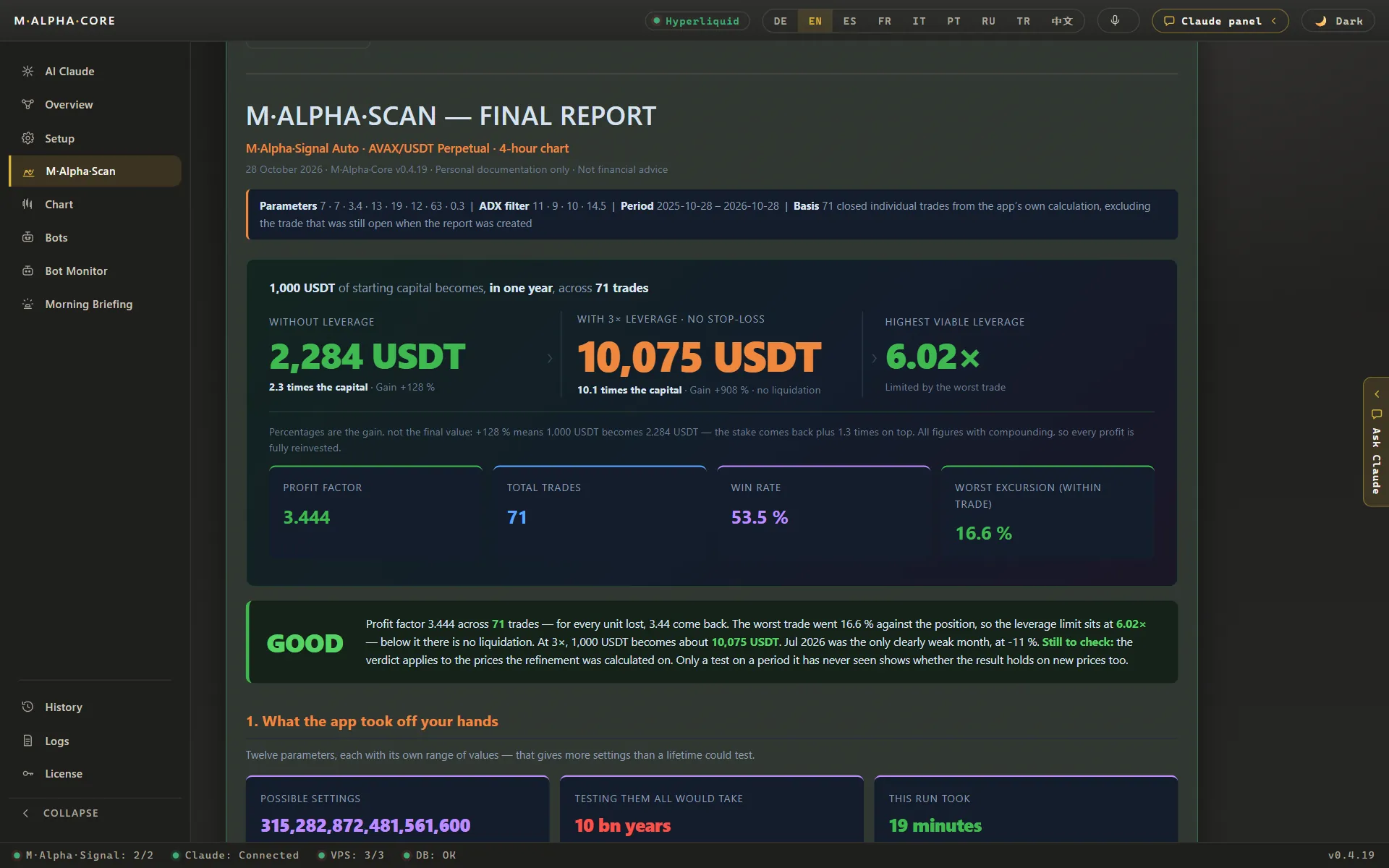
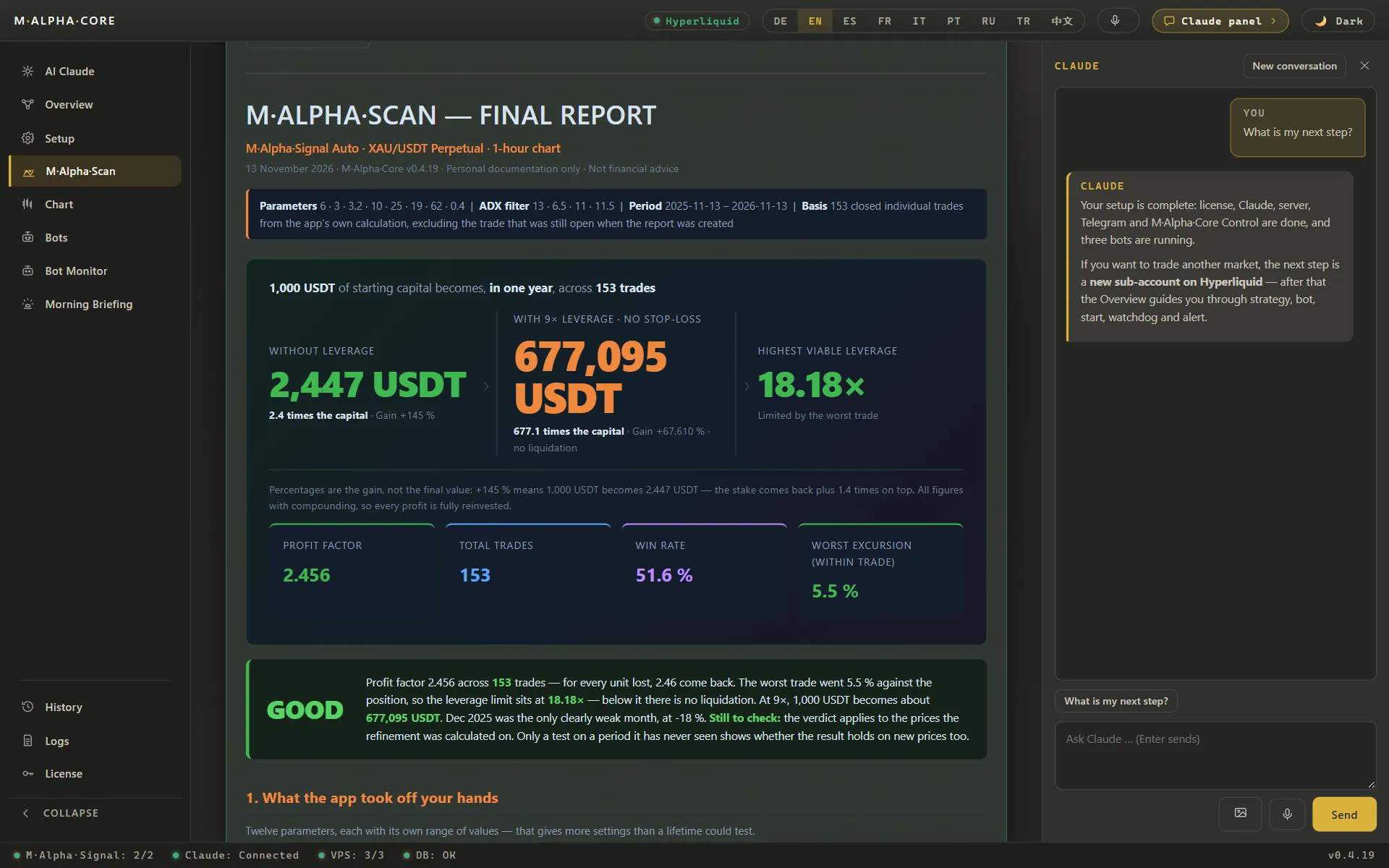
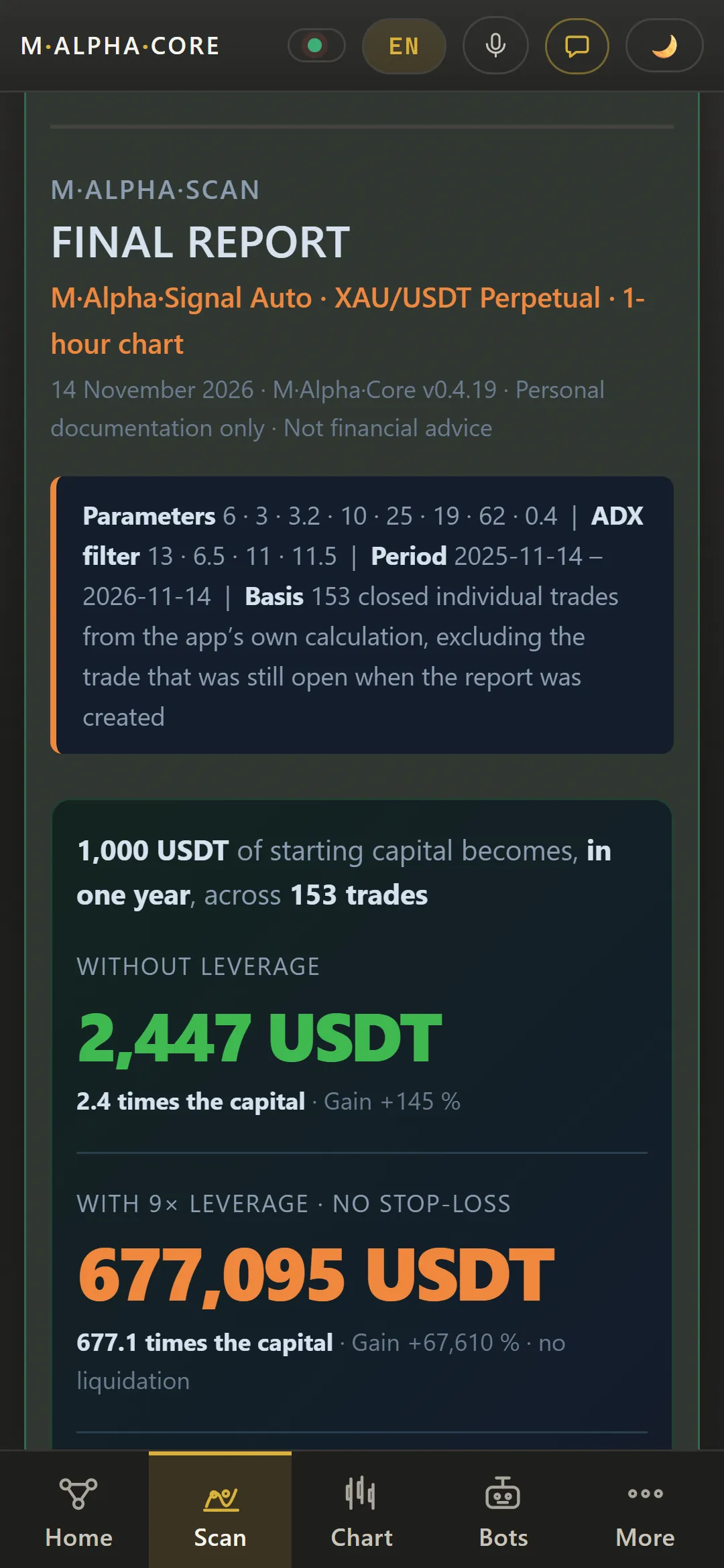
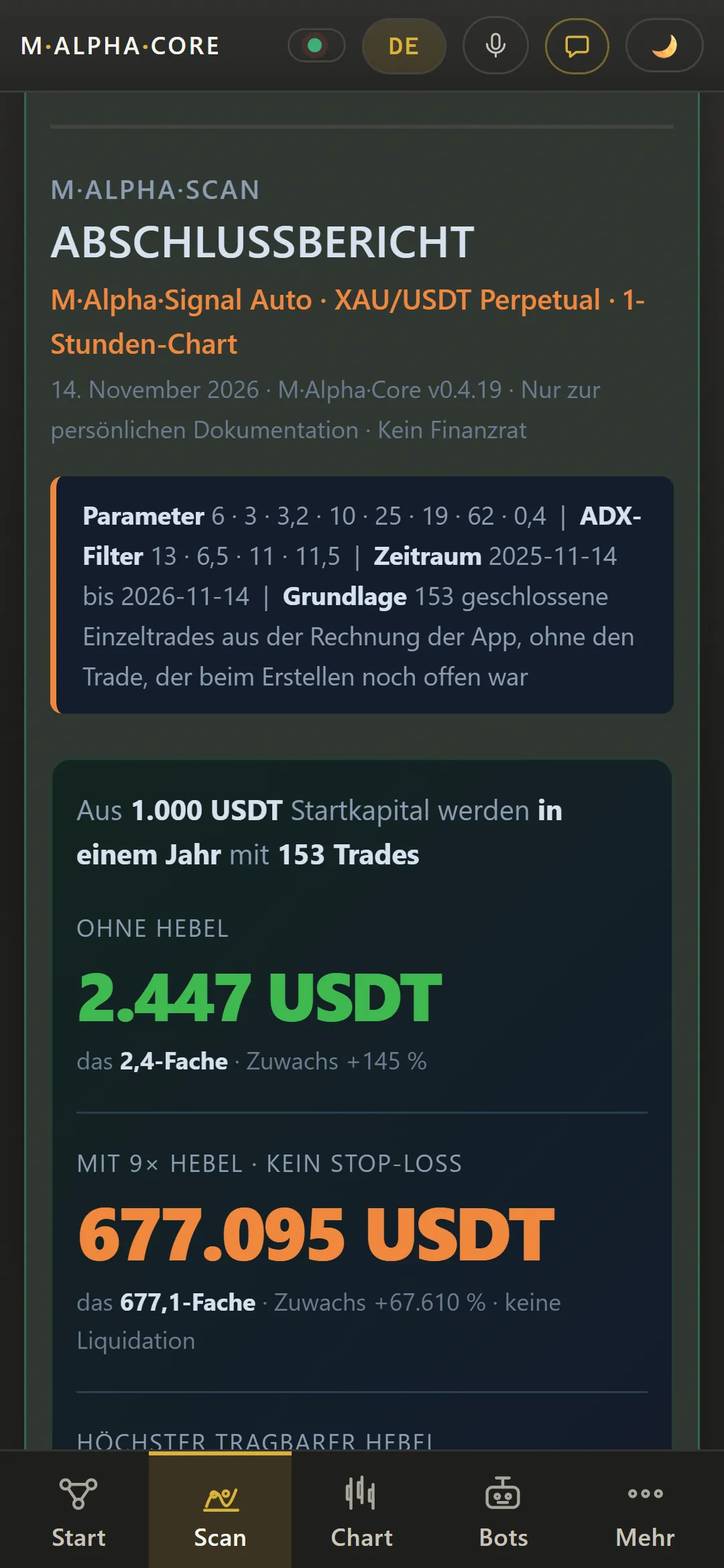
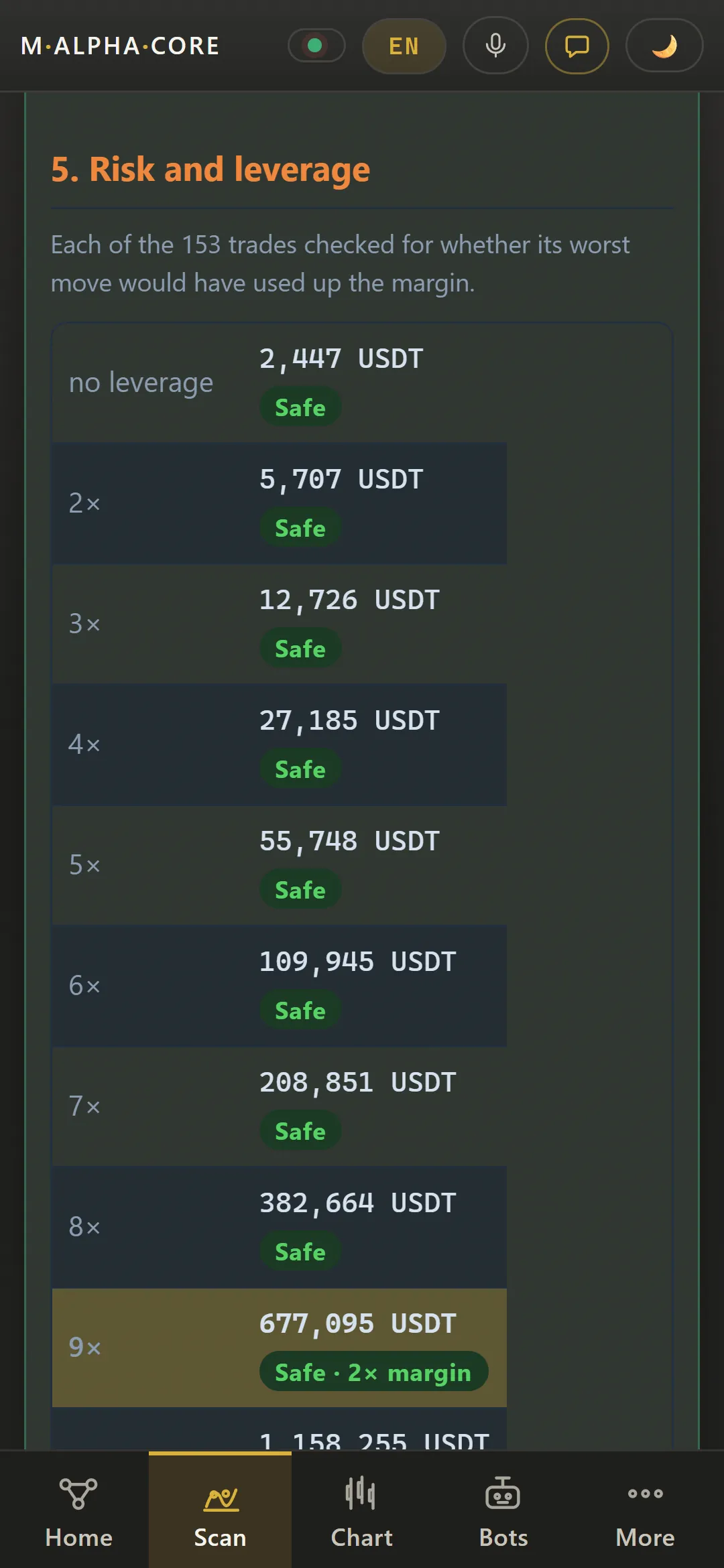
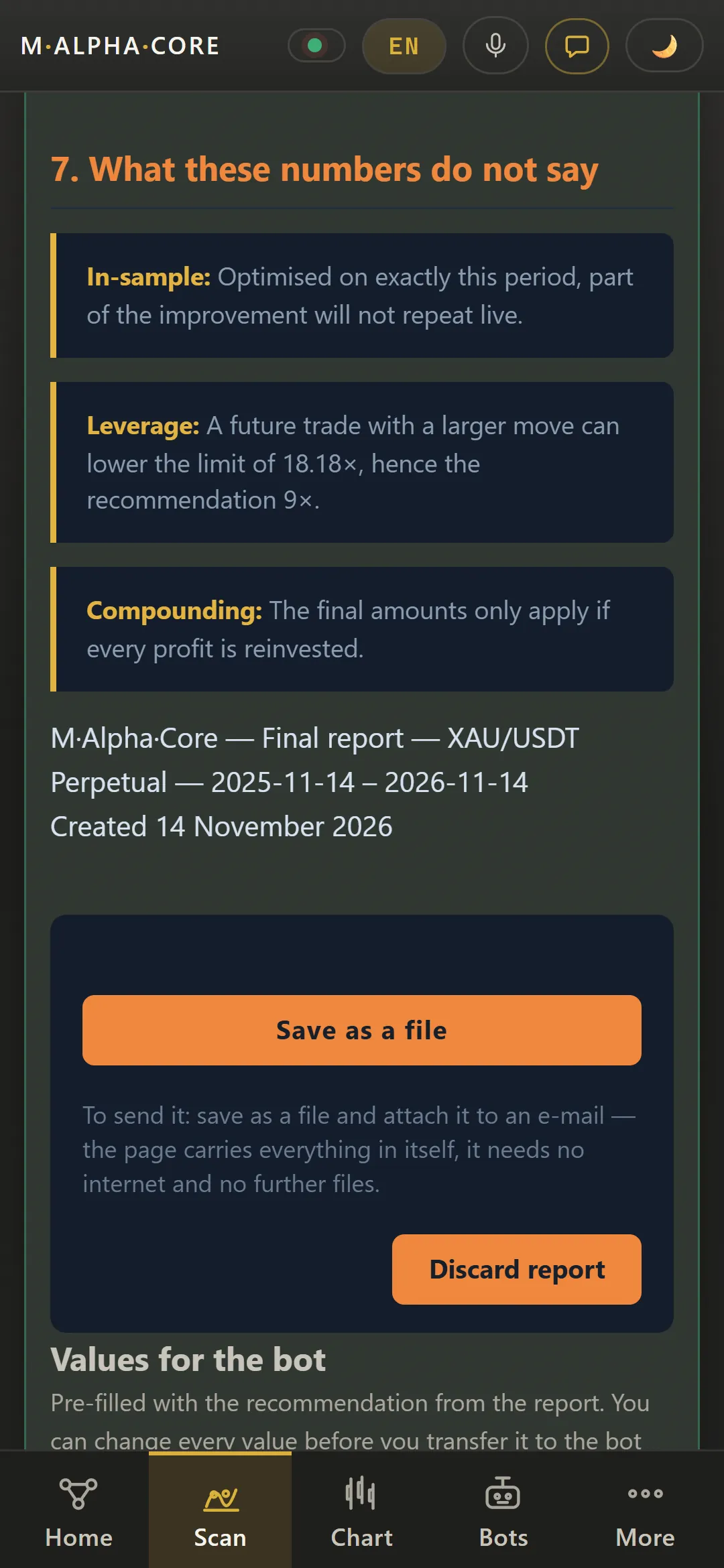
After the scan, the report shows what the settings would have done: trades, profit factor, the worst move against a trade and the highest leverage that would have survived it. These screens come from the demo with sample data, not from a real account.
M Alpha Scan final report for gold XAU on the 1 hour chart: 153 trades, profit factor 2.456 and a leverage limit of 18.18x (Demo with sample data)M Alpha Scan final report for gold XAU on the 1 hour chart: 153 trades, profit factor 2.456 and a leverage limit of 18.18x (Demo with sample data, App in German)Section “What the app took off your hands” in the M Alpha Scan gold report, listing the work the scan does automatically (Demo with the gold scan of November 12, 2026)Section “What this says about the future” in the M Alpha Scan gold report: the share of price history the search never saw, the mean per trade and how all trades are distributed (Demo with the gold scan of November 12, 2026)Section “Result with rating” in the M Alpha Scan gold report with the key figures and a plain verdict (Demo with the gold scan of November 12, 2026)Section “Capital development” in the M Alpha Scan gold report showing how 1,000 USDT would have grown over the test year (Demo with sample data)Risk and leverage section of the M Alpha Scan gold report with the worst move against a trade and the highest leverage it would have survived (Demo with sample data)Risk and leverage section of the M Alpha Scan gold report with the worst move against a trade and the highest leverage it would have survived (Demo with sample data, App in German)Section “Recommended live setup” in the M Alpha Scan gold report with the suggested leverage and reserve for the bot (Demo with the gold scan of November 12, 2026)Section “At a glance” in the M Alpha Scan gold report summing up the key figures of the backtest (Demo with sample data)Values for the bot at the end of the M Alpha Scan gold report: symbol XAUUSDT, 1 hour timeframe, leverage and reserve ready to use (Demo with the gold scan of November 12, 2026)M Alpha Scan final report for Bitcoin BTC on the 1 hour chart with the result from 1,000 USDT, 84 trades and profit factor 2.192 (Demo with sample data)M Alpha Scan final report for Ethereum ETH on the 1 hour chart with the result from 1,000 USDT, 96 trades and profit factor 2.168 (Demo with sample data)M Alpha Scan final report for Avalanche AVAX on the 4 hour chart with the result from 1,000 USDT, 71 trades and profit factor 3.444 (Demo with sample data)
Every backtest trade on the price chart
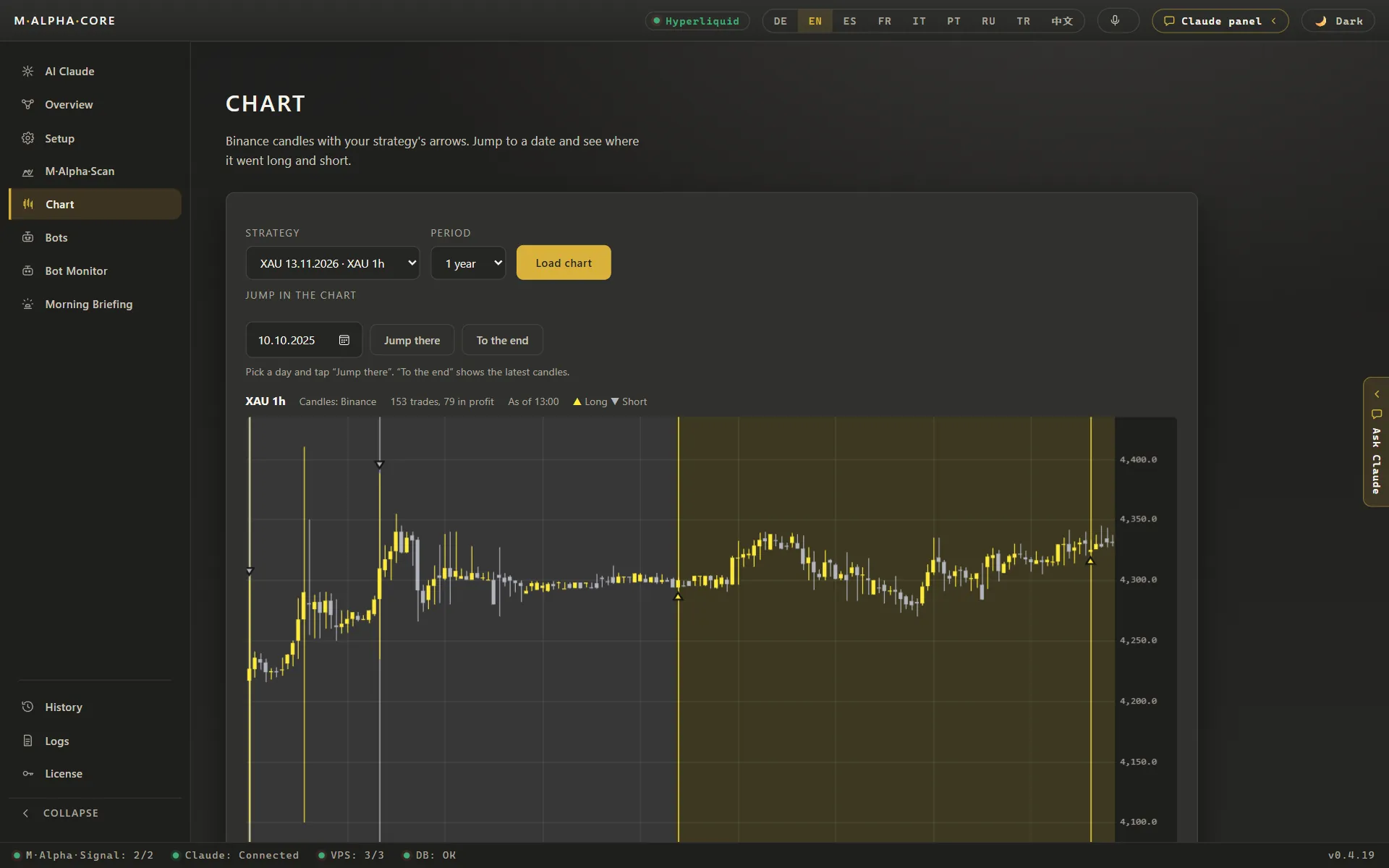
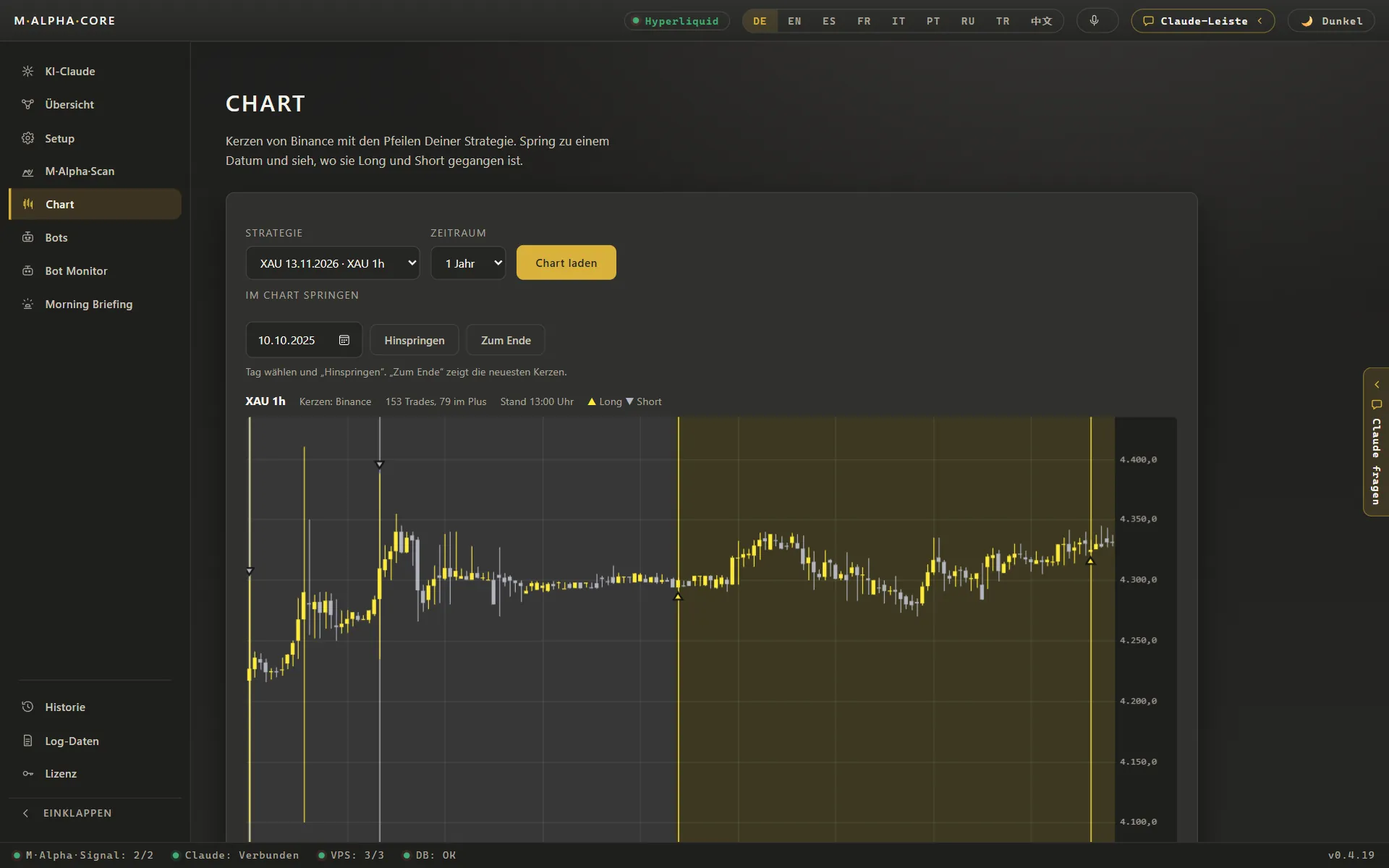
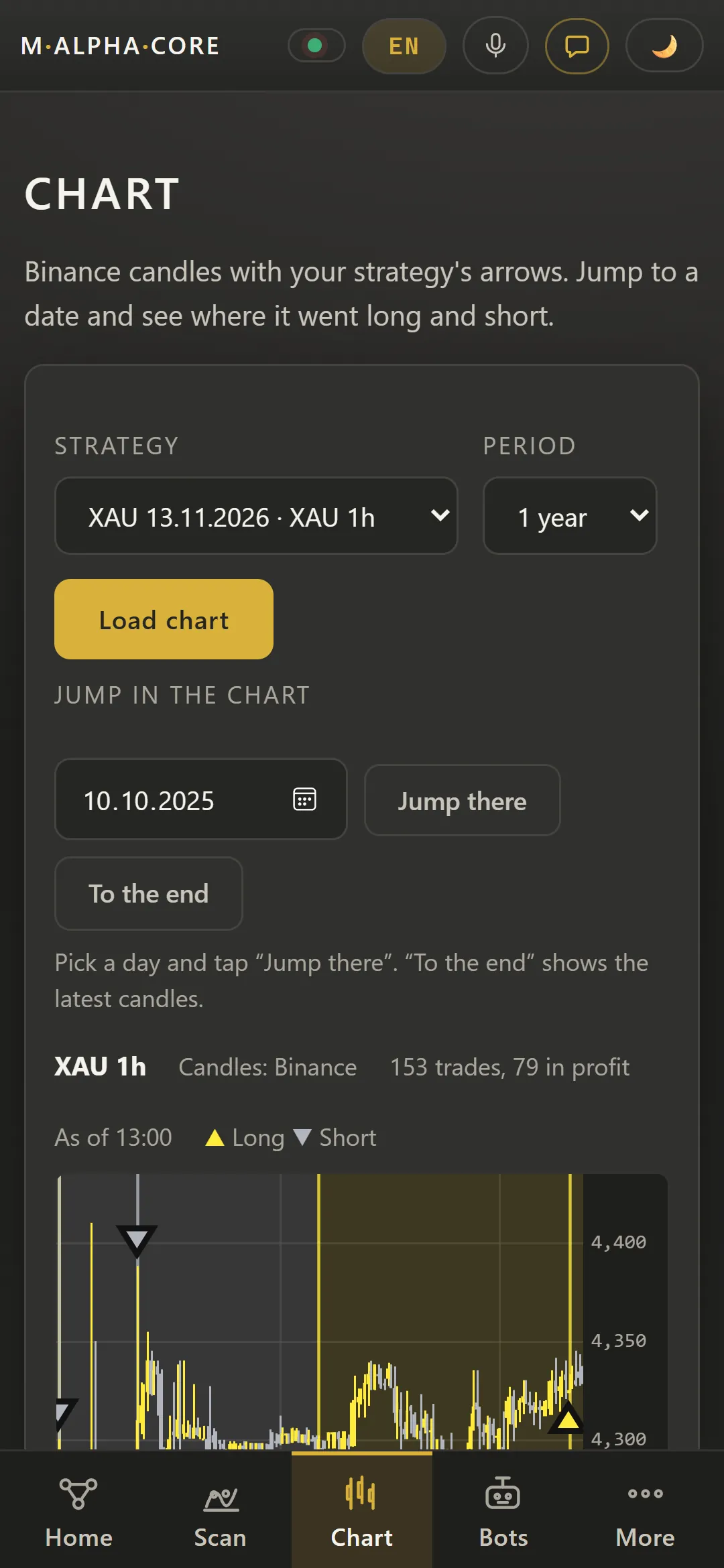
Every trade of the test sits on the price chart as a long or short arrow. You can jump to any date and see where the strategy entered and exited.
Gold XAU 1 hour chart in M Alpha Core with every backtest trade marked as a long or short arrow on the candles (Demo with the gold scan of November 12, 2026)Gold XAU 1 hour chart in M Alpha Core with every backtest trade marked as a long or short arrow on the candles (Demo with the gold scan of November 12, 2026, App in German)
Trading bots on your own server and exchange account
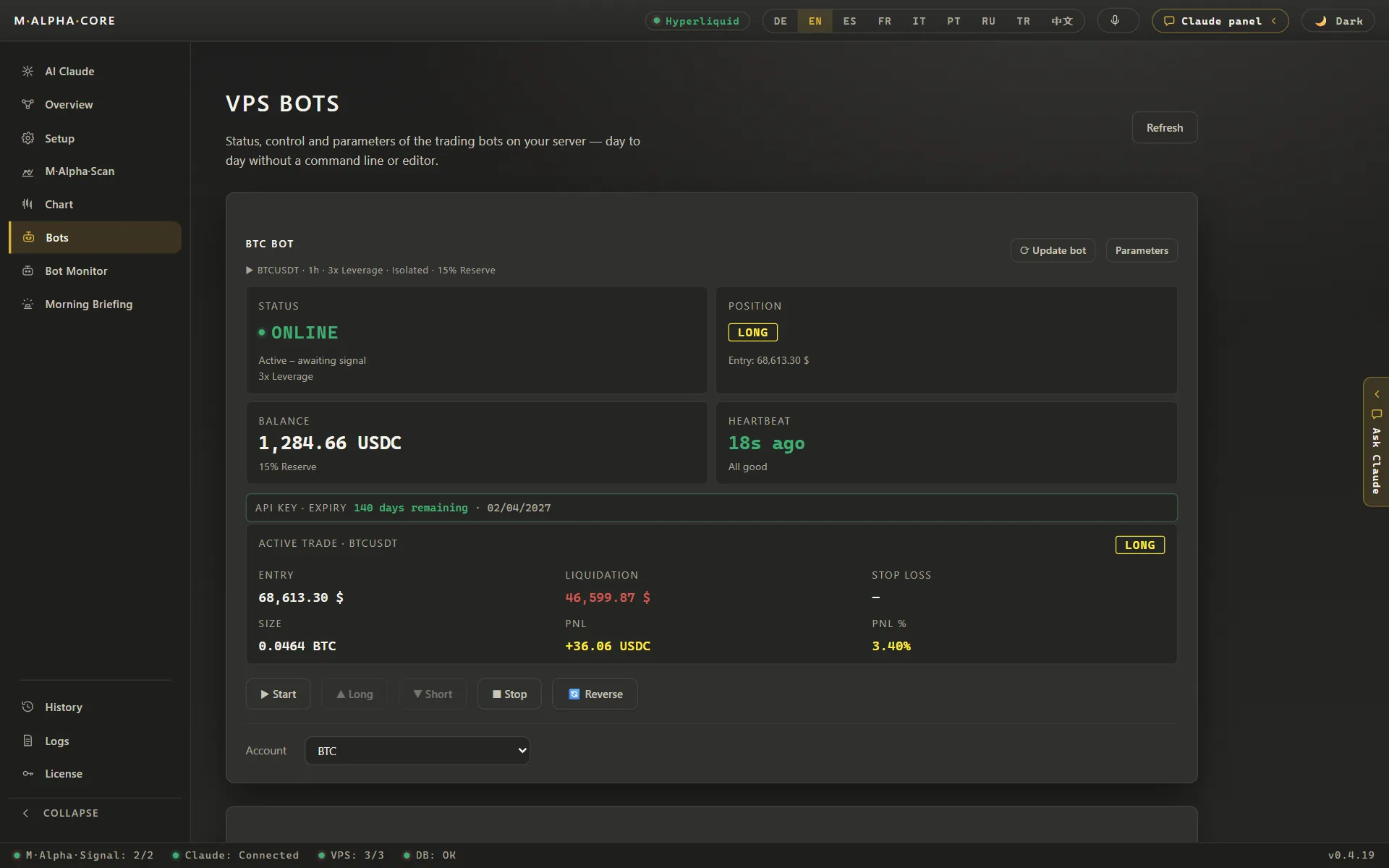
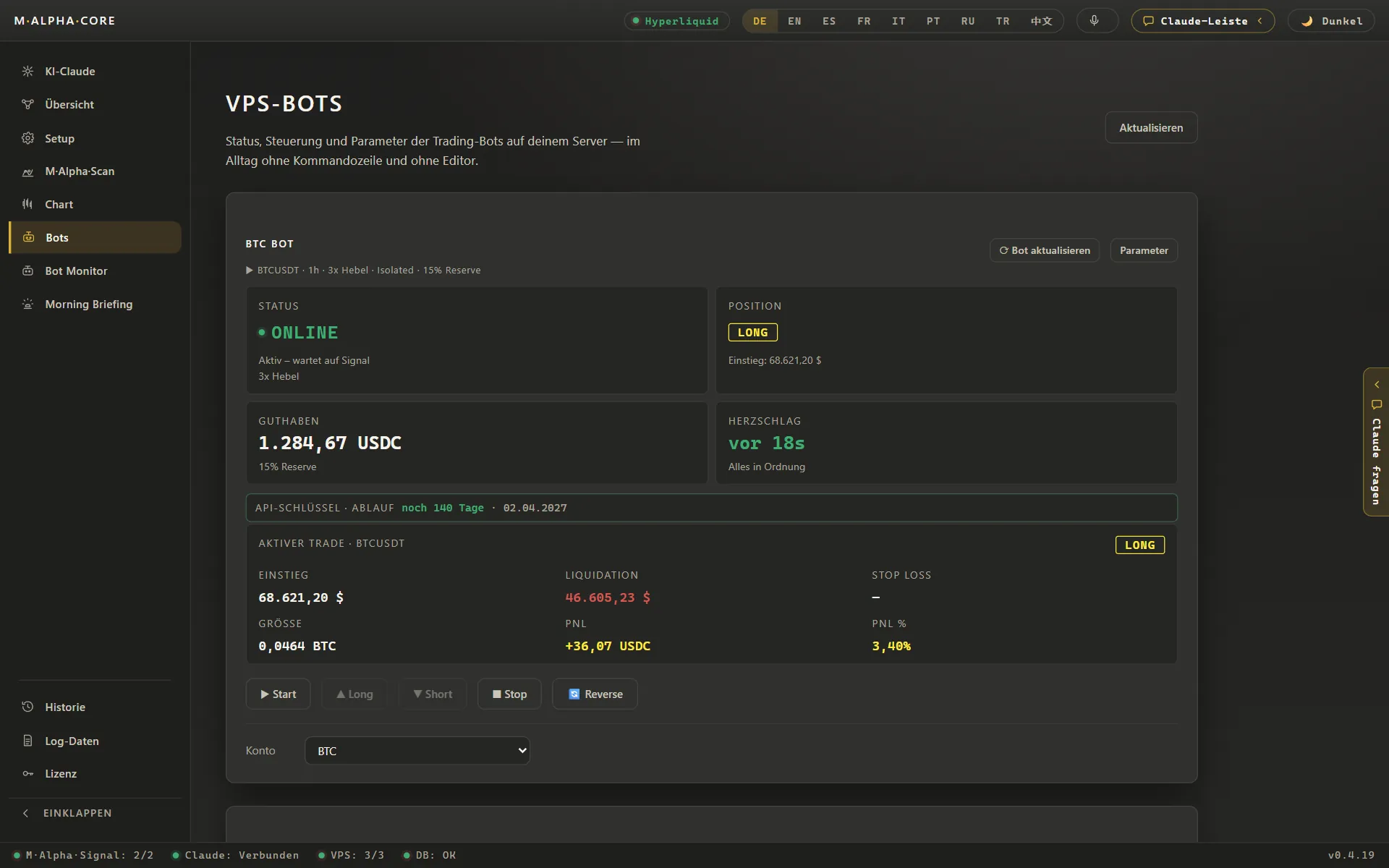
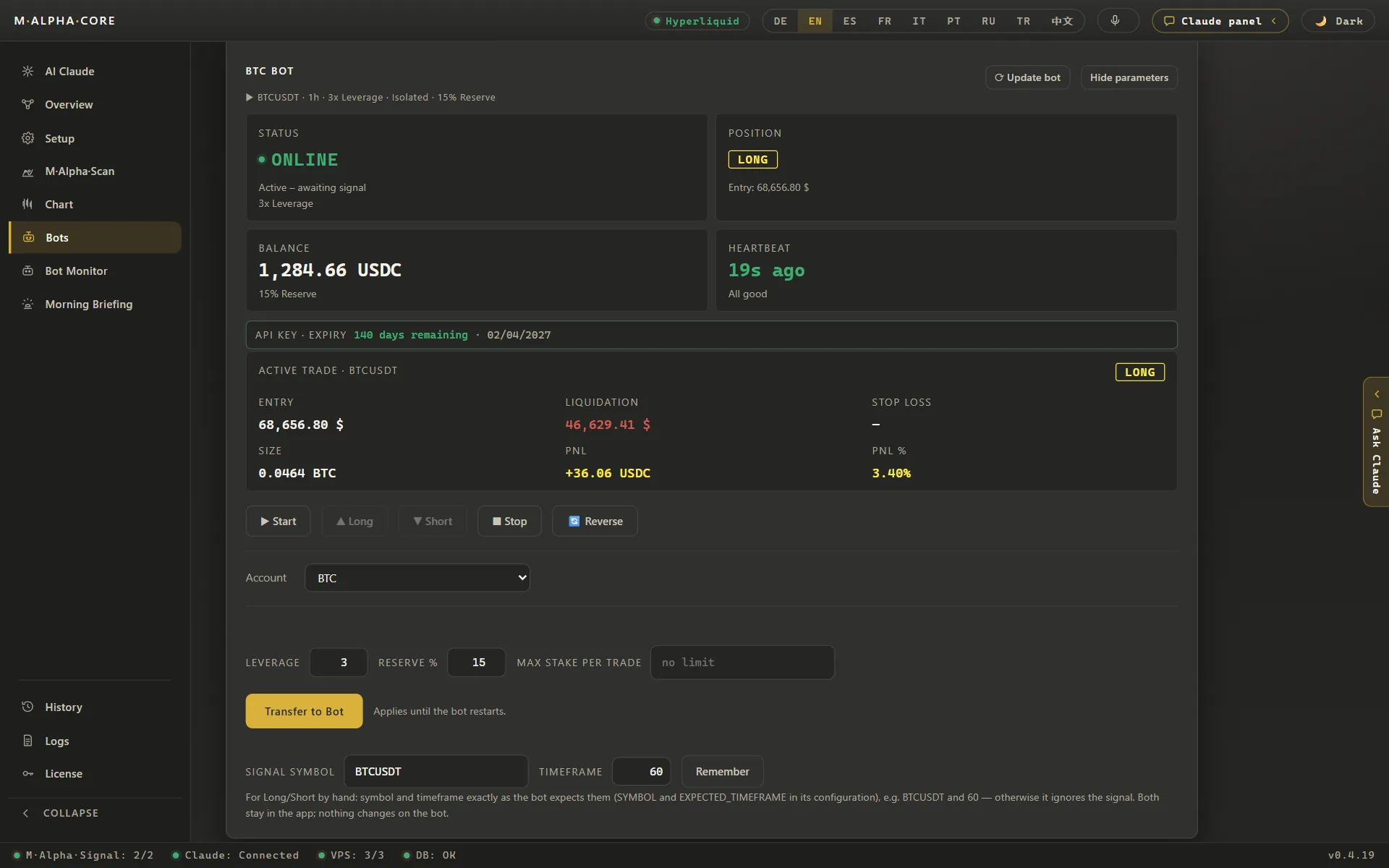
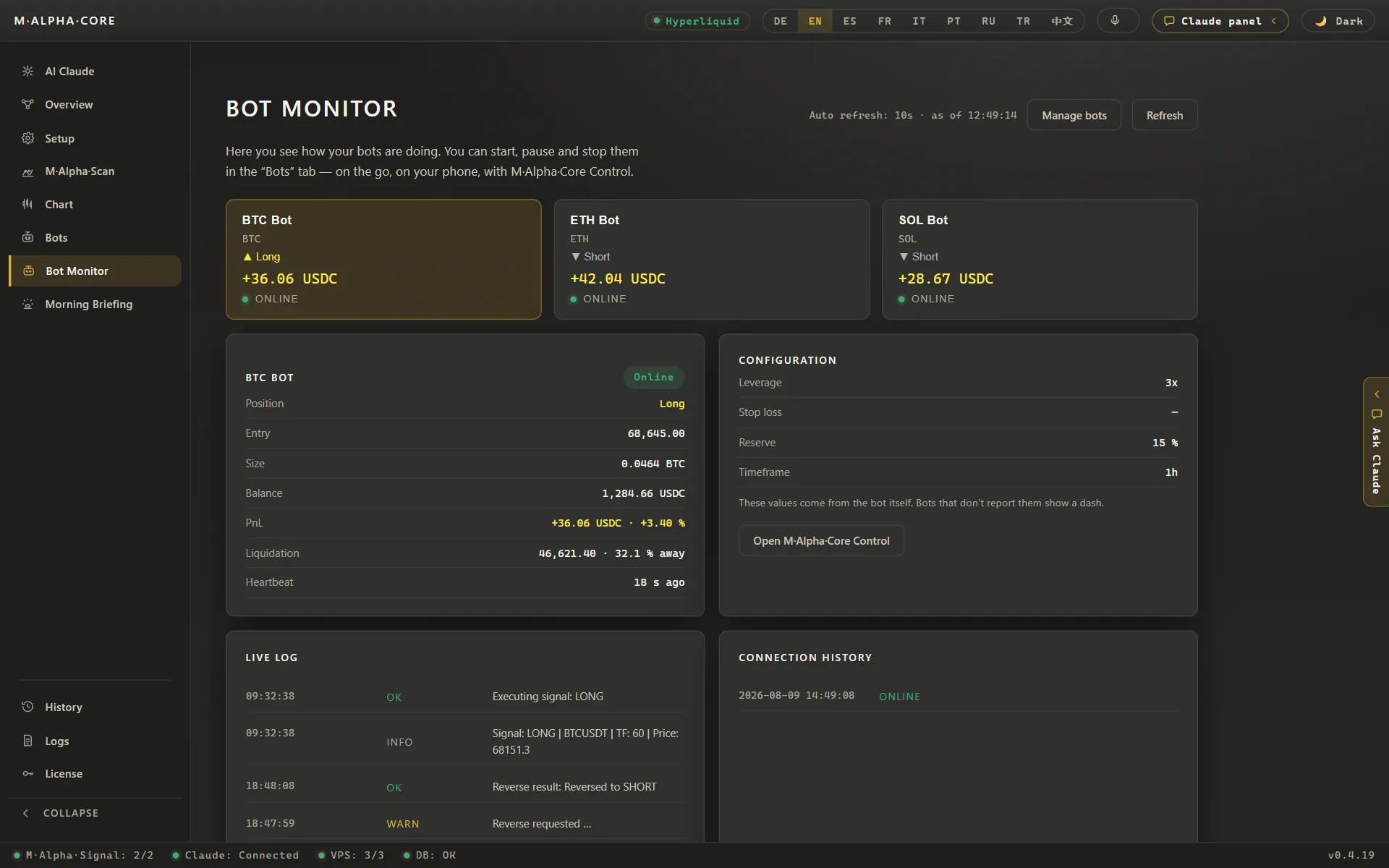
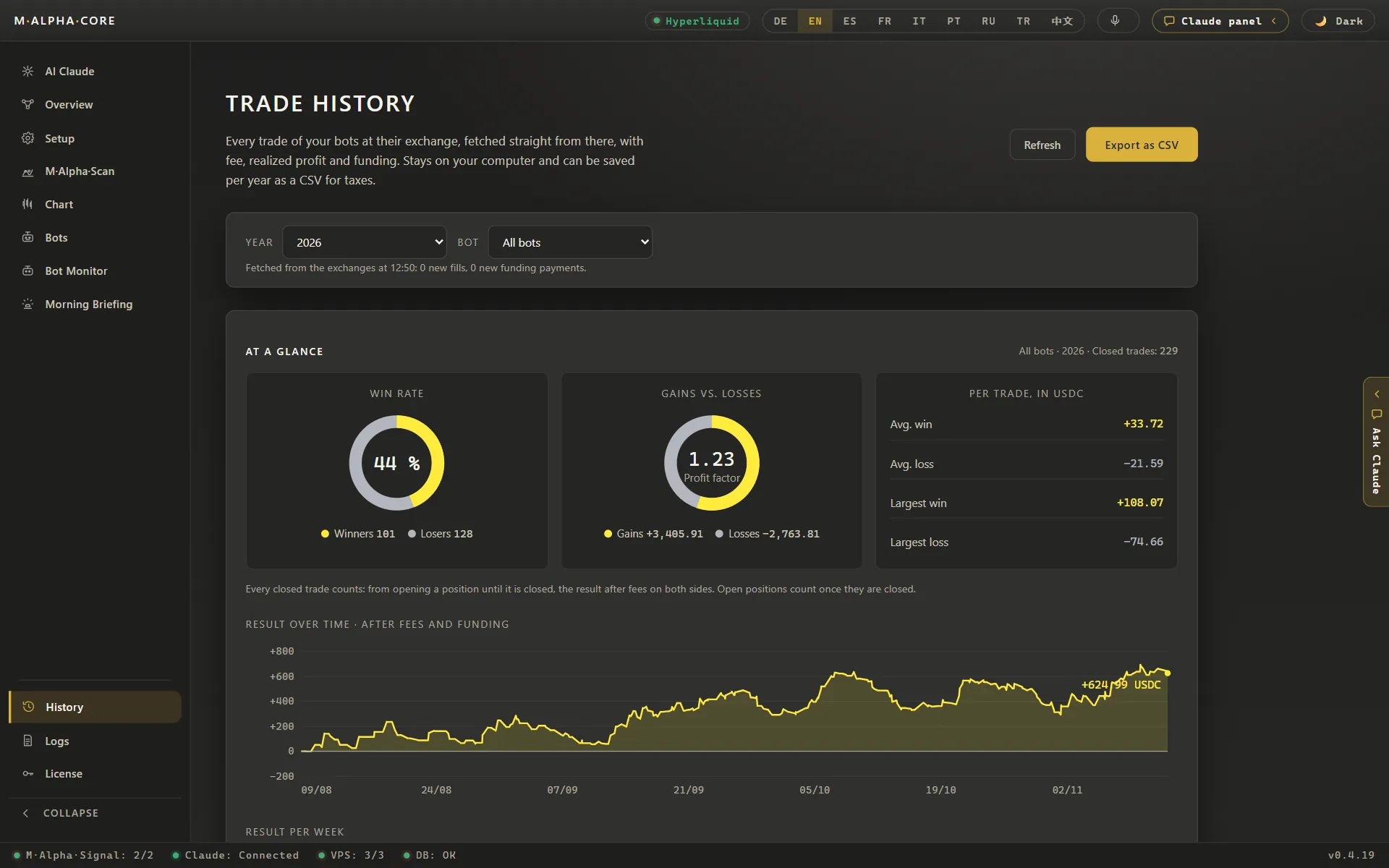
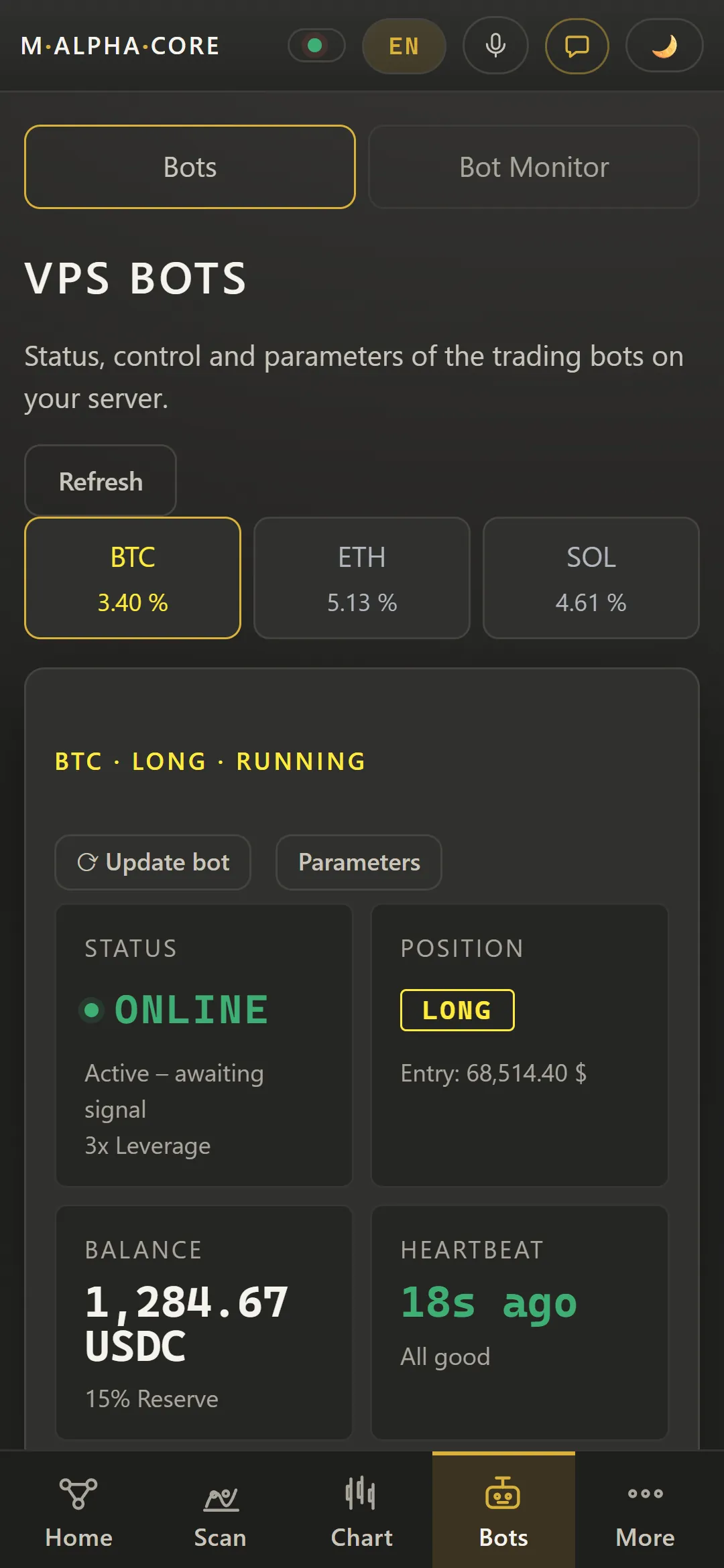
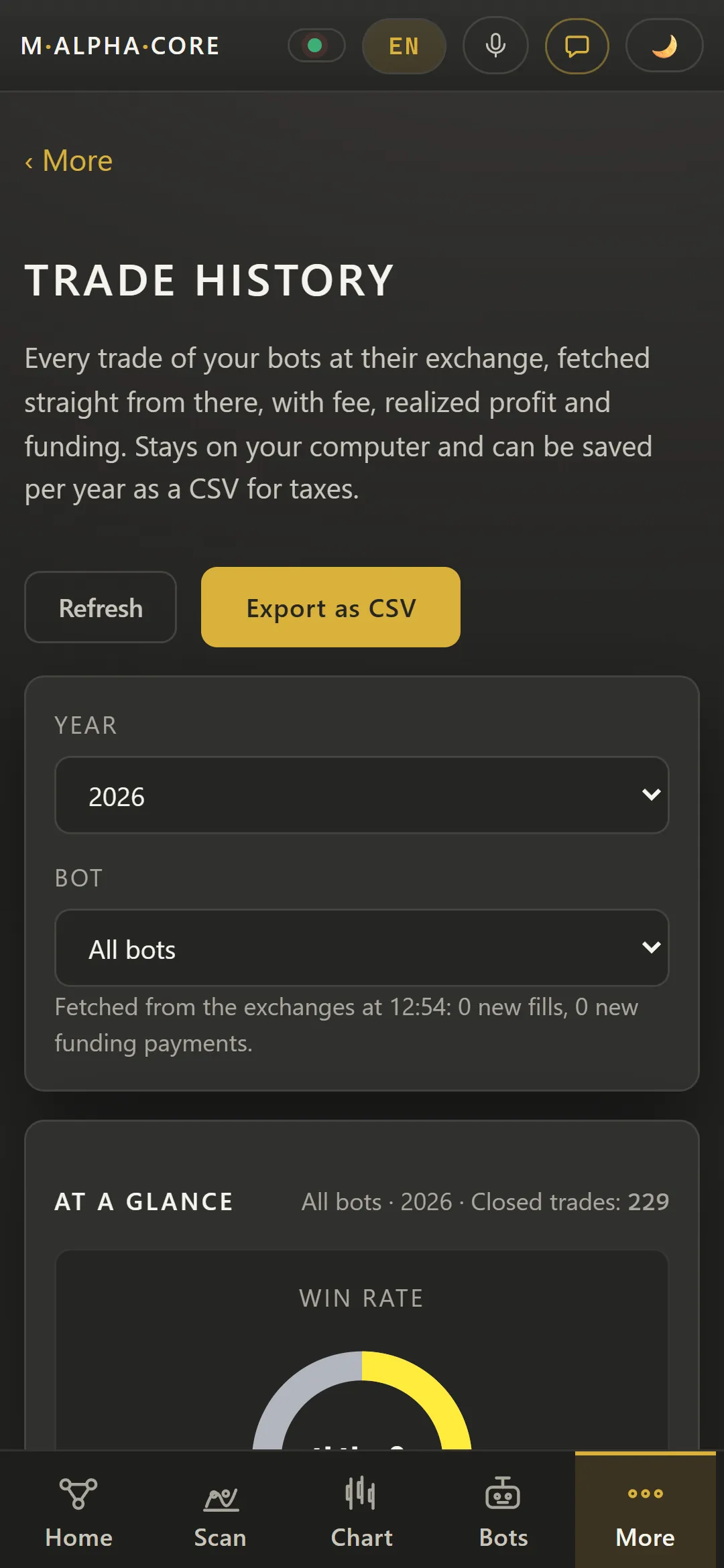
Your bots run on your own small server and trade on your own exchange account, with a key that can trade but cannot withdraw. The app shows status, position, balance and the trade history of every bot.
Bots tab in M Alpha Core showing a BTC bot on the user's own server with status, position, balance, key expiry and buttons to start, stop or reverse (Demo with sample data)Bots tab in M Alpha Core showing a BTC bot on the user's own server with status, position, balance, key expiry and buttons to start, stop or reverse (Demo with sample data, App in German)Parameter editor of a BTC trading bot in M Alpha Core with the strategy values, leverage and reserveBot monitor in M Alpha Core with three running bots for BTC, ETH and SOL, their positions, profit and loss and the details of the BTC bot (Demo with sample data)Trade history in M Alpha Core with win rate, profit factor and the result over time after fees and funding, exportable as CSV (Demo with sample data)
Trading bot control panel for phone and browser
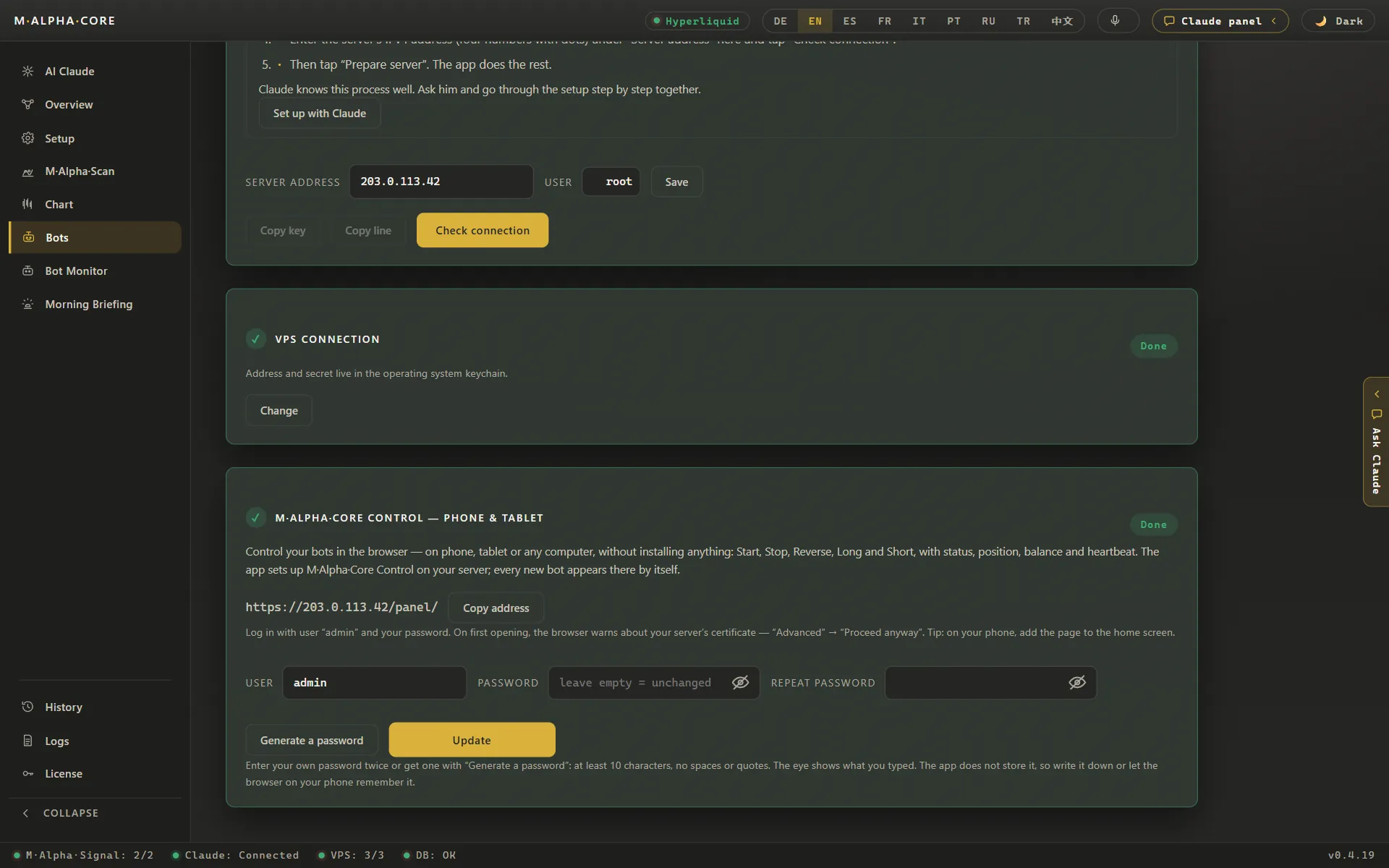
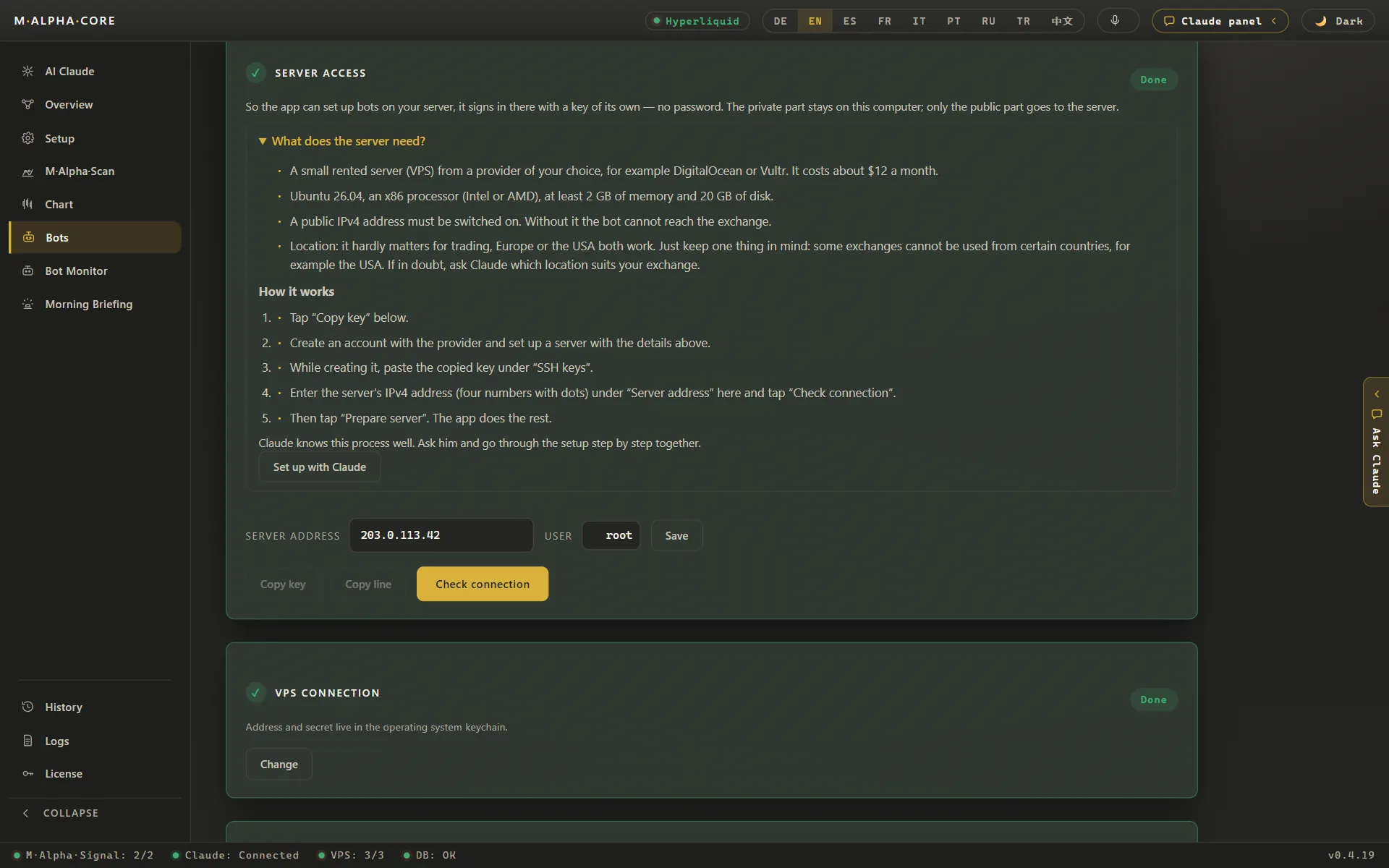
M Alpha Core Control lets you watch and steer your bots from any browser, on the phone or tablet, protected by your own password. The security view shows how signals, keys and the server are protected. Server addresses on these pictures are placeholders.
Setup of M Alpha Core Control in the app: the browser control panel for phone and tablet, protected by its own passwordSecurity diagram in M Alpha Core: sealed signals, an exchange key with trading rights only, an encrypted control panel and Telegram alerts“Server access” section in M Alpha Core explaining how the app connects to the user's own bot server, with help from Claude
AI assistant Claude built into the trading app
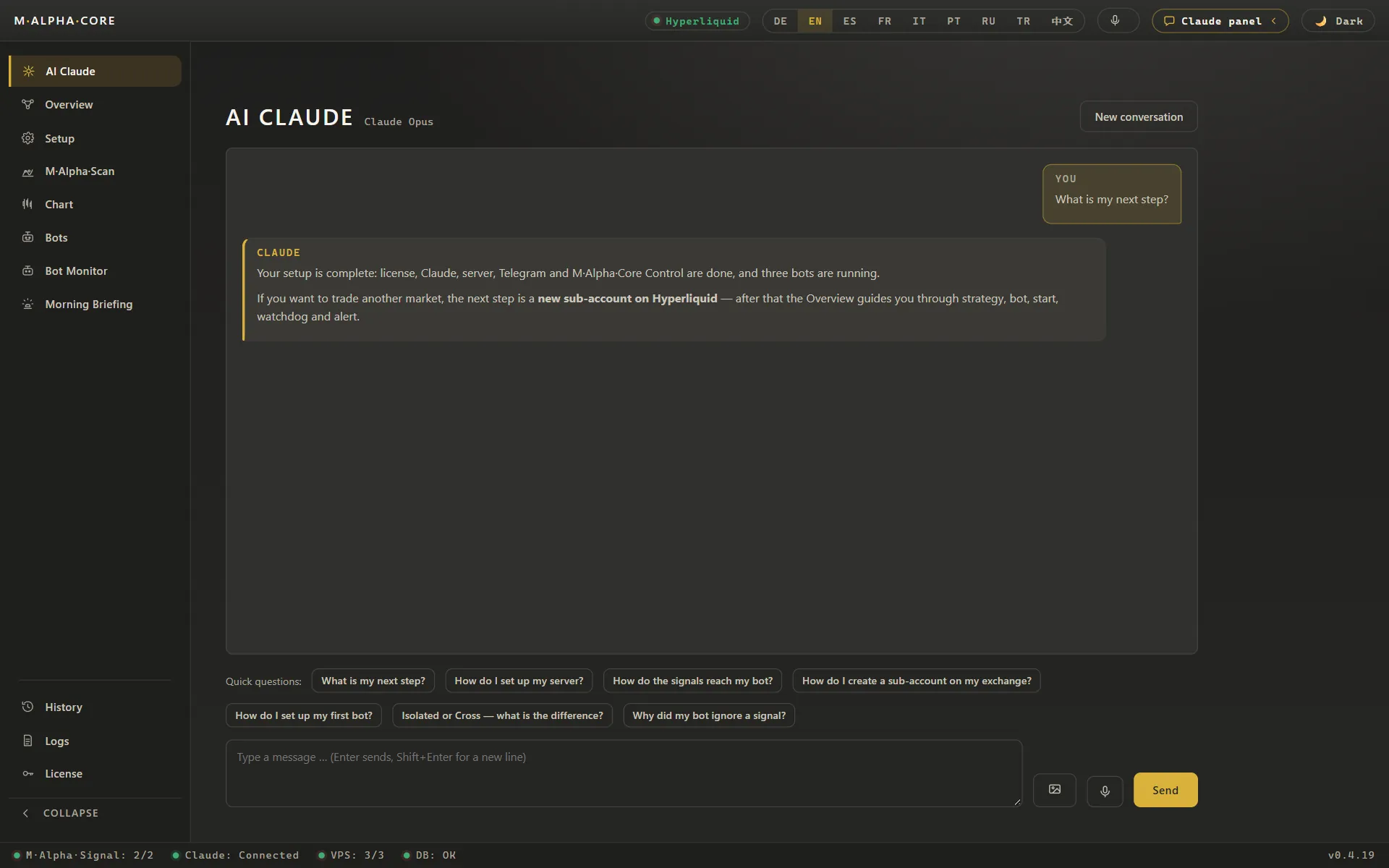
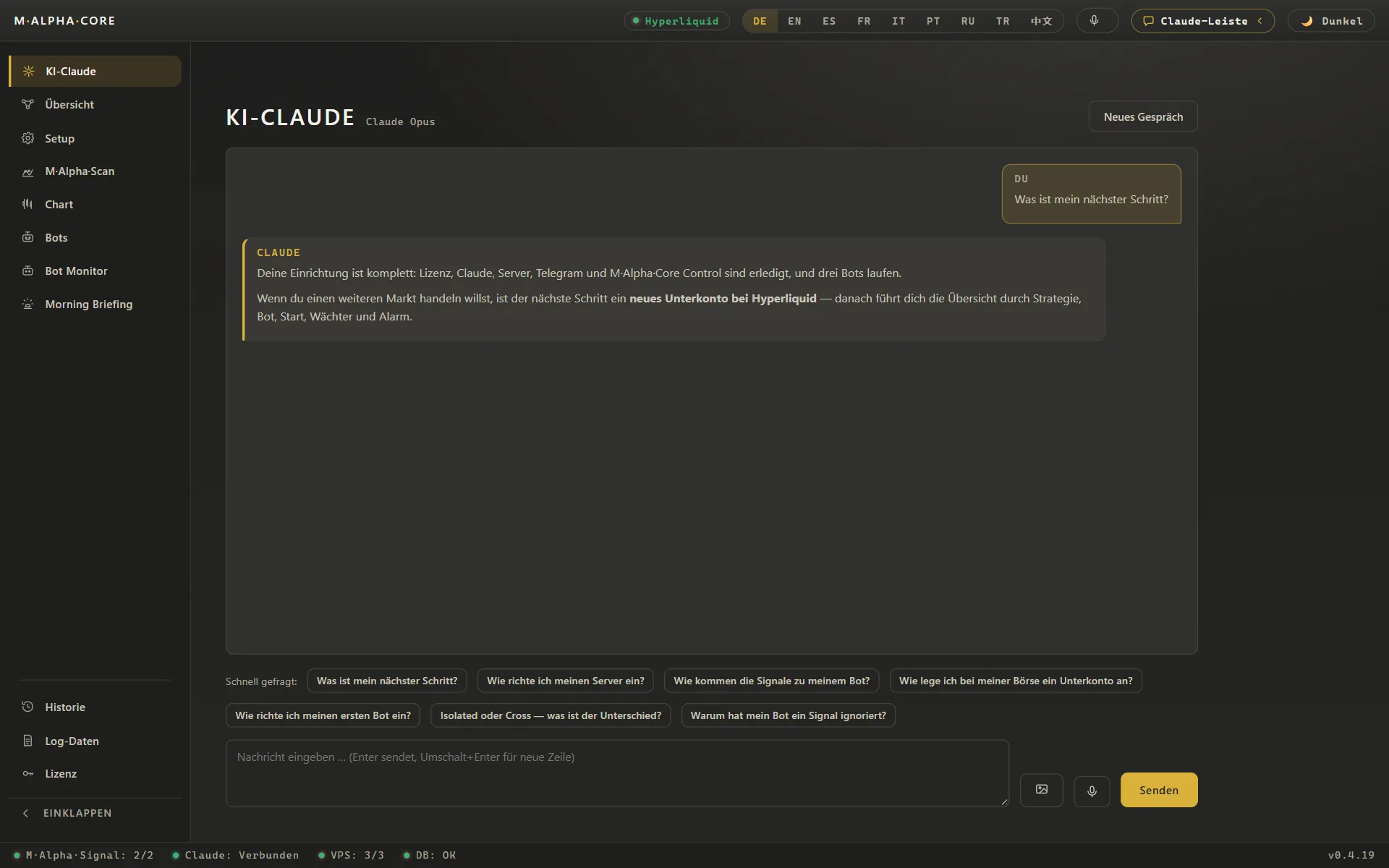
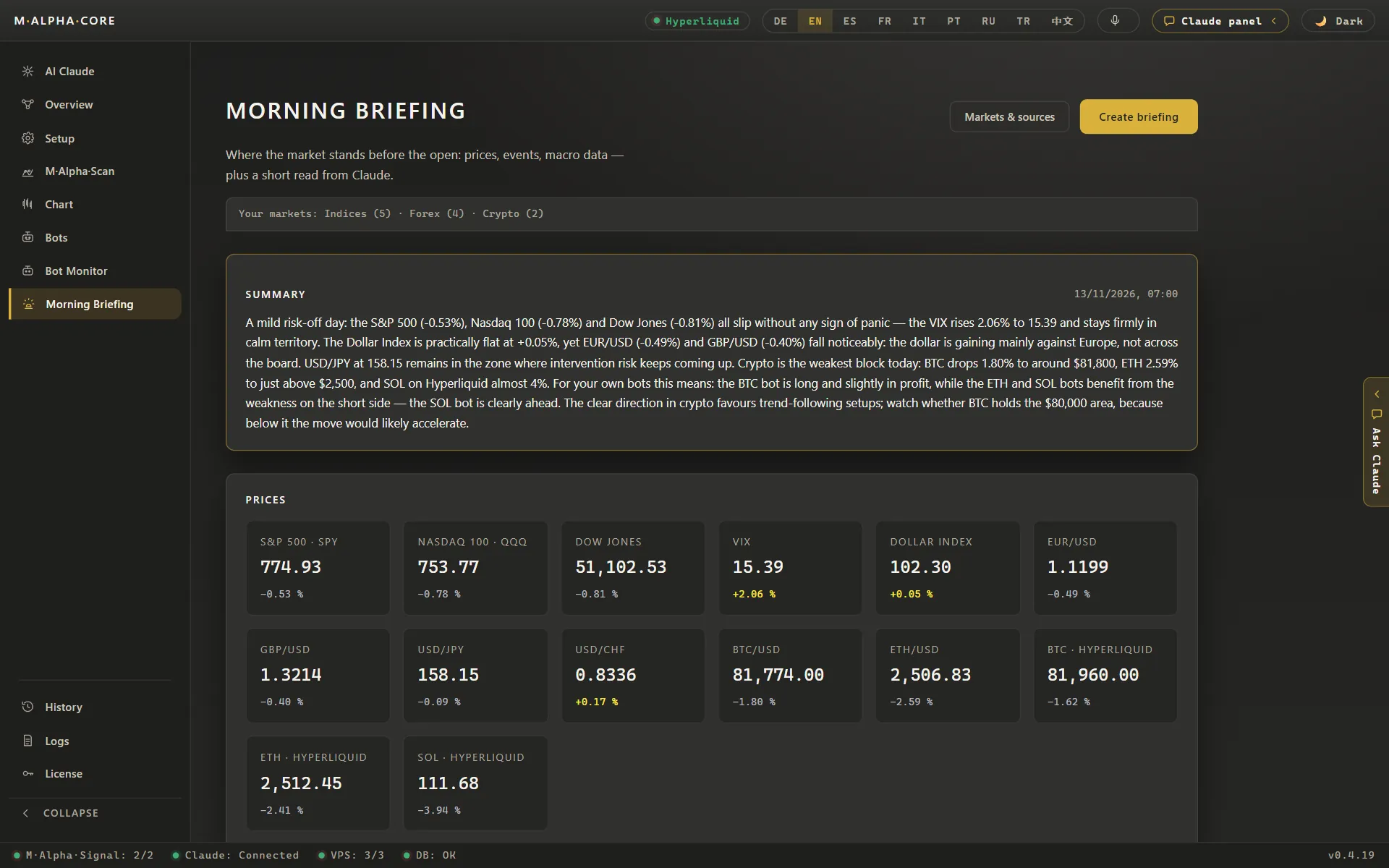
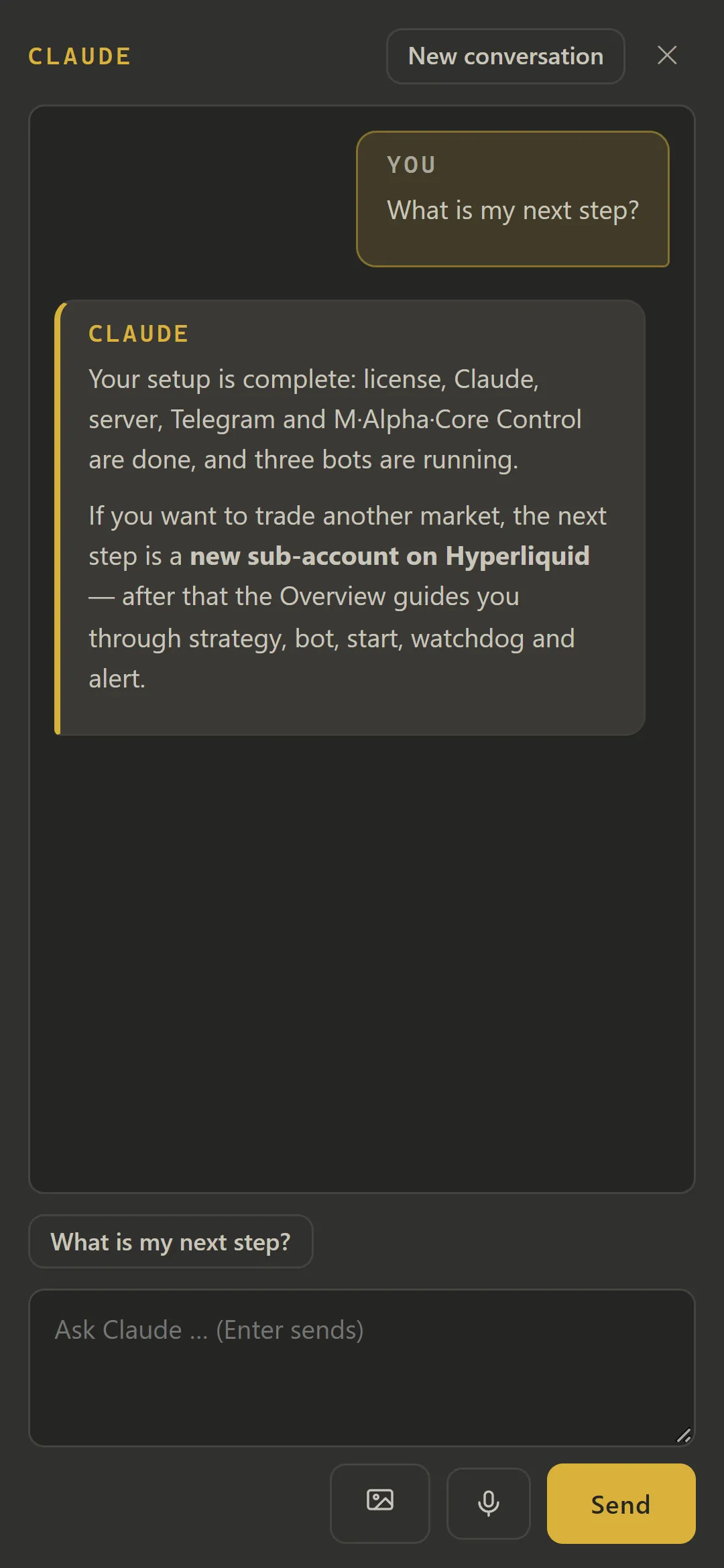
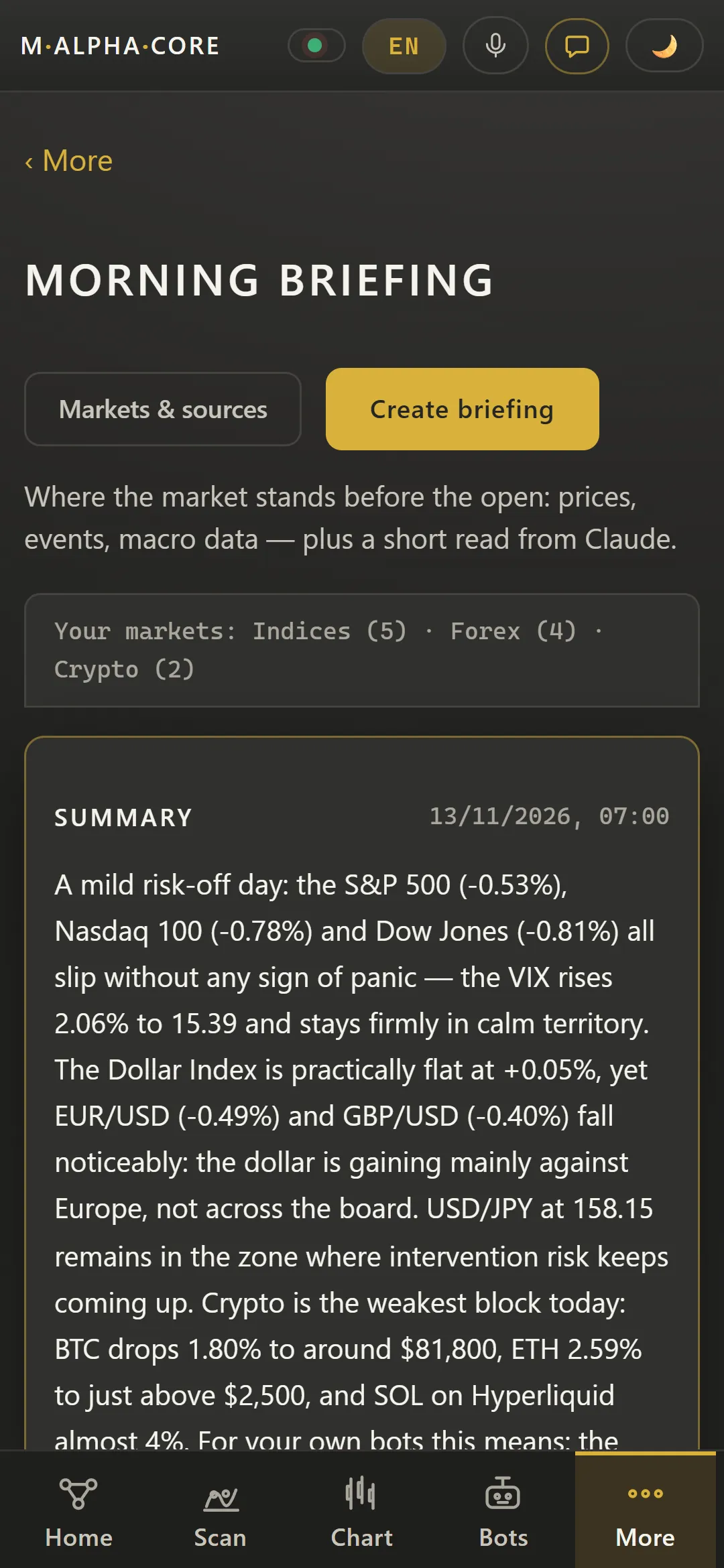
Claude is built into the app and runs on your own API key. It knows your setup and answers questions such as the next step, and the morning briefing sums up the market before the open.
Built in assistant Claude in M Alpha Core answering the question “What is my next step?” with the user's setup statusBuilt in assistant Claude in M Alpha Core answering the question “What is my next step?” with the user's setup status (App in German)Claude panel opened next to the M Alpha Scan gold report, so questions about the report can be asked without leaving it (Demo with sample data)Morning briefing in M Alpha Core with a short market summary by Claude and price tiles for S&P 500, Nasdaq 100, forex and crypto
Settings for language, Telegram alerts and license
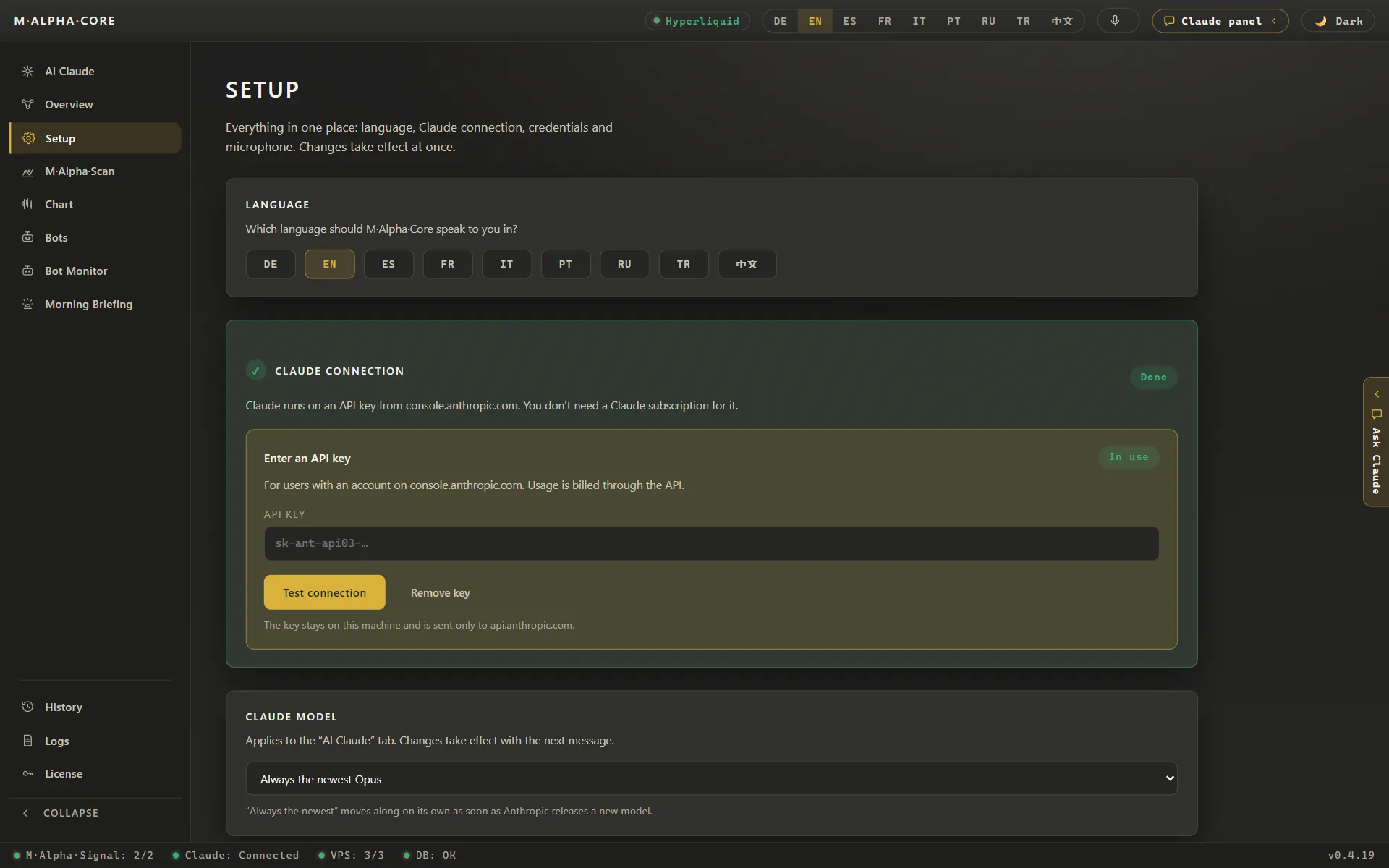
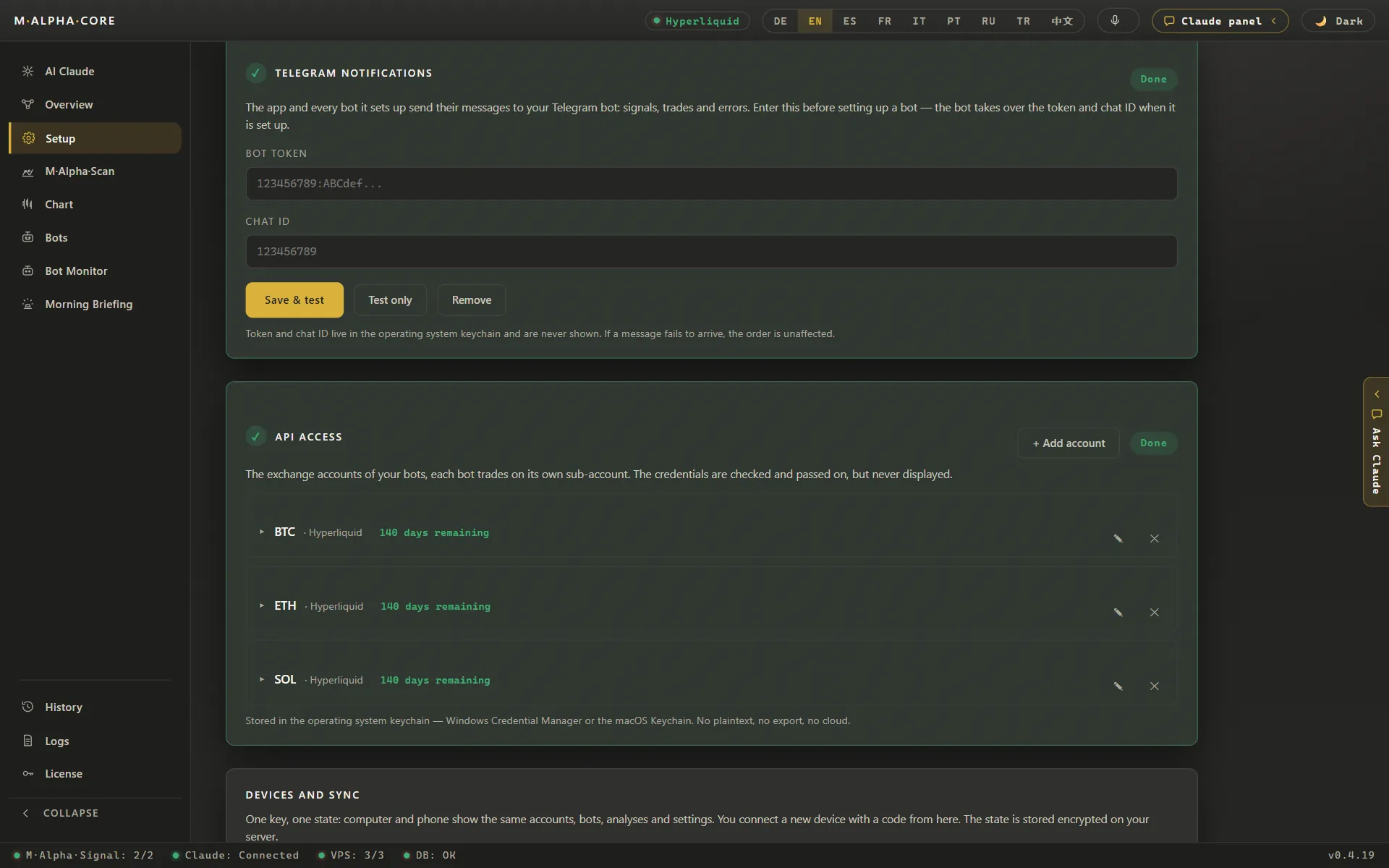
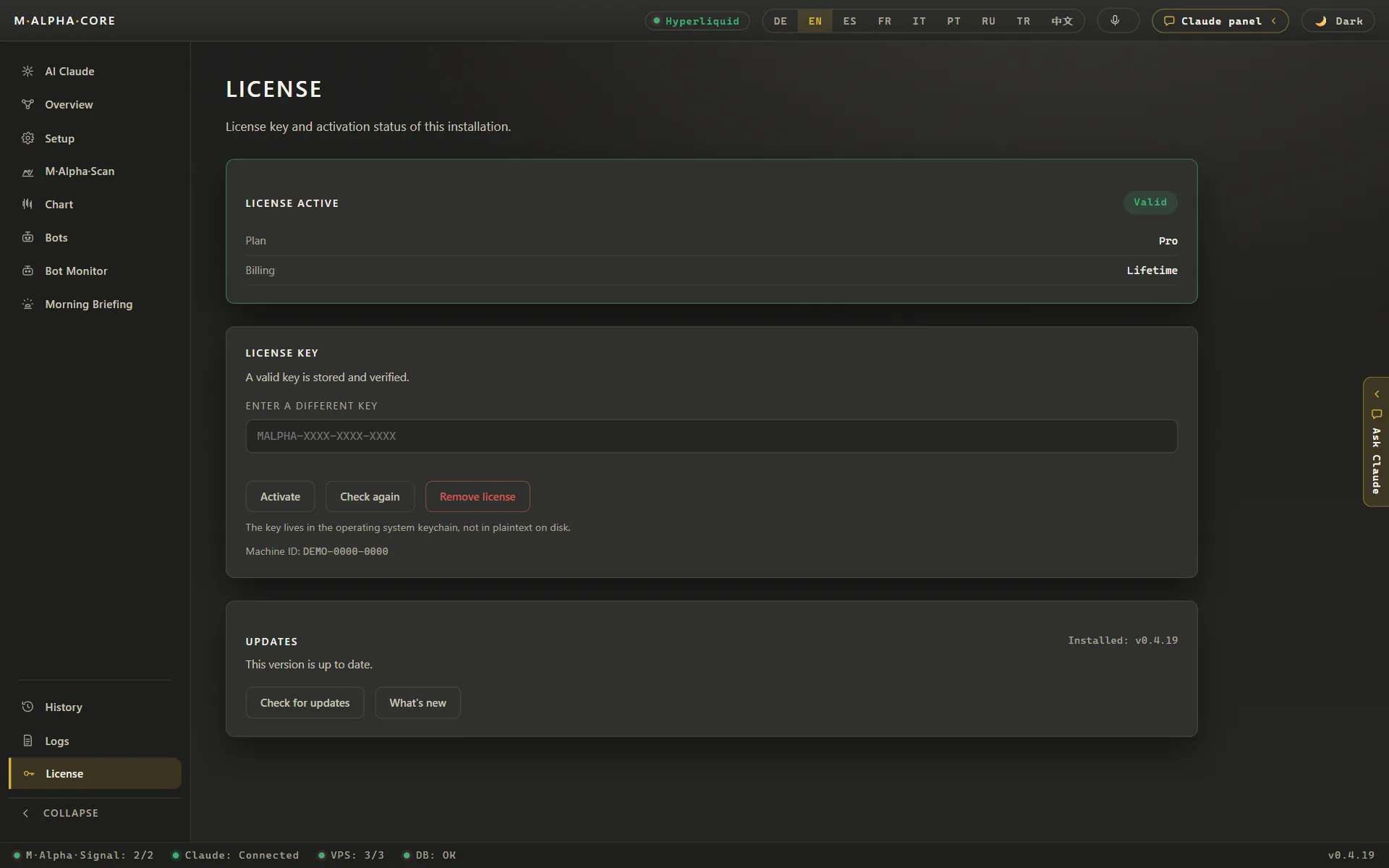
Language, the Claude connection, Telegram messages and the license all sit in one place. Keys and tokens stay in the keychain of your computer and are never shown in full.
Settings in M Alpha Core with nine app languages and the Claude connection through the user's own API keySet up Telegram in M Alpha Core: enter the bot token and the chat ID, then save and testLicense and updates in M Alpha Core with license status, update check and the list of what is new
Android trading bot app with scan and report
The Android app has the same scan, report, chart and bots as the desktop app. A Standard license covers one computer and one phone.
M Alpha Core Android app home screen with signal server status, the exchange, the last gold scan and three botsM Alpha Core Android app home screen with signal server status, the exchange, the last gold scan and three bots (App in German)M Alpha Scan on an Android phone with gold XAU entered and the exchanges where a bot can trade itM Alpha Scan running on an Android phone with a progress bar at 42.3 percent while it tests settings for goldM Alpha Scan gold report on an Android phone: 153 trades, profit factor 2.456 and a leverage limit of 18.18x (Demo with sample data)M Alpha Scan gold report on an Android phone: 153 trades, profit factor 2.456 and a leverage limit of 18.18x (Demo with sample data, App in German)Risk and leverage section of the gold report on an Android phone with the worst move against a trade and the leverage limit (Demo with sample data)Section “What these numbers do not say” in the M Alpha Scan gold report on an Android phone, naming the limits of a backtest (Demo with the gold scan of November 12, 2026)Gold XAU chart with backtest trades on an Android phone in M Alpha Core (Demo with the gold scan of November 12, 2026)Trading bot control on an Android phone in M Alpha Core with status, position, balance and buttons to start or stop (Demo with sample data)Guided setup on an Android phone in M Alpha Core with the eight steps to the first trading botBuilt in assistant Claude on an Android phone in M Alpha Core answering “What is my next step?”Trade history on an Android phone in M Alpha Core with win rate, profit factor and the result over time (Demo with sample data)Morning briefing on an Android phone in M Alpha Core with a short market summary by Claude and current prices
Last updated:
All figures come from backtests on past market data. No result is a promise of future profit. Trading, especially with leverage, involves high risk. M Alpha Core is a software tool, not investment advice.