
M Alpha Core pricing
Three plans, no contract and no share of your profits. This page lists what each plan includes, what else a running bot costs you each month and how payment works.
Last updated:
The three plans
Standard
$49 a month
or $470.40 a year (20 % less than twelve months)
- 1 computer and 1 phone or tablet
- Up to 10 bots
- All markets and all ten exchanges
- All updates while the license runs
Pro
$69 a month
or $621 a year (25 % less than twelve months)
- 3 devices in any mix, for example 2 computers and 1 phone
- Unlimited bots
- All markets and all ten exchanges
- All updates while the license runs
Lifetime
$1,490 once
Pro without an end date
- 3 devices in any mix
- Unlimited bots
- Lifetime updates
- No renewal
All three plans run the same app with the same scan, the same report and the same bot. The plans differ only in the number of devices and the number of bots. There is no cheaper plan with fewer markets and no feature that is held back for a higher tier.
Which plan fits you
Standard fits most people. You scan on your computer, check your bots on your phone and run up to ten bots at the same time. Ten bots is a lot: most traders start with one or two markets, for example gold on the 1 hour chart and ETH on the 30 minute chart, and add more only after the first bots have behaved as expected.
Pro fits you if you work on more than one computer, use a phone and a tablet, or if you want more than ten bots. Every bot runs on its own sub account, so a larger number of bots is a question of how many markets you want to trade, not of risk being mixed between them.
Lifetime is Pro without an end date. It pays off against Pro monthly after a little less than two years and against Pro yearly after a little more than two years. It only makes sense if you already know that you will use the tool for a long time. If you are unsure, start monthly. You can switch later.
What else a running bot costs
The license is not the only cost. A bot needs a place to run and a way to tell you what it does. These are the real running costs, with no item left out:
| M Alpha Core Standard | $49 a month |
| Small server for your bots | about $12 a month |
| Telegram for trade messages | free |
| Claude credit for the built in assistant | about $5, lasts around a year |
| Exchange trading fees | set by your exchange |
| Your trading money | you decide, it stays on your account |
The server. Your bots run on a small server that you rent yourself, at a provider such as DigitalOcean or Vultr, for about $12 a month. The app walks you through renting it and sets it up for you. One small server carries all your bots. You pay the provider directly, and you can cancel it every month like the license.
Telegram. Every bot reports its trades and warnings to your Telegram. Telegram is free.
Claude credit. The assistant inside the app is Claude, an AI assistant from the company Anthropic. You top up about $5 of credit once at Anthropic and enter your own key in the app. With normal use it lasts around a year. The AI trading bot page explains what the assistant does and what it does not do.
Exchange fees. Your exchange charges its own trading fees and, on perpetual contracts, funding. These are not paid to us. The scan includes the fees of the exchange you choose, so the report already shows results after fees.
Put together, Standard with one server comes to about $61 a month plus about $5 once a year for the assistant. That is the whole bill for running up to ten bots around the clock.
What every plan includes
- The scan. It finds the best settings of the built in strategy M Alpha Signal for your market. It searches on the first 65 % of a year of data and checks the result on the last 35 %, which the search never saw. It runs on our scan server, so your device can sleep while it works.
- The report. Number of trades, profit factor on the searched and on the unseen part, the result with and without leverage, the worst move against a single trade and the highest leverage that move would have allowed. Every trade on the chart.
- The bot. A bot on your own server with your own trading only key, one sub account per bot, a dry run to practise, live trading when you are ready.
- The signal. Our signal server calculates the strategy with exactly the settings from your report at every candle close and hands the signal to your bot.
- Control and watch. A control panel in any browser for long, short, reverse and stop, a watchdog that checks every bot every minute, liquidation warnings at half and at three quarters of the way, and a weekly check every Sunday.
- Markets. Crypto, gold, silver, platinum, copper, oil (WTI and Brent), natural gas, the S&P 500, the Nasdaq 100 and over 200 stocks as perpetual contracts on crypto exchanges.
- Exchanges. Binance, Bybit, Bitget, OKX, MEXC, Gate, BingX, KuCoin, Crypto.com and Hyperliquid.
- Devices. Windows 10 and 11, macOS 11 or newer (Apple Silicon and Intel) and Android 10 or newer. An iPhone app is planned. Until then the control panel works in the browser of any iPhone.
How devices are counted
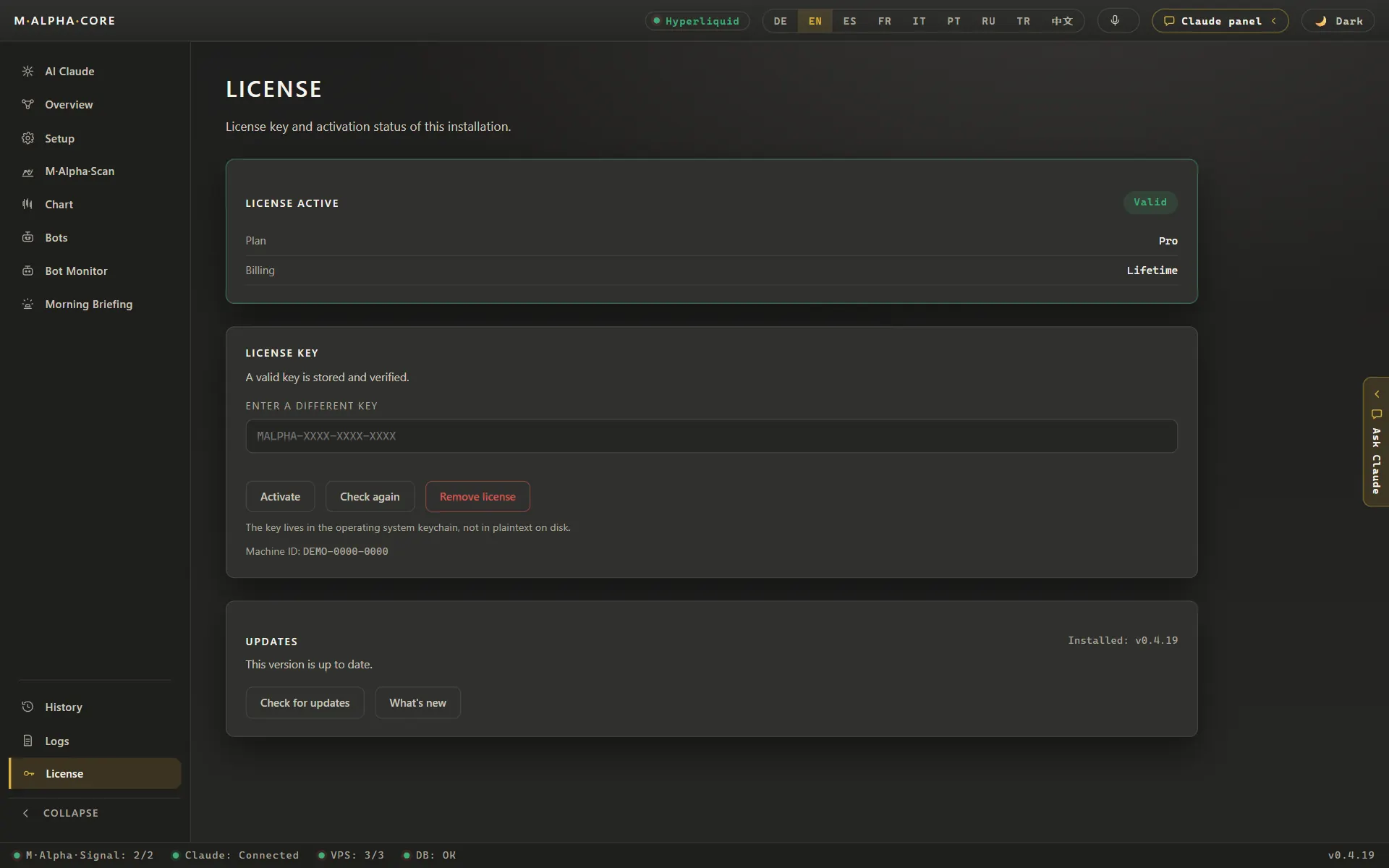
A device is a computer, a phone or a tablet on which you sign in with your license key. Standard covers one computer and one phone, and a tablet counts like a phone. Pro and Lifetime cover three devices in any mix. All devices of one license show the same state: the same scans, the same reports and the same bots.
Your server does not count as a device. Neither does the control panel in the browser, which you can open on any phone or computer with the password of the bot. There you do not just watch the bot, you control it fully: long, short, reverse and stop with one tap, so you can react at once in an emergency.
Included in every plan: the trade history with CSV export. It lists every trade of your bots with fees and funding and saves the year as a file for your tax advisor. How the tax export works
How payment works
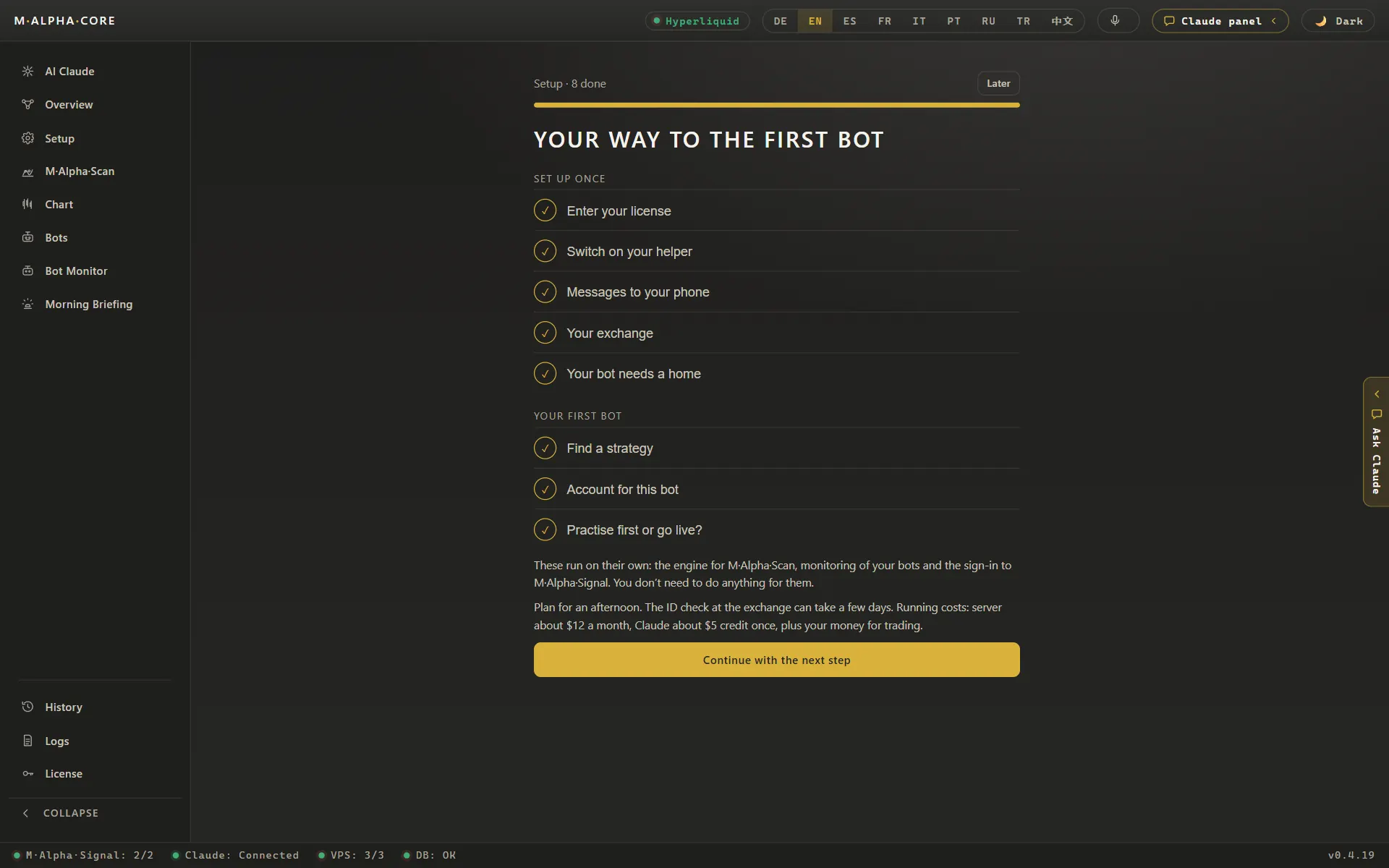
You can buy a license in two ways: in our Telegram shop with Telegram Stars, or on our checkout page with crypto (USDT on Tron or Bitcoin). After payment you receive your license key and an invoice. You enter the key in the app and the plan is active at once.
Monthly and yearly licenses run for the term you paid. You can cancel at any time, and the license then ends with the term already paid. Fees are not refunded for partial terms, as set out in the terms of use. That is one more reason to start with a monthly plan if you are unsure.
No share of your profits, no access to your money
We charge a fixed price for the software. We do not take a share of your profits, we do not charge per trade and we never hold your money. Your trading money stays on your own exchange account, and your bot trades it with a key that may trade but may not withdraw. The key lives on your own server and in the protected vault of your device. Our servers never receive it. The security page explains the setup in detail.
A fixed price also means our income does not depend on how often your bot trades. We have no reason to push you toward more trades, more leverage or more bots than you want.
What the price compares to
Bot tools are priced in very different ways: some charge a monthly fee, some take a share of profits, some charge per bot or per trade, some hold your funds on their own platform. Before you compare prices, compare what you get for them: does the tool test settings on data it never saw, does it show the leverage that the worst trade would have survived, and who holds your exchange key? Our comparisons with 3Commas, Pionex, Cryptohopper and Gainium set the tools side by side, with sources for every statement about the other tools.
Compare it also with doing it yourself. A strategy script, a server, monitoring and a test on unseen data take hundreds of hours to build and keep running. The backtest guide shows what that work involves.
Before you buy
- Read how the scan works on the methodology page, so you know what the numbers in a report mean.
- Look at real reports on the gold trading bot and S&P 500 trading bot pages.
- Check that your exchange is allowed where you live and lists the market you want. The app shows which exchanges list a market.
- Decide how much money you can afford to lose completely. Only that money belongs on the trading account of a bot.
After you buy, plan one afternoon for the setup. The app shows one screen per step, and every new bot first runs as a dry run that only writes down what it would do. The paper trading page explains that practice mode.
Frequently asked questions
How much does M Alpha Core cost?
Standard costs $49 a month or $470.40 a year, Pro costs $69 a month or $621 a year, and Lifetime costs $1,490 once.
Is M Alpha Core free?
No. There is no free plan. Every new bot can run as a dry run first, which costs nothing extra inside a paid license.
What is the difference between Standard and Pro?
Standard covers one computer and one phone and up to 10 bots. Pro covers three devices in any mix and unlimited bots. Features are the same.
What does Lifetime include?
Lifetime is Pro without an end date: three devices, unlimited bots and lifetime updates, paid once.
What other costs are there?
A small server for about $12 a month, about $5 of Claude credit that lasts around a year, and the trading fees of your exchange. Telegram is free.
How do I pay?
With Telegram Stars in our Telegram shop, or with crypto (USDT on Tron or Bitcoin) on our checkout page. You receive the license key and an invoice right after payment.
Can I cancel at any time?
Yes. A monthly or yearly license ends with the term already paid. Partial terms are not refunded.
Do you take a share of my profits?
No. The price is fixed. We never take a share of profits and never hold your money.
Does a tablet count as a device?
Yes. Under Standard a tablet counts like a phone. Pro and Lifetime cover three devices in any mix.
Do I need TradingView or another subscription?
No. The strategy is built in, and the signal is calculated on our signal server. You only need the license, a small server and Telegram.
Is the price the same in every country?
Yes. Prices are in US dollars. Taxes that apply to your purchase are set out in the terms of use.
Compare M Alpha Core
Side by side with other bot tools, with sources for every statement about them.
Exchanges in M Alpha Core: Binance · Bybit · Bitget · OKX · MEXC · Gate · BingX · KuCoin · Crypto.com · Hyperliquid
Related pages
All figures come from backtests on past market data. No result is a promise of future profit. Trading, especially with leverage, involves high risk. M Alpha Core is a software tool, not investment advice.