
Home / Guides / TradingView alternative for bots
A TradingView alternative for automated trading
Many traders build their first bot on TradingView: a strategy in Pine Script, an alert, a webhook and a script that turns the alert into an order. M Alpha Core does the same job without that chain. This page compares the two ways fairly.
Last updated:
First: what this page is not
TradingView is a charting and analysis platform used by a very large number of traders, and M Alpha Core is not a replacement for it as a charting tool. If you draw trend lines, follow many markets on many screens or share ideas with other traders, keep using it. This page is about one narrow job: turning a strategy into a bot that trades on your exchange account around the clock. For that job you do not need TradingView, and M Alpha Core does it in a different way.
The usual chain from chart to order
A common way to automate a strategy with TradingView looks like this:
- Write or find a strategy in Pine Script, the language of TradingView. TradingView describes strategies as "specific scripts, written in Pine Script language" (TradingView support, retrieved November 13, 2026).
- Backtest it on the chart and tune its parameters.
- Create an alert on the strategy with a webhook address. In the words of TradingView, "A TradingView webhook notifies your external app when an alert is triggered" (TradingView support, retrieved November 13, 2026).
- Run something that receives the webhook and sends the order to the exchange: an own script on a server or a third party bot service.
This works, and many traders run it. It also has several points where things can go wrong between the signal and the order: the alert, the webhook address, the receiving service, the message format and the exchange key. TradingView also notes that "webhook alerts are only allowed when 2-factor authentication is enabled" (TradingView support, retrieved November 13, 2026).
Sources: TradingView support pages "What are strategies, backtesting and forward testing" and "About webhooks", tradingview.com, retrieved November 13, 2026.
How M Alpha Core does it
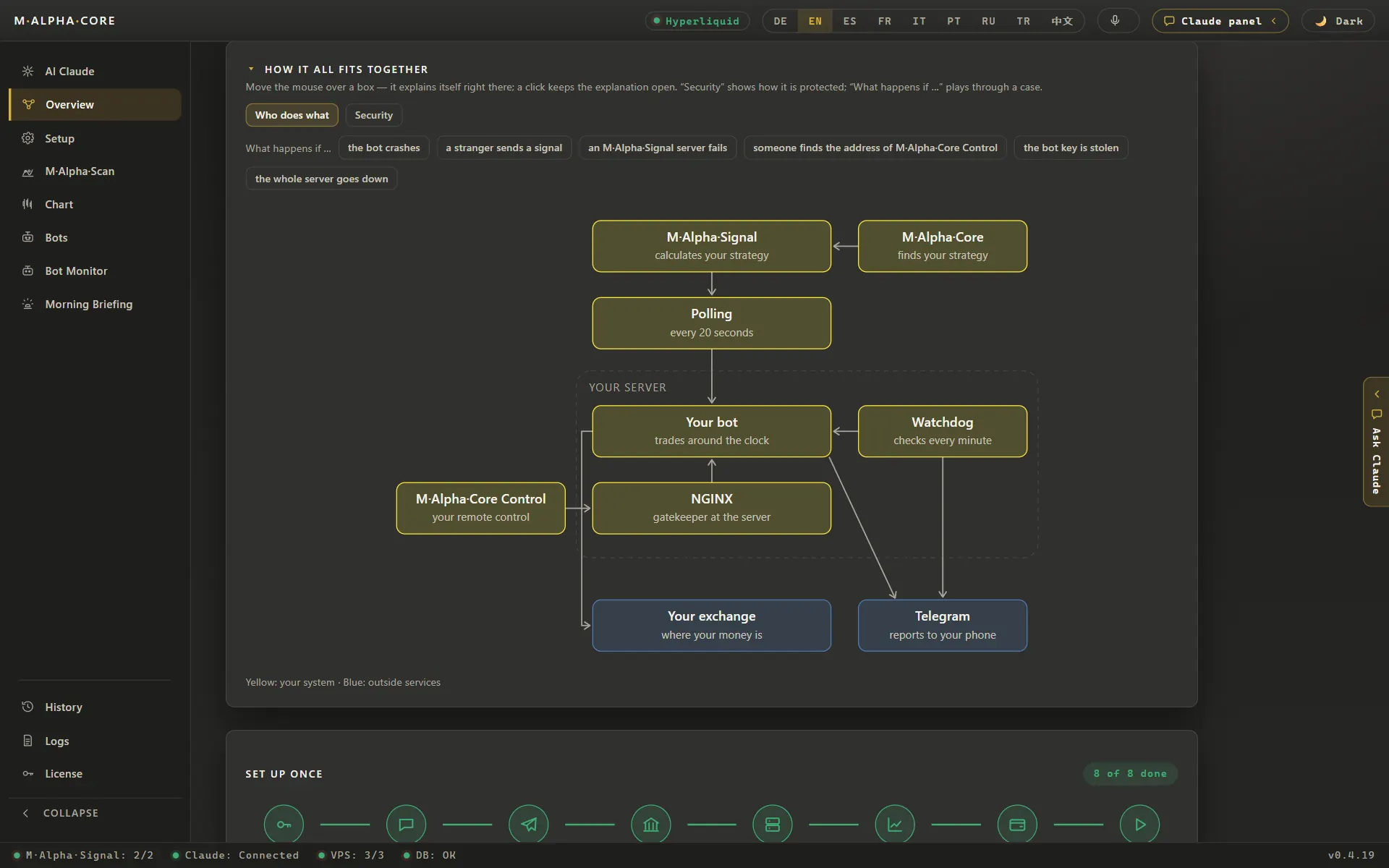
- The strategy is built in. M Alpha Core has one strategy, M Alpha Signal. You do not write or import code.
- The scan finds its settings for your market. It searches on the first 65 % of a year of data and checks the result once on the last 35 %, which the search never saw.
- The report shows the risk. Trades, profit factor on both parts, result with and without leverage, the worst move against a single trade and the leverage limit that follows.
- The signal comes from our signal server. It calculates the strategy at every candle close with exactly the settings of your report and hands a sealed signal to your bot. No alert, no webhook from a chart.
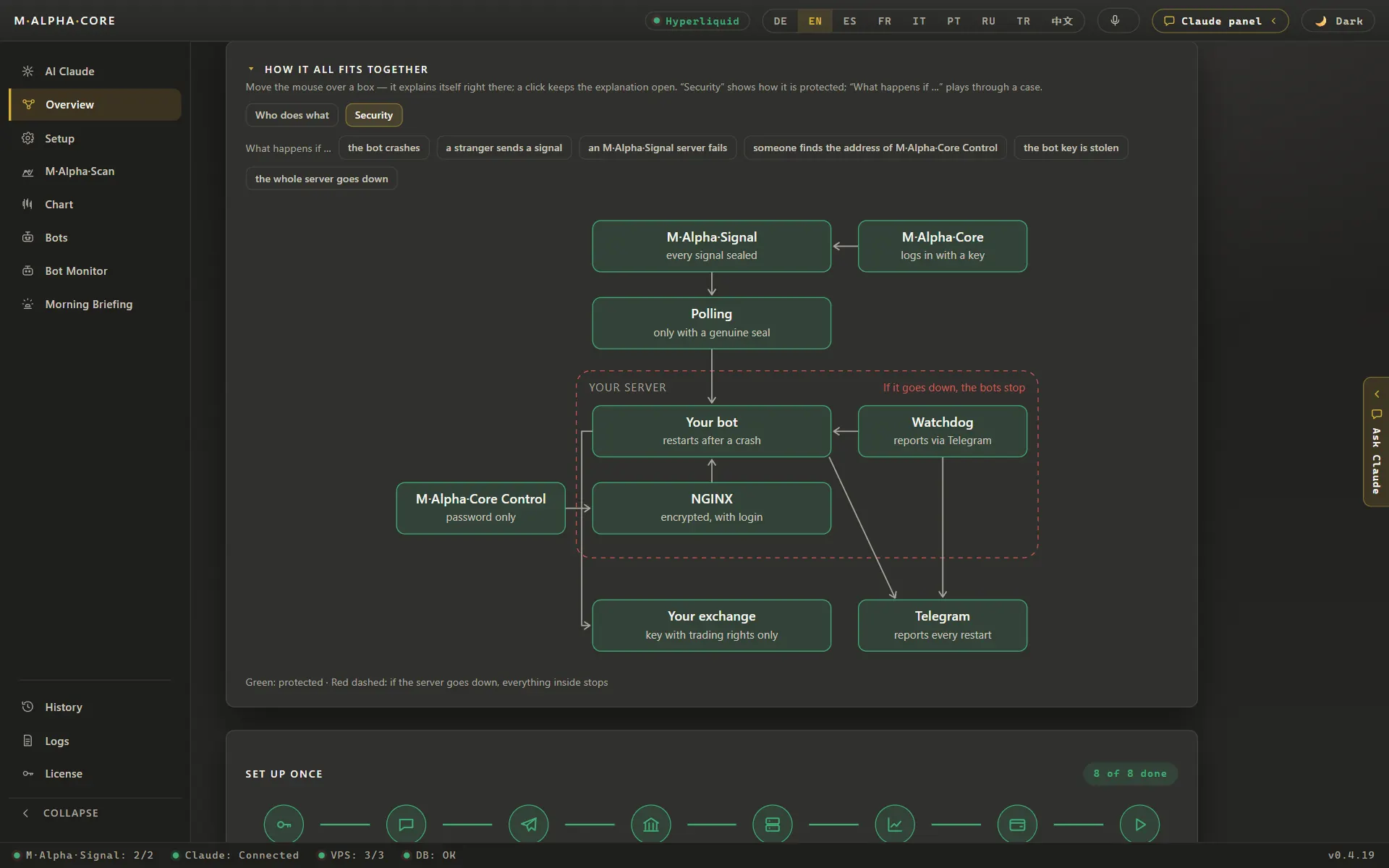
- Your bot trades on your own server. It uses your own trading only key, one sub account per bot.
Side by side
| What matters | Chart platform, alert and webhook | M Alpha Core |
|---|---|---|
| Where the strategy comes from | You write it in Pine Script or use a published one | One built in strategy, settings found per market |
| Searching settings | You tune parameters on the chart | The scan tries many settings automatically |
| Test on unseen data | Possible if you set up the split yourself | In every report: 65 % searched, 35 % unseen |
| Leverage risk | You calculate it | Worst move and leverage limit in every report |
| From signal to order | Alert, webhook, receiving script or service, exchange | Signal server, your bot, exchange |
| Where the exchange key lives | With your receiving script or service | On your own server and in the vault of your device |
| Monitoring | You build it | Watchdog every minute, Telegram messages, liquidation warnings |
| Markets | Whatever your chart and exchange offer | Crypto, gold, silver, oil, indices and 200+ stocks as perpetuals |
Both ways have their place. If you want to build your own strategy from scratch, a scripting language on a chart platform gives you full freedom. If you want a tested strategy running as a bot without writing code or wiring a webhook chain, M Alpha Core is built for that.
What you give up
An honest comparison names the downsides too:
- No own strategy code. M Alpha Core runs one strategy. You choose its market, time frame and settings from the scan, not its logic.
- Two time frames. The scan works on the 30 minute and the 1 hour chart. If your idea needs a 1 minute chart, this is not the tool. The scalping bot page explains why we stay on longer charts.
- Markets from the scan source. The scan uses Binance perpetual candles, so it can scan what Binance lists as a perpetual contract. Your bot can still trade on any of the ten supported exchanges that lists the market.
- A small server of your own. Your bot runs on a server you rent for about $12 a month. The app sets it up, but it is one more bill.
What you gain
- Fewer links in the chain. No alert to forget, no webhook address to keep secret, no message format to get wrong.
- A test you cannot skip. Every report contains the check on unseen data. You do not have to remember to do it.
- Risk before profit. The leverage limit from the worst trade sits next to every result.
- Your key stays with you. It lives on your own server and in the vault of your device. Our servers never get it. See the security page.
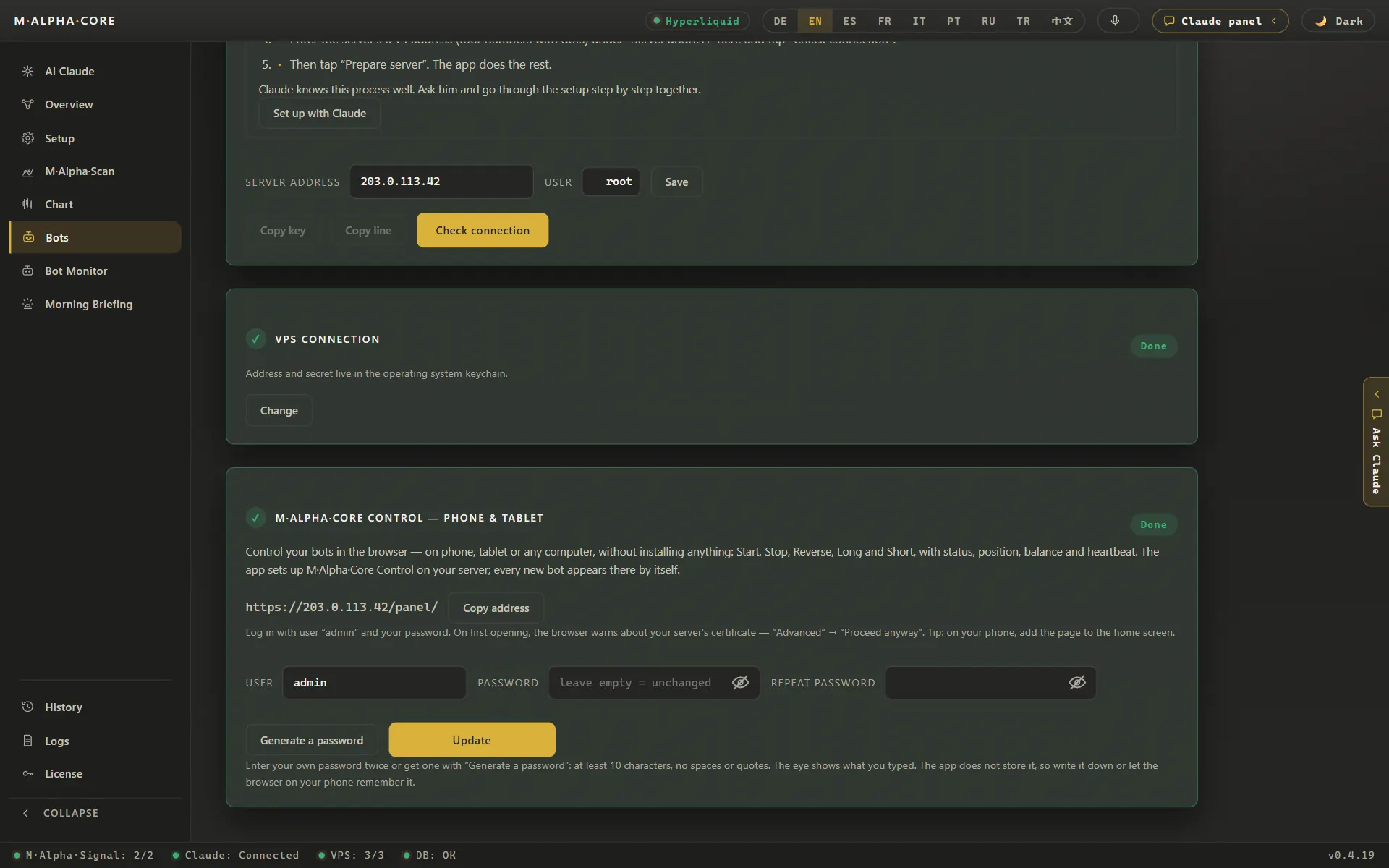
- Control from anywhere. A control panel in any browser with long, short, reverse and stop, and every trade on your Telegram.
Switching from an alert based bot
If you already run a bot on alerts, you do not have to switch everything at once. Scan the market your current bot trades, compare the report with what your bot has done, and start an M Alpha Core bot as a dry run next to it. The dry run only writes down what it would do and sends every step to your Telegram. After a few signals you can compare both side by side and decide. The paper trading page explains the dry run and the testnet option.
What it costs
M Alpha Core costs from $49 a month, plus a small server for about $12 a month. Telegram is free, and the built in assistant needs about $5 of credit a year. You do not need a chart platform subscription for the bot. All plans are on the pricing page. Comparisons with other bot tools are on M Alpha Core vs 3Commas and M Alpha Core vs Pionex.
Frequently asked questions
Do I need TradingView to use M Alpha Core?
No. The strategy is built in, and our signal server calculates it. No chart alerts or webhooks are involved.
Can I import my Pine Script strategy?
No. M Alpha Core runs one built in strategy, M Alpha Signal, and the scan finds its settings for your market.
Can I still use TradingView for charts?
Yes. The two do not conflict. M Alpha Core only replaces the chain from alert to order for your bot.
Is M Alpha Core a charting platform?
No. It has a chart for the trades of each scan, but it is built for testing settings and running bots, not for general chart analysis.
How does the signal reach my bot without a webhook from a chart?
Our signal server calculates the strategy at every candle close with your settings and hands a sealed signal to your bot on your own server.
Which time frames are supported?
The 30 minute and the 1 hour chart.
Where is my exchange key stored?
On your own server and in the protected vault of your device. Our servers never receive it.
Can I test M Alpha Core next to my current bot?
Yes. Start a bot as a dry run. It records what it would do without sending orders.
What does it cost compared to a chart subscription plus a bot service?
M Alpha Core costs from $49 a month plus about $12 a month for your own server. Compare that with what your current chain costs in total.
Compare M Alpha Core
Side by side with other bot tools, with sources for every statement about them.
Exchanges in M Alpha Core: Binance · Bybit · Bitget · OKX · MEXC · Gate · BingX · KuCoin · Crypto.com · Hyperliquid
Related pages
All figures come from backtests on past market data. No result is a promise of future profit. Trading, especially with leverage, involves high risk. M Alpha Core is a software tool, not investment advice.